Multiple Faces Detected


 September 23rd, 2026
Strava is a fitness tracking app used by more than 100 million people to log runs, rides, swims, and other activities. Most users think of it as a personal training log that happens to have social features. The reality is that Strava’s default settings make a significant amount of your location data, including, potentially, where you live, visible to anyone on the platform. This is not a hypothetical privacy concern. It is a documented safety problem with a public track record that includes the exposure of classified military installations. Here is how Strava search works, what the heatmap actually reveals, which settings matter, and what the settings cannot fix.
Name Search Examples
To get more accurate results, enter the full name including at least First name, Middle name and Last name.
Email Search Examples
Phone Search Examples
Username Search Examples
Address Search Examples
Start typing the initial part of the address and select from the addresses given dropdown afterward.
We Respect Your Privacy.
How Strava Search Actually Works
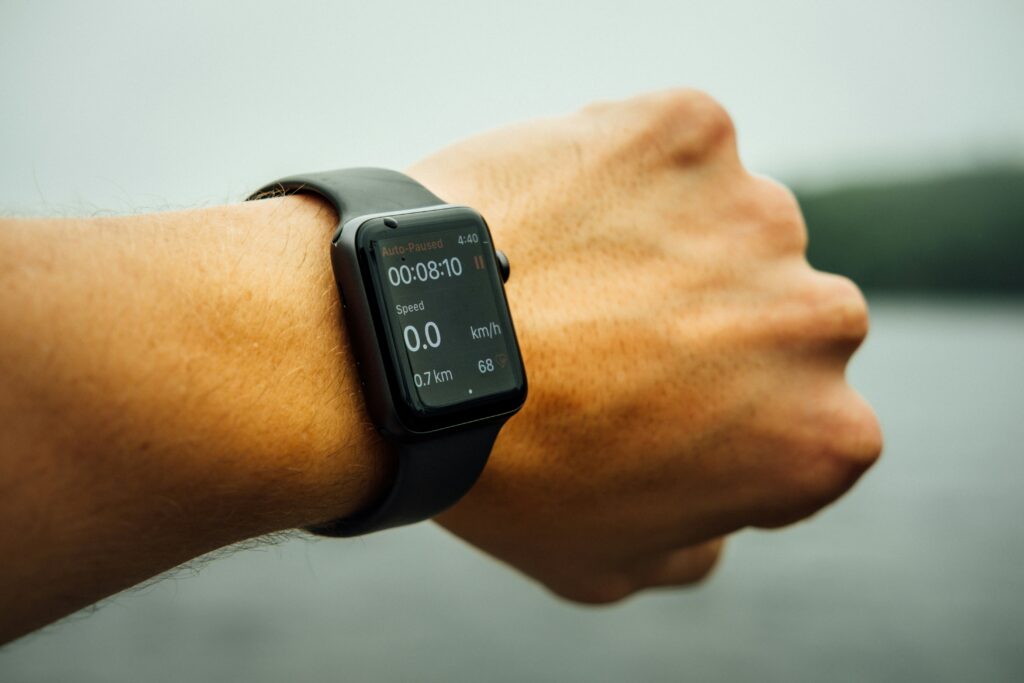
Strava has several surfaces where you or your activity can be found by someone who is not your follower and may not know you personally.
Athlete Search
Strava’s search function allows any user to search for another athlete by name. The results return public profiles. If your profile is set to public, your name, profile photo, recent activities, and the segments you have completed are visible to anyone who finds you through search; no follow required, no approval process.
Segment Leaderboards
Strava’s Segments feature allows users to define specific stretches of road or trail and rank anyone who completes them by speed. If you run or ride through a public segment, your name and time appear on the leaderboard regardless of your follower settings, as long as your activity visibility is set to Everyone. Anyone browsing a segment that passes through your neighborhood can find your name, tap your profile, and see your recent activity.
Flyby
Flyby is a feature that lets users replay a timeline of their workout alongside other users who were physically nearby at the same time. If your activity visibility is set to Everyone, you automatically appear in other people’s Flyby replays. The feature is opt-out rather than opt-in by default, and many users are not aware it exists. Someone who ran near you at any point can see you in their Flyby and access your profile from it.
What a Stranger Can See
For a public profile, a stranger can see:
- Your full name and profile photo
- All recent activities with their maps and routes
- Segment completion times and leaderboard positions
- Clubs you belong to
- Followers and following lists
For a followers-only profile, search and leaderboards still surface your name and profile photo. The activity maps and route details are hidden, but you remain discoverable.
The Heatmap Problem, Explained Plainly
Strava’s Global Heatmap is a publicly accessible map that aggregates the GPS tracks of billions of activities logged on Strava into a visual heat signature. The more people run or ride a given path, the brighter it glows. It is available at labs.strava.com/heatmap and requires no Strava account to view.
The Military Base Case
In January 2018, a researcher named Nathan Ruser was examining Strava’s heatmap and noticed something unusual: bright glowing lines in the middle of remote desert regions in Syria, Iraq, and Afghanistan, places where civilian joggers do not exist. The lines were tracing the exact perimeters, patrol routes, and internal layouts of classified US and allied military installations. Soldiers had been logging their runs on Strava, and the aggregated GPS data had made the physical footprint of secret bases visible to anyone in the world with an internet connection. The US military opened a review of soldiers’ use of fitness tracking apps as a direct result.
The Israeli Soldier Identification Case
In 2022, a security research group called FakeReporter documented a related but distinct exploit. Strava’s Segments feature, which ranks users by their speed on specific routes, was used to identify Israeli soldiers by name from their leaderboard appearances. Those names were then cross-referenced with other public sources to surface home addresses, family members, colleagues, and travel history. The ranked leaderboard functioned as a directory that no one intended to create.
The Civilian Version of the Same Problem
The military cases are dramatic, but the same mechanism creates real risks for ordinary users. Your individual run or ride does not reveal where you live. But if you log enough activities over time, the cluster of GPS tracks that consistently start and end in the same location or that avoid certain streets in a recognizable pattern reveals your home address to anyone looking at your activity map with attention.
This is the mechanism that makes Strava a stalking and burglary risk for civilians regardless of any military context. A public activity history of sufficient length is a detailed, timestamped record of where you go, when you leave, how long you are gone, and where you come back to. All of this is visible to anyone who finds your public Strava profile.
The Strava Privacy Settings That Actually Matter
Strava has specific tools designed to address the location exposure problem. Here is what each one does and how to use it.
Activity Privacy Zones
Privacy Zones allow you to obscure the start and end points of your activities with a radius of your choosing. Any activity that begins or ends within the zone has its map automatically trimmed so the zone area is not visible to other users.
How to set it up:
- Open the Strava app and go to your profile
- Tap the Settings icon and select Privacy Controls
- Select Privacy Zones and tap Create Privacy Zone
- Enter your home address and set the radius — Strava’s minimum recommendation is 500 meters and a larger radius provides more protection
- Repeat for any other sensitive location such as your workplace or a family member’s address
What this does: Prevents your activity map from showing the immediate area around your home even when your full activity is visible to others. The route is still displayed, but it is trimmed at the edge of the zone.
What this does not do: It does not prevent someone who sees your trimmed routes over time from inferring the general neighborhood where your routes consistently begin and end. A sufficiently large privacy zone and route variety both help.
Map Visibility Settings
Separate from Privacy Zones, Strava’s Map Visibility setting controls who can see your activity maps at all.
How to change it:
- Go to Settings then Privacy Controls then Activities
- Set Map Visibility to Followers or Only You depending on your preference
- Note that this applies to future activities — previously logged public activities retain their original visibility settings unless changed individually
Flyby Opt-Out
How to disable:
- Go to Settings then Privacy Controls
- Find the Flyby setting and set it to No One or Only Me
This prevents you from appearing in other users’ Flyby replays even when your activity visibility is set to Everyone.
Hiding From Leaderboards
Strava allows you to hide your efforts from segment leaderboards.
How to enable:
- Go to Settings then Privacy Controls
- Enable Hide from Leaderboards
This prevents your name from appearing on public segment rankings, which is the specific surface used in the Israeli soldier identification case.
A Quick Privacy Checklist
- Privacy Zone set for home address at 500m minimum
- Privacy Zone set for workplace if you run from there
- Map Visibility set to Followers rather than Everyone
- Flyby set to No One
- Leaderboards hidden
- Profile set to Followers Only rather than Everyone if you do not need public discoverability
Name Search Examples
To get more accurate results, enter the full name including at least First name, Middle name and Last name.
Email Search Examples
Phone Search Examples
Username Search Examples
Address Search Examples
Start typing the initial part of the address and select from the addresses given dropdown afterward.
We Respect Your Privacy.
What Strava’s Settings Do Not Tell You
Even with every setting above properly configured, Strava has a gap it cannot close: it does not tell you who has been looking at your profile, attempting to find you through search, or saving your activity data before you changed your settings.
What Strava does not show you:
- Who has searched your name and visited your profile
- Who has viewed your activity maps
- Who has added you as a follower from a search rather than from a mutual connection
- Whether your historical activity data — logged before you changed your privacy settings — has already been captured by someone
This is the same gap that exists across most social platforms: the settings control future exposure but cannot undo past visibility, and the platform does not notify you when someone is actively researching your profile.
If You Think Someone Is Tracking You Through Strava
If someone has followed you on Strava and something about their account or their engagement with your activities feels off, Strava itself provides almost no verification tools. You can see their profile, their activity count, and whether they have mutual connections with you. You cannot confirm who they actually are.
Reverse Image Search Their Profile Photo
Save their Strava profile photo and upload it to Social Catfish’s reverse image search. The facial recognition finds where that face appears online and under what names. A genuine follower whose identity is consistent across Strava and their other social platforms presents no concern. A profile photo that traces back to someone else’s social media or appears under a different name elsewhere is worth taking seriously, particularly if the follow pattern or engagement feels unusual.
Username Search
Enter their Strava username or any name on their profile into Social Catfish’s cross-platform username search. The search returns every platform where that handle or name is active, alongside the real identity connected to it. Someone whose Strava account exists in isolation with no corresponding presence on any other platform, is worth scrutinizing more closely than someone whose identity is consistent across multiple platforms with genuine history.
If You Have Their Contact Details
If a Strava follower has moved contact off the platform and shared a phone number or email address, Social Catfish’s reverse phone and email search confirms the real identity registered to those contact details, confirming whether the person’s identity is consistent with who they presented as on Strava.
All searches are completely confidential. The person being searched receives no notification.
Every run makes your map a little more accurate. Including to strangers.
This is exactly how it happens
Five ordinary runs is often all it takes. No single activity gave it away — the overlap did. This is the same pattern that once exposed active military bases on Strava’s public heatmap, and it works just as well on a home address.
Privacy zones and hidden maps only cover what Strava shows on your profile. They don’t tell you who’s actually been following your activity, commenting on your runs, or trying to piece together your routine from the outside.
See Who’s Really Following YouPrivate and confidential — only you see the results.
FAQ
No. Strava does not notify users when someone searches their name or views their profile. Searching for another athlete and visiting their profile is completely private; they receive no notification and have no way to see who has searched for or viewed their profile through any native Strava tool.
Strava is safe to use with the right privacy settings in place. The primary risks are location-related: default settings make activity maps and route data visible to the public, which can reveal home addresses through aggregated activity history. Setting Activity Privacy Zones for your home and workplace, changing Map Visibility to Followers Only, and opting out of Flyby and leaderboards address the most significant exposure points.
Use Strava’s Activity Privacy Zones feature. Go to Settings, then Privacy Controls, then Privacy Zones, create a zone centered on your home address, and set a radius of at least 500 meters, Strava’s own minimum recommendation. Activities that begin or end within the zone will have that portion of the map hidden from other users. A larger radius provides more protection against location inference from trimmed route patterns.
Strava’s Global Heatmap is a publicly accessible map that aggregates the GPS tracks of billions of Strava activities into a visual heat signature showing where people exercise around the world. It is available at labs.strava.com/heatmap without a Strava account.
Potentially, yes, from aggregated activity history rather than from a single run or ride. If enough of your activities are publicly visible and consistently start and end near the same location, the cluster of GPS tracks can reveal your home address to anyone looking carefully at your activity map.
Conclusion
Strava’s privacy risks are not theoretical. The documented cases of military base perimeters revealed to the public through aggregated fitness data, and soldiers identified by name from segment leaderboards, reflect the same mechanism that creates location exposure for ordinary users at a smaller scale. The settings exist to address it: Privacy Zones, Map Visibility controls, Flyby opt-out, and leaderboard hiding together significantly reduce the exposure that default settings create. What the settings cannot do is tell you who has already been looking at your profile or confirm the identity of someone who is following you now. For that, Social Catfish’s reverse image and username search covers the verification gap that Strava itself does not provide.
Name Search Examples
To get more accurate results, enter the full name including at least First name, Middle name and Last name.
Email Search Examples
Phone Search Examples
Username Search Examples
Address Search Examples
Start typing the initial part of the address and select from the addresses given dropdown afterward.
We Respect Your Privacy.