
 Multiple Faces Detected



 July 14th, 2026
Threads has a built-in username search, but it only works if you are logged in, and it struggles with searching for common names and popular handles. You will get a wall of lookalikes with no way to filter further. Since Threads accounts are tied to Instagram, checking their Instagram username first often works faster. Here is exactly how Threads username search works, what it cannot do, and how Social Catfish helps when the person is not using the username you expect.
How Threads Username Search Actually Works
What You Need Before You Can Search
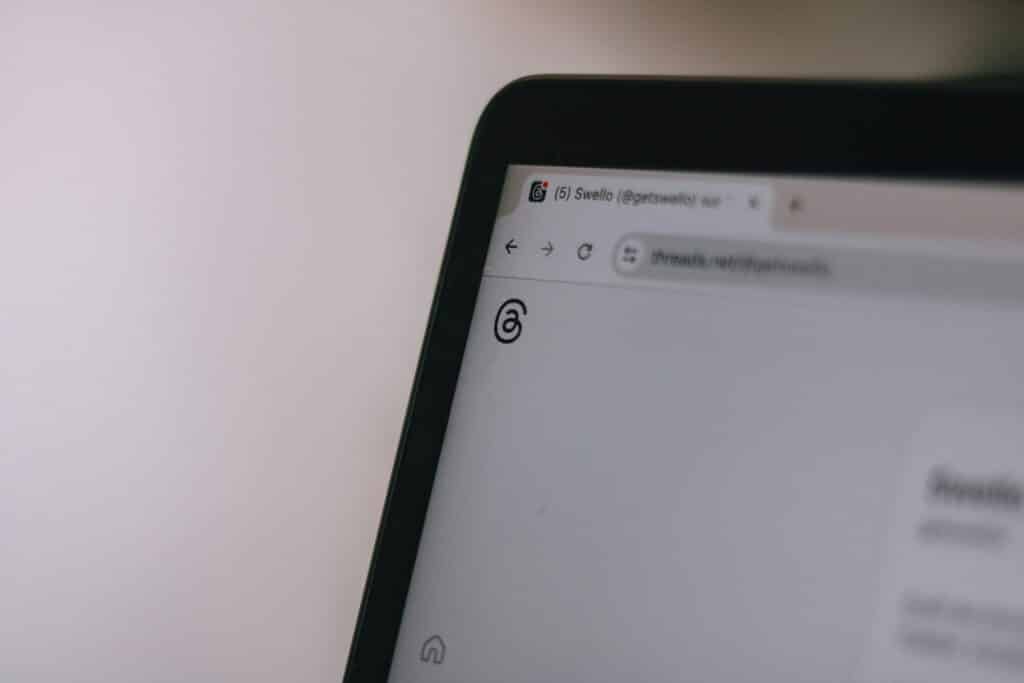
Threads requires a logged-in account before any search functionality is available. There is no public or logged-out lookup, no way to search profiles without signing in, and no partial preview for non-logged-in visitors. Creating a Threads account requires an Instagram account, so if you do not have either, that is the starting point before any of the native search methods below will work.
Step-by-Step: Searching a Username on Threads
On the Threads app:
- Open the app and tap the search icon at the bottom of the screen
- Type the username or name into the search bar
- Threads returns matching profiles as you type
- Look through the results for the correct account — verified accounts display a blue checkmark next to the name
On the Threads website:
- Go to threads.net and make sure you are logged in
- Click the search icon in the left sidebar
- Type the username into the search field
- Browse the results for the matching profile
Direct profile URL:
If you have the exact username, go to threads.net/@username directly in your browser. This is the fastest method when you know the handle precisely and bypasses the search results page entirely.
Why a Threads Username Search Comes Up Empty or Full of Lookalikes
Common Names Return Dozens of Similar Accounts
Threads search works well for distinctive or unusual usernames. For common names, common handles, or short usernames, the results page returns a large number of similar accounts with no additional filtering options to narrow them down. There is no location filter, no follower count filter, and no way to sort by account age or activity level you are left scrolling through results manually.
This is the most common frustration with the Threads username search, and the reason so many people are looking for alternatives. The search technically works, but it is just not precise enough to be reliable for finding a specific person among many similarly named accounts.
Verified Badges Are Your Best Filter
When a Threads username search returns multiple results, the verified badge is the most reliable way to identify the correct account for public figures, creators, and anyone with a significant following. The blue checkmark on Threads is Meta-verified and carries over from Instagram verification, making it a meaningful trust signal rather than a decorative one.
For people who are not public figures and do not have a verified badge, the profile photo, bio, and follower count are the next best filters. A profile with an established follower count, a recognizable photo, and a bio consistent with what you know about the person is more likely to be the right account than a new profile with no followers and an empty bio sharing the same name.
The Person May Be Using a Different Handle Than You Expect
Threads accounts are created through Instagram, and many users keep the same username on both platforms. But some people create a distinct Threads username separate from their Instagram handle, use a nickname rather than their real name, or have changed their username since you last had contact with them. If the username you are searching for is not returning the right result, the most likely explanation is that they are using a different handle on Threads than the one you know for them.
Use Their Instagram Username First
Why Threads and Instagram Usernames Usually Match
Because Threads is built directly on Instagram’s infrastructure and account creation flows through Instagram, the vast majority of Threads users carry their Instagram username over to Threads unchanged. This is the default; users have to actively choose a different Threads username to break the match.
This means if you know someone’s Instagram username, there is a strong probability their Threads account uses the same handle. Checking the Instagram username on Threads before trying variations or alternative approaches saves significant time.
How to Cross-Check an Instagram Handle on Threads
- Go to threads.net/@instagramusername in your browser, substituting their actual Instagram handle
- If the account exists under the same username, the profile loads immediately
- Alternatively, search the exact Instagram username in Threads search and check whether the top result matches
If the direct URL returns a profile not found message, they either have not created a Threads account yet, have deactivated it, or are using a different username on Threads than on Instagram. At that point, Social Catfish’s username search is the most efficient. Next, enter the Instagram username, and the search returns every platform where that handle is active, confirming whether a Threads account exists under a variation of it.
When Threads Search Is Not Enough: Social Catfish
When the native Threads search and the Instagram crossover method have not surfaced the right account, Social Catfish’s cross-platform search covers the cases that Threads itself cannot handle.
Username search:
Enter any username you know the person uses, their Instagram handle, a Twitter username, or any handle from any platform into Social Catfish. The search cross-references it across hundreds of platforms simultaneously and returns every account where that handle or a closely related variation is active. This is the most reliable method for finding a Threads account when you are not certain what username the person is using there.
Name search:
If you only have a real name and no username, Social Catfish’s name search returns linked usernames across platforms. This often surfaces the Threads handle someone uses, even when you had no username to start with.
Reverse image search:
If you have a photo of the person from another social platform or from a direct share, upload it to Social Catfish’s reverse image search. The facial recognition finds where that face appears online under what names, which frequently surfaces a Threads profile alongside other connected accounts, even when the username you had did not lead anywhere.
Why this matters beyond just finding the account:
A Threads profile tells you what the person has chosen to post publicly. Social Catfish tells you whether the identity behind it is consistent and genuine, whether the username appears under the same real name across platforms, whether the profile photo belongs to a real person with a verifiable online history, and whether the account is what it presents itself as. For anyone verifying a connection they made through Threads before trusting further, that second layer of confirmation is what the platform’s own search cannot provide.
The search is completely confidential, and the person being searched receives no notification.
FAQ
Yes. Any search on Threads requires a logged-in account. There is no public or logged-out lookup. Attempting to search without being logged in redirects to the signup page with no results displayed.
Common names and popular handles return many similar accounts with no additional filters available. Check for a verified blue checkmark to identify the correct account for public figures. For people without verification, cross-reference the profile photo, bio, and follower count against what you know about the person.
Usually yes. Most Threads accounts use the same username as the connected Instagram account by default. Go to threads.net/@instagramusername directly to check. If that does not return a result, Social Catfish’s username search finds every platform where that handle is active and confirms whether a Threads account exists under a variation of it.
Social Catfish’s cross-platform search handles this directly. Enter any name, email address, phone number, or photo, and the search returns linked usernames across hundreds of platforms, often surfacing the Threads handle someone uses, even when you had no username to start with.
Threads’ own search is free with a logged-in account and covers straightforward username lookups. When that comes up empty or returns too many lookalikes to be useful, Social Catfish offers a more reliable cross-platform alternative that searches beyond what Threads’ native interface can find.
Conclusion
The Threads username search works well for distinctive handles and verified accounts. For common names, accounts using unexpected usernames, or situations where you need to confirm the identity behind a Threads profile rather than just find it, the Instagram crossover shortcut and Social Catfish’s cross-platform username search cover the gaps that native search leaves open.
The Instagram username check should always come before any more involved search. Most Threads accounts use the same handle, and the direct URL method confirms it in seconds. When that does not land, Social Catfish finds the account from whatever identifier you have and returns the full identity picture behind it, which is the answer that matters before you extend trust to any online connection.