Multiple Faces Detected


 April 30th, 2026
If something feels off about your partner’s online activity, reverse image search is one of the most direct tools available for finding out whether they are maintaining hidden profiles on dating apps or social media. Most people who create secret accounts reuse photos from their main social media, the same photos their partner already has access to. That reuse is exactly what makes reverse image search effective.
This guide covers everything you need to reverse image search a suspicious partner step by step, how to get a searchable photo, how to run the search through Google Lens and TinEye, why standard search engines miss most dating apps, and what to do when the search returns no results. For a comprehensive search that goes beyond what Google can find, Social Catfish’s reverse image search uses AI facial recognition to scan across dating platforms, social media, and other sources that standard search engines cannot reach, returning hidden profiles your partner may not expect you to find.
Why Reverse Image Search Works for Finding Hidden Profiles
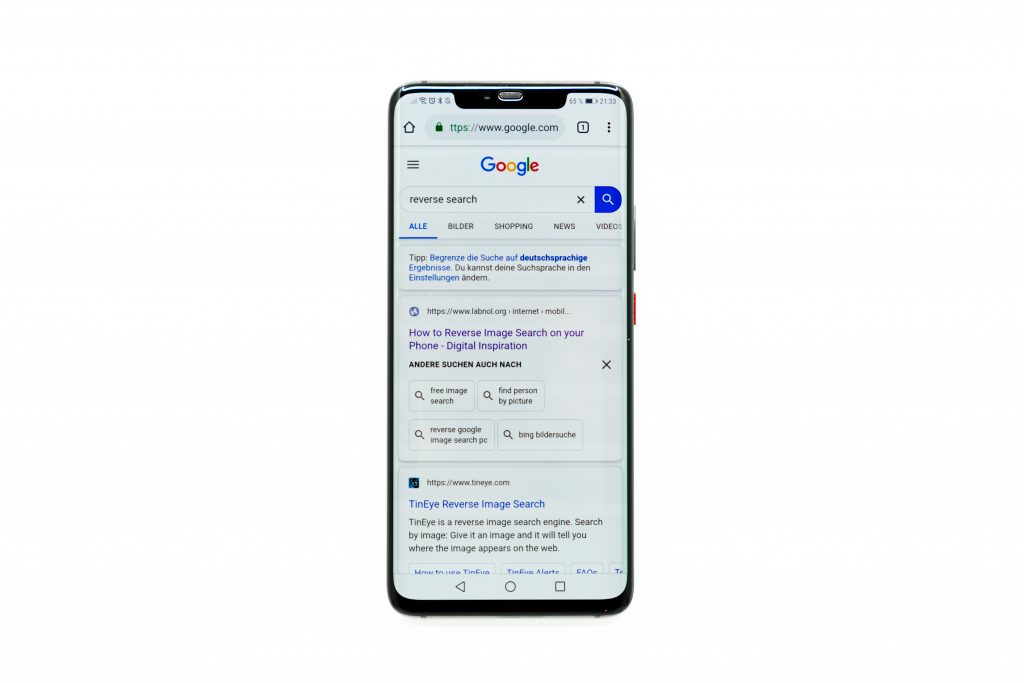
People who maintain secret online identities make one consistent mistake: they reuse photos. Creating an entirely new set of convincing photos for a hidden dating profile requires effort that most people do not put in. Instead, they use photos already on their phone, the same photos that appear on their public Instagram, their Facebook, or that they have sent to you directly.
This reuse is the vulnerability that reverse image search exploits. When the same photo or a similar one has been uploaded to a dating app or a secondary social media account, a reverse image search finds the connection. The search returns pages where that image has appeared, which may include dating profiles, alternative social accounts, or other online identities your partner has not told you about.
How to catch a cheater with reverse image search works on the same principle as any other reverse image search people use for verification. The process is identical whether you are checking a date’s photos or a partner’s. The difference is in what you are looking for and what the results mean.
What You Need Before You Start
The quality of your results depends directly on the quality of the photo you start with. Here is how to get the best possible source image.
Photos you already have. Any photo of your partner, photos they have sent you, photos from their social media, or photos you took together where they appear clearly. The photo does not need to be recent, though more recent photos are more likely to match current profiles.
Photos from their phone or social media. If your partner has public social media profiles, their photos there are accessible without needing physical access to their device. Screenshot any clear, well-lit face photo from their public Instagram, Facebook, or other public profile.
What makes a good search photo:
- Clear, well-lit face photo where the face is the main subject
- Front-facing or near-front-facing — profile shots are less effective for facial recognition
- Cropped tightly to the face with minimal background
- Higher resolution if available — screenshot quality is usually sufficient
What to avoid:
- Group photos where the face is small in the frame
- Heavily filtered or edited photos — filters change visual characteristics enough to reduce match accuracy
- Very old photos — appearance changes over time and older photos may not match current profiles
Crop the photo tightly to just the face before uploading to any search tool. This step alone significantly improves results by removing background noise that can confuse image matching algorithms.
How to Reverse Image Search a Suspicious Partner Using Google Lens
Google Lens is the best free starting point for how to reverse image search someone. It is available on every device and accesses Google’s massive image index.
On iPhone or Android: Open the Google app. Tap the Lens icon in the search bar, the small square with a dot in the centre. Select the saved photo from your camera roll. Google Lens processes the image and returns visually similar images and associated web pages.
On desktop: Go to images.google.com. Click the camera icon in the search bar. Select “Upload a file” and choose your cropped photo. Review the results carefully.
Reading the results: Focus on exact image matches on the first pages where the same or near-identical image file appears. If your partner’s photo appears on a dating profile, a secondary social media account, or any other page they have not told you about, it will show here. Also, check the “visually similar” section; other photos of the same person sometimes appear here even when the exact file does not match.
Google’s key limitation: Google does not index most dating apps. Tinder, Bumble, Hinge, and other major dating platforms specifically block Google’s crawler. If your partner created a profile on any of these platforms using stolen or reused photos, Google will not find it. This is not a flaw in your search; it is a structural limitation of what Google can see.
How to Reverse Image Search Dating Profiles Specifically
This is the section that explains why standard search tools miss the most important results and what to do about it.
Reverse image search dating profiles using Google and TinEye will not find most hidden dating accounts because dating apps block search engine crawlers by design. Tinder, Bumble, Hinge, OkCupid, Plenty of Fish, Match.com, and virtually every other major dating platform do not allow their profiles to be indexed by Google. The profiles exist on the platform’s servers but are invisible to any search engine lookup.
This means the most common scenario, a partner creating a Tinder or Bumble profile using their regular photos, is exactly the scenario that Google cannot detect. The photo could be on an active dating profile right now, and a Google search would return no results, not because the profile does not exist but because Google cannot see it.
Hidden profiles online on adult platforms are similarly invisible. Many of the platforms where hidden profiles are created specifically to be undiscoverable by a partner are not indexed by any mainstream search engine.
Social Catfish for dating profile search. Social Catfish’s reverse image search was specifically built for this scenario. Upload the photo to Social Catfish and the AI facial recognition searches across dating apps, adult platforms, and social media that Google does not index, finding the same face across completely different photos on platforms that block standard search engines. This is the most direct available method for reverse image search dating profiles that actually includes the platforms where hidden profiles are created.
What to Do When Reverse Image Search Returns No Results
No results from Google and TinEye are the most common outcome, and it does not mean the search is over. It means the file-matching tools have not found the photo in their index, which is a different thing from confirming the photo is unique.
The three reasons no results appears:
The photo was used on platforms that search engines cannot index, such as dating apps, private social media, and adult platforms. No results are expected and reveal nothing.
The photo was modified before being used elsewhere. A simple crop, mirror, or filter makes the file different enough that file-matching tools do not connect it to the original. Someone creating a hidden profile would naturally do this.
The face is AI-generated. This is less relevant for a search involving your partner’s known photos, but worth noting for context.
What to do:
Upload to Social Catfish’s reverse image search. Unlike Google and TinEye, Social Catfish uses facial recognition rather than file matching; it analyses the face itself and searches across platforms that file-matching tools cannot reach. The same face in a completely different photo on a dating app will surface here when it would not surface in Google.
If the image search itself returns no results on any tool, move to the identity-based search methods in the next section, which do not depend on photo matching at all.
How to Find Hidden Profiles Beyond Image Search
A comprehensive search for hidden profiles online combines image search with identity-based reverse lookup. These methods work independently of photos and often produce results that image search cannot.
Social Catfish reverse phone search. Enter your partner’s phone number into Social Catfish’s reverse phone lookup. The search cross-references the number against social media registrations, dating app accounts, and public records, returning every platform account linked to that number. A phone number registered to an active Tinder, Bumble, or Hinge account shows up here even if the profile photo is not findable through image search.
Social Catfish reverse email search. Most dating accounts are registered to an email address. Enter every email address you know your partner uses into Social Catfish’s reverse email search. The search returns every platform account registered to that email, including dating apps, secondary social media accounts, and any other platform where that address was used to sign up.
Social Catfish username search. People tend to reuse usernames. If your partner has a consistent username across their known social media, enter it into Social Catfish’s username search. The search cross-references the handle across hundreds of platforms simultaneously, finding accounts on dating apps, adult platforms, and other social networks that use the same or similar handle.
Name search with location. Enter your partner’s full name and city into Social Catfish’s name search. This returns linked social profiles, public records, and associated contact details, sometimes surfacing accounts registered under variations of their name that do not appear in a standard social media search.
Signs Your Partner Has Hidden Profiles

These patterns appear consistently in situations where a partner maintains hidden online accounts. None of them is conclusive alone, but a combination of several warrants a closer look.
Increased phone privacy. A sudden change in phone habits, turning the screen away, using a passcode where they did not before, and deleting messages is one of the most consistent early signals.
Unexplained app activity. Unfamiliar apps on their device, apps they deny using, or notifications from platforms you did not know they were on are worth noting.
Inconsistent whereabouts. Dating apps require some physical availability. If your partner’s claimed location and actual availability are inconsistent, that discrepancy is worth investigating alongside an image search.
Photos missing from their social media. If certain photos that exist on their phone or that you have taken together have quietly disappeared from their social profiles, those photos may have been removed to avoid making a connection between their public identity and a hidden account.
Reaction to the conversation about it. A partner with nothing to hide typically responds to concerns with transparency rather than deflection. Disproportionate defensiveness about phone privacy or online activity is itself informative.
FAQ
Yes. All reverse image search tools, Google Lens, TinEye, and Social Catfish, operate completely passively. The person whose photo you are searching receives no notification or alert that a search was run.
Standard tools like Google and TinEye do not find dating profiles because dating apps block search engine indexing. Social Catfish’s reverse image search specifically covers dating platforms that standard tools cannot reach.
No results on Google confirm that the photos are not on a hidden profile. Dating apps are invisible to Google. Upload the photo to Social Catfish for a facial recognition search that covers dating platforms, and run a reverse phone or email search through Social Catfish for a complete check that does not depend on photo matching.
Enter your partner’s phone number and email addresses into Social Catfish’s reverse search. These cross-reference contact details against dating app registrations and platform accounts, finding hidden profiles linked to those identifiers regardless of what photos are used.
Yes. Reverse image search uses publicly available images and search tools to find where an image appears on the public internet. Using a photo you own or have access to your partner’s public social media photos, photos they sent you, and running it through a search tool is entirely legal.
Conclusion
Reverse image searching a suspicious partner is one of the most direct available methods for finding hidden profiles, and the process takes minutes once you have a clear photo to work with. Start with Google Lens and TinEye for free file-matching coverage. When those come up empty, Social Catfish’s facial recognition search covers the dating apps and private platforms that standard search engines cannot reach.
For a complete search that does not depend on photos alone, combine image search with Social Catfish’s reverse phone, email, and username search, covering every route a hidden profile could be linked back to your partner’s real identity. That combination gives you the most thorough answer available before deciding how to act on what you find.