Multiple Faces Detected


 July 1st, 2026
Cash App payments are instant and irreversible. Unlike a credit card payment or a bank transfer, there is no dispute process, no chargeback mechanism, and no buyer protection once a payment leaves your account. The FTC reported Americans lost $118.1 million to peer-to-peer payment app scams in just the first three months of 2025, a 61 percent increase over the same period the prior year. Before you send anyone money on Cash App, verifying who they actually are is the single most effective protection available. If you need to confirm the identity of someone who has requested a Cash App payment, Social Catfish’s reverse search confirms real identities from a phone number, email, or photo before anything leaves your account permanently.
Why Verifying Identity on Cash App Before Sending Money Matters
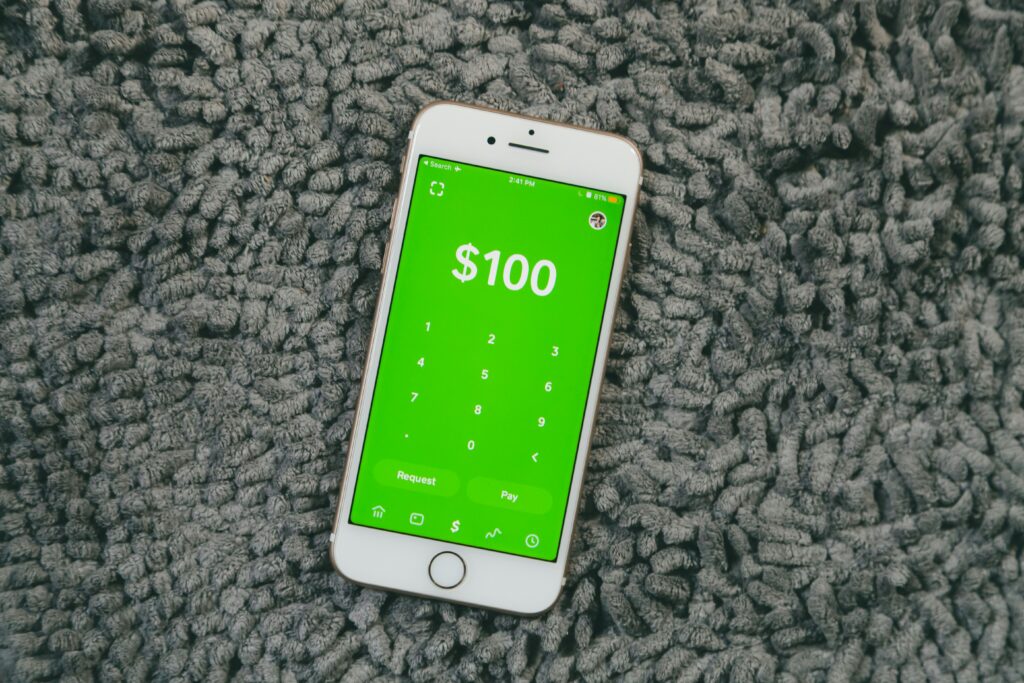
Cash App is built for speed. That speed is also its primary risk. A payment sent to the wrong person or to a scammer is gone the moment you hit pay.
The scale of the problem is significant. Cash App’s own fraud detection systems have helped prevent over two billion dollars in scam attempts since 2020. That figure reflects the volume of fraud attempts targeting the platform, not the volume that succeeded. The FTC’s Q1 2025 data showing $118.1 million in losses covers only the fraction of victims who reported. The real number is considerably higher.
Scammers specifically exploit Cash App’s speed and irreversibility. Their goal is to get you to send before you think carefully enough to stop. Every tactic in the Cash App scam playbook, the urgency, the emotional pressure, the simple request framed as a favor, is designed to compress the time between receiving the request and hitting send.
The one rule with no exceptions: if you are not certain to whom you are sending money, do not send it until you have verified their identity. This applies to people you met on dating apps, people who contacted you through social media, buyers and sellers on online marketplaces, and anyone requesting payment before you have independently confirmed they are who they claim to be.
How to Verify a Cash App Account Is Real: Free Methods
These four free checks cover the most accessible verification steps before any payment is made.
Check the $Cashtag and Profile Details
Every Cash App user has a unique identifier called a $Cashtag. Before sending any payment, verify the following:
- The $Cashtag matches exactly what the person gave you. Scammers create $Cashtags that differ from a legitimate user’s by a single character, number, or underscore, counting on you not to notice the difference.
- Their display name matches the name you know them by. Generic names, celebrity names, and names that do not match the context of your relationship are all worth questioning.
- Their profile photo is consistent with what you know about them. Reverse image searching the photo takes under a minute and can immediately confirm whether it belongs to a real person.
- Their account shows history. A brand new Cash App account with no activity requesting a significant payment is a meaningful red flag.
To check: open Cash App, tap the search icon, enter their $Cashtag or name, and review the profile before initiating any payment.
Verify Their Phone Number or Email
Cash App accounts are registered to a phone number or email address. Before sending money:
- Confirm the phone number or email they gave you matches the one linked to their Cash App account
- Call or text that number to confirm the person you are communicating with actually controls it
- If they gave you a different contact number than what appears on their Cash App profile, ask directly why before sending anything
A legitimate person with a legitimate reason to receive your money has no reason to be evasive about basic contact verification.
Check Whether Their Account Is Verified by Cash App
Cash App requires identity verification for full account functionality. A verified Cash App account means the person provided their legal name, date of birth, and Social Security Number to Cash App and passed the KYC check.
Indicators of a verified account include the ability to send and receive without strict limits, possession of a Cash App Card, and a blue verified checkmark on official Cash App giveaway accounts.
The critical limitation: account verification confirms that the person gave real information to Cash App. It does not confirm they are who they claim to be when dealing with you. Someone can have a fully verified Cash App account under their real name and still be running a scam using a completely different identity in their communication with you. Verification status is a positive signal, not a guarantee.
Request a Video Call Before Sending
If you met this person online or do not know them in person, request a live video call before sending any payment. A live video call confirms the person looks like their profile photo, that they are a real person rather than a bot or stolen identity, and that they can answer basic questions about themselves in real time.
Scammers almost always have a reason they cannot video call. Consistent refusal to appear on camera before asking for money is one of the strongest warning signals available, regardless of how convincing the excuse sounds.
Do Cash App Ask for Social Security Number: Real vs Fake Requests
This question comes from people who received an SSN request and want to know whether it is legitimate before complying. The answer depends entirely on where the request came from.
When Cash App legitimately asks for your SSN:
- The last four digits of your SSN are required within the official Cash App app during account identity verification
- Your full SSN is required within the official app for Bitcoin trading and stock investing features
- These requests appear only inside the official Cash App interface downloaded from the Apple App Store or Google Play Store
When an SSN request is a scam:
- Someone claiming to be Cash App support asks for your SSN via phone, text, email, or social media message
- A person requesting payment asks for your SSN as part of a verification process before accepting your money
- A third-party website claims to need your SSN to verify a Cash App transaction
Cash App Support will never ask for your SSN, PIN, sign-in code, or bank account details outside the official app. Cash App’s only official support number is 1-800-969-1940. Any other number claiming to represent Cash App support is operating a scam.
If someone asked for your SSN claiming it is required for a Cash App transaction, do not provide it. Run their contact details through Social Catfish to verify who you are actually dealing with before taking any further action.
Cash App Identity Verification Scams: What Fake Accounts Look Like
Fake Cash App Support Asking to Verify Your Identity
Scammers pose as Cash App support and claim your account requires identity verification due to suspicious activity. They reach you via unsolicited phone call, text message, social media DM, or by replying to a public post where you mentioned Cash App. They then ask for your sign-in code, PIN, or SSN to complete the supposed verification.
How to confirm it is fake:
- Cash App support never contacts you unsolicited through any channel
- Real Cash App support is accessed through the app by tapping your profile icon and selecting Support
- Cash App support never asks for your sign-in code or PIN under any circumstances
- The only official Cash App support number is 1-800-969-1940
Romance Scammers Requesting Cash App Payments
Someone you met on a dating app or social media builds trust over weeks or months, then requests a Cash App payment for an emergency, a medical bill, a plane ticket, or customs fees on a package being shipped to you. The relationship feels real. The emergency feels manageable. The payment is irreversible.
Consistent signals that a romantic contact is building toward a Cash App request:
- Has never agreed to a live video call or always has an excuse to avoid one
- Declared strong emotional feelings unusually fast
- Claims to be deployed, working abroad, or otherwise unable to meet in person
- Introduced an urgent financial emergency requiring immediate help
- Is requesting Cash App specifically rather than a traceable payment method with buyer protection
Sugar Daddy and Sugar Mama Scams
Someone offers to send you large regular Cash App payments in exchange for companionship. Before the first promised payment arrives, they ask you to send a small verification payment to confirm your account is active. The large payment never comes. Your verification payment is gone. Cash App payments do not require the recipient to send any verification payment to activate receiving. This request is always a scam.
Overpayment and Fake Screenshot Scams
A buyer on an online marketplace pays more than the agreed amount and asks you to refund the difference via Cash App. The original payment later reverses after you have already sent the refund. You lose both the item and the refund.
A buyer sends a fake screenshot showing that payment was made before the money has actually been sent. They pressure you to ship or hand over the item before the payment appears in your account.
The only way to verify a Cash App payment is to check your activity tab and current balance in the official app. A screenshot confirms nothing. If the payment is not visible in your app, it has not been received.
How to Verify Someone’s Identity on Cash App Using Social Catfish
Free methods confirm some things but not everything. A verified $Cashtag tells you the account exists. A video call tells you there is a real person behind it. A matching phone number tells you they control that contact. None of these tells you whether that person is actually who they claim to be, whether their name, photos, profession, and story are genuine.
Social Catfish closes that gap. Before sending any Cash App payment to someone you met online or do not fully know in person, enter their name, phone number, profile photo, or email address into Social Catfish.
What a single Social Catfish search returns:
- Every social media profile and online account connected to that phone number or email address
- Whether their profile photos belong to a consistent real identity or have been taken from someone else’s social media
- Their real name and linked accounts even if they are using a different identity with you
- Associated email addresses and platform registrations linked to the same person
- Whether their contact details appear linked to multiple different identities simultaneously, which is one of the strongest available indicators of organized fraud activity
When this search matters most:
- You met the person on a dating app, through social media, or through an unsolicited message and have never verified their identity in person
- The payment being requested is large enough that losing it would be genuinely harmful
- Something about their story, their behavior, or their communication pattern feels slightly off even if you cannot articulate exactly why
- They have a reason for every request you make to verify their identity more directly
The search is completely confidential. The person you are checking receives no notification that a search was run.
This verification step takes under five minutes and costs nothing relative to what an irreversible Cash App payment to a scammer costs if you skip it.
What to Do If You Already Sent Money to a Scammer on Cash App
Act as quickly as possible. The window for any intervention narrows rapidly after a payment is made.
- Contact Cash App support immediately at 1-800-969-1940 or through the in-app support function and report the transaction as a scam. Cash App may be able to flag the recipient account and prevent further fraud even when the specific payment cannot be recovered.
- Change your Cash App PIN immediately and enable security lock under Security and Privacy in your profile settings.
- Contact your linked bank or debit card provider if any banking details were shared during the scam.
- Report to the FTC at reportfraud.ftc.gov. FTC reports contribute to national fraud enforcement tracking.
- File with the FBI’s Internet Crime Complaint Center at ic3.gov if the loss is significant.
- Before filing your reports, run the scammer’s contact details through Social Catfish. The reverse search returns their real identity, associated accounts, and linked contact details across platforms, giving your reports significantly more actionable identifying information than a single phone number or $Cashtag alone.
FAQ
Check their $Cashtag matches exactly what they gave you, confirm the phone number or email linked to their account is one you can independently verify, request a live video call before sending any payment, and run their name, phone number, or photo through Social Catfish to confirm their full identity and check for any links to known scam activity.
The most common causes are a name mismatch between what you entered and your government ID, an incorrect date of birth, poor ID photo quality, an expired government ID, or an outdated app version. Update Cash App, double-check your legal name, including any middle name or suffix, and retry. If the problem persists, contact Cash App support at 1-800-969-1940.
Yes, within the official app. The last four digits of your SSN are required for basic account verification. Your full SSN is required for Bitcoin and investing features. These requests appear only within the official Cash App interface.
This error means the information you submitted does not match what Cash App’s verification system found in official records. The most common causes are a name mismatch, an incorrect date of birth, or SSN digits that do not correspond to official records.
Check that the $Cashtag matches exactly what the person provided, verify their linked phone number independently, check their account history for signs of activity, request a live video call before sending any payment, and run their contact details through Social Catfish.