Multiple Faces Detected



 June 30th, 2026
Apple Pay itself does not require identity verification to make purchases. You add a card, authenticate with Face ID or Touch ID, and pay. What requires identity verification is Apple Cash, the feature that lets you send and receive money with other people. Apple Cash is managed by Green Dot Bank, which is legally required to verify the identity of account holders before enabling full functionality. This guide covers exactly how to complete that verification, what to do if it fails, how it works if you are under 18, and the Apple Cash scams rising fast in 2026 that every user needs to know about. If someone you met online is asking you to send them money via Apple Cash, you can verify who they actually are through Social Catfish before sending anything.
Why Apple Pay Asks You to Verify Your Identity
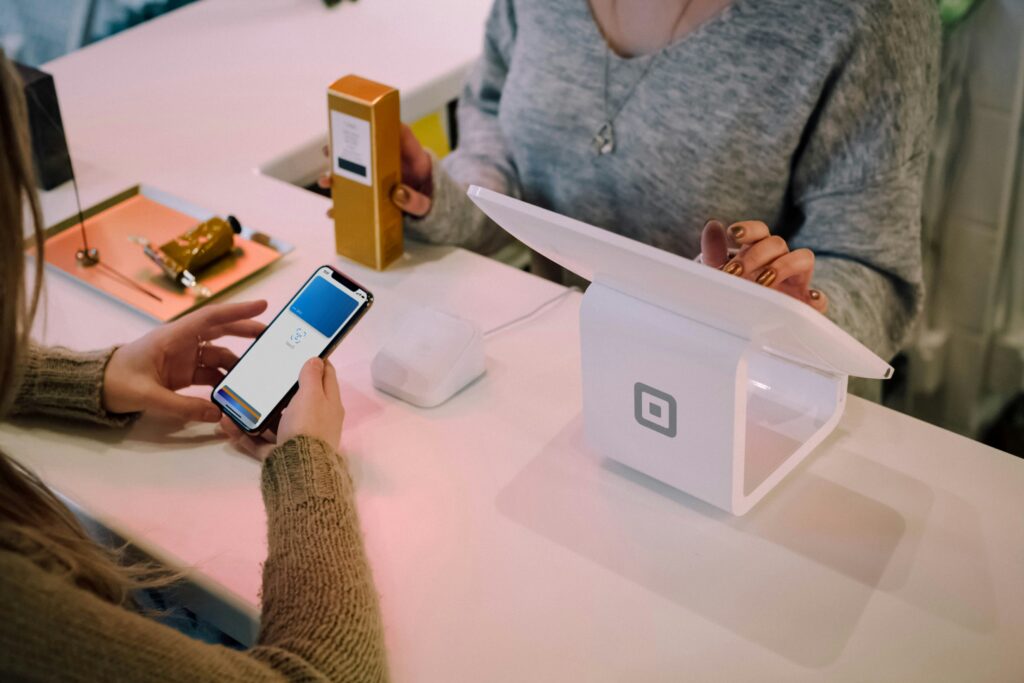
The verify identity prompt does not appear when you use Apple Pay to make purchases at a store, in an app, or online. It appears specifically when you try to use Apple Cash features, such as sending money, receiving money, or adding funds to your Apple Cash balance.
Green Dot Bank, the financial institution behind Apple Cash, is required by federal law to verify the identity of all account holders. This is a standard regulatory requirement for any financial institution operating in the United States, not an Apple-specific policy. Goldman Sachs applies the same requirement for Apple Card holders.
Until verification is complete you can still use existing Apple Cash funds to make purchases with Apple Pay and transfer your balance to a linked bank account. You cannot send or receive money or add new funds until verification is finished.
How to Verify Identity on Apple Pay Step by Step
How to Verify My Identity on Apple Pay on iPhone
Follow these steps in order:
- Open the Settings app on your iPhone
- Tap Wallet and Apple Pay
- Tap your Apple Cash card
- Scroll down and tap Verify Identity
- Enter your full legal name, date of birth, and the last four digits of your Social Security Number
- Follow any additional on-screen prompts if Apple requests further verification
- Wait for confirmation that your identity has been verified
If you do not see a Verify Identity option at step 4, your identity has already been verified and no further action is needed.
One critical detail: use your full legal name exactly as it appears on government documents. Nicknames, shortened versions, or name variations that do not match Green Dot Bank’s records will cause verification to fail immediately.
How to Verify Your Identity on Apple Pay on iPad
The iPad process differs slightly from iPhone:
- Open the Settings app on your iPad
- Tap Wallet and Apple Pay
- Tap your Apple Cash card
- Tap Complete Verification rather than Verify Identity
- Enter your personal information as it appears on official documents
- Follow the remaining on-screen steps to finish
What Information Apple Needs to Verify Your Identity
For most users the standard verification requires three pieces of information:
- Full legal name as it appears on government-issued documents
- Date of birth
- Last four digits of your Social Security Number
In some cases Apple Cash will request a photo ID scan for additional verification. This is not required for everyone; it triggers only when the standard information cannot be automatically matched against records. Accepted documents for the ID scan are a driver’s license, passport, or other government-issued photo ID.
Accuracy is critical throughout this process. A single digit wrong on your SSN, a name that does not exactly match your legal name, or a date of birth entered incorrectly will cause verification to fail. Double-check every field before submitting.
How to Verify Someone Else’s Identity on Apple Pay
Apple Cash makes sending money fast and easy. That speed is also what makes it dangerous when the person on the other end is not who they claim to be. Unlike a bank transfer, Apple Cash transactions are final. There is no dispute process, no buyer protection, and no way to reverse a payment once it has been sent. Before you send money to anyone via Apple Cash, verifying their identity is the single most important step you can take.
This matters most in these situations:
- Someone you met on a dating app or social media is asking for money for an emergency
- A seller in an online marketplace is insisting on Apple Cash as the only payment method
- Someone claiming to be a friend or family member is requesting money from an unfamiliar number
- A person you met recently online is asking you to send funds before you have met in person
- Someone claiming to represent a company or organization is requesting payment via Apple Cash
Apple itself has no built-in tool to verify the identity of the person you are sending money to. The Wallet app shows you a name and phone number but cannot confirm whether that name and number belong to who they claim to be.
This is exactly where Social Catfish fills the gap. Before sending any money via Apple Cash, run the recipient’s name, phone number, photo, or email address through Social Catfish. One search returns:
- Every social media profile and online account connected to that phone number or identity
- Their real name even if they are using a different one with you
- Whether their profile photos belong to them or are stolen from someone else
- Associated email addresses and accounts linked to the same identity
- Whether their contact details have been flagged in connection with known scams or fraud
The search takes minutes and is completely confidential. The person you are checking will never know you ran it. Given that less than 12% of Apple Cash scam victims recover their money, spending two minutes on a Social Catfish search before sending is one of the simplest financial protection steps available.
Run a free search on Social Catfish
How to Verify Identity on Apple Pay Without ID
Standard Apple Cash identity verification does not require a physical ID scan for most users. The process uses your name, date of birth, and the last four digits of your Social Security Number only. Most people complete verification without ever being asked for an ID.
An ID scan is only requested when the standard information cannot be automatically verified against records. If Apple does request a photo ID, your options are:
- Driver’s license
- Passport
- Government-issued photo ID
If you do not have any of these documents and Apple is requesting one, the only path forward is to contact an Apple Cash Specialist at Green Dot Bank directly. They handle identity verification cases that cannot be resolved through the standard in-app process.
What does not work as an alternative to ID:
- Debit cards — not accepted for identity verification
- School or student IDs — not accepted
- Social media profiles or online presence — not accepted
- Birth certificates alone without accompanying photo ID — not accepted
Apple Cash Scams — What to Watch For Before You Send Money
Completing your own identity verification is one thing. Knowing whether the person asking you for Apple Cash is actually who they claim to be is another. Apple Cash transactions are treated like cash; they are final, and Apple offers no buyer protection. According to a Better Business Bureau study, less than 12% of Apple Pay scam victims were able to recover lost funds. Here is what every Apple Cash user needs to know.
Fake Apple Pay Fraud Alert Scam
You receive a text or email claiming suspicious activity on your Apple Pay account. It looks official; it may include your name, partial account details, and an urgent warning. It includes a number to call or a link to click. You call the number and reach someone posing as Apple, your bank, or a law enforcement investigator. They tell you your funds are at risk and need to be moved immediately via Apple Cash to protect them.
This is the scam. In April 2026, a woman nearly lost $15,000 after a fake Apple Pay fraud alert connected her to a scammer posing as an official investigator. A bank teller recognized the situation before it was too late.
Key rules to remember:
- Apple does not send unsolicited texts asking you to call support
- Apple will never ask you to send money via Apple Cash to protect your account
- No bank, government agency, or tech company will ever ask you to move money to a safe account via Apple Cash or gift cards
- If you receive a suspicious alert, hang up and call the official number on the back of your card
Fake Seller and Marketplace Scams
Someone selling an item online insists on Apple Cash as the only accepted payment method. Once you send the money, they disappear and the item never arrives. Because Apple Cash has no buyer protection, the money is gone with almost no path to recovery.
Red flags to watch for:
- Any seller who accepts only Apple Cash when safer options with buyer protection exist
- Pressure to pay before seeing or receiving the item
- Prices that are significantly below market value for high-demand items
Overpayment and Fake Screenshot Scams
Overpayment: a buyer sends more than your asking price via Apple Cash and asks you to refund the difference before you have shipped anything. The original payment eventually reverses because it was made from a stolen card. You lose the item, the original payment, and the amount you refunded.
Fake screenshot: a buyer sends a convincing screenshot claiming they have already paid via Apple Pay. They pressure you to ship immediately. The payment never actually arrives.
Red flag: any request to ship before a payment is fully confirmed in your Wallet app, or any request to refund a portion of money you just received from someone you do not know.
Romance Scam Apple Cash Requests
Someone you met online on a dating app, social media, or through a random message builds a relationship with you over days or weeks. Then the emergency arrives. A medical bill. A plane ticket to come visit you. A package stuck in customs. A deployment expense. The request feels personal because the relationship feels real. The money is sent via Apple Cash because it is fast, easy, and final.
This is one of the most common and most financially damaging Apple Cash scam patterns. Once the money is sent it is irreversibly gone.
Before sending any money via Apple Cash to someone you met online, verify who they actually are. Run their name, phone number, photo, or email address through Social Catfish. One search returns every social media account, dating profile, and online identity connected to that person, confirming whether they are who they claim to be before the money leaves your account permanently. If their photos belong to someone else, if their identity does not check out, or if their contact details are linked to known scam activity, you will know before it is too late.
Run a free search on Social Catfish
Fake Apple Support Scam
A caller claims to be Apple tech support and says there is a problem with your iPhone or your Apple Pay account. They ask you to install screen-sharing software so they can help you troubleshoot. Once screen sharing is active, they can see your Apple Cash balance, your banking apps, and every piece of personal information on your screen. They may also ask you to send a test payment via Apple Cash to confirm your account is working correctly.
Apple will never call you unsolicited about a device problem. Apple will never ask you to send money via Apple Cash to test your account. If you receive this call, hang up immediately.
IRS and Government Agency Impersonation
A caller claims you owe unpaid taxes or fees and must pay immediately via Apple Cash or gift cards to avoid arrest or legal action. This is always a scam. The IRS does not call people demanding immediate payment via Apple Cash. No government agency does.
What to Do If You Were Scammed via Apple Cash

If you have already sent money to a scammer, act immediately. Every minute matters.
- Contact Green Dot Bank right away — an Apple Cash Specialist may be able to flag the transaction before it fully processes
- Contact your bank if any linked card or account was involved in the transaction
- Change your Apple ID password immediately and enable two-factor authentication if you shared any credentials
- Report to the FTC at reportfraud.ftc.gov
- Report to the FBI’s Internet Crime Complaint Center at ic3.gov
- Do not send any additional money regardless of what the scammer tells you — any promise of recovering your funds by sending more is itself a follow-up scam
If the scammer was someone you met online, run their identity through Social Catfish before filing your report. Their real name, associated accounts, phone numbers, and email addresses strengthen your report significantly and may help authorities identify them faster.
Run a free search on Social Catfish
FAQ
The verify identity prompt is for Apple Cash, not Apple Pay purchases. Apple Cash is managed by Green Dot Bank, which is legally required to verify the identity of all account holders for regulatory compliance and fraud prevention. You need to complete verification to send money, receive money, and add funds to your Apple Cash balance.
Users under 18 cannot independently verify their Apple Cash identity. The solution is Apple Cash Family. A parent or family organizer sets up Apple Cash for you through Family Sharing. Go to Settings, tap your name, tap Family Sharing, select the child, tap Apple Cash, and follow the setup steps. Apple Cash Family allows purchases and peer transfers up to $2,000 within a rolling seven-day period.
Check that your full legal name, date of birth, and last four SSN digits are entered exactly as they appear on official documents. Update your iOS to the latest version. If the problem continues, contact Green Dot Bank directly. Common causes include a name mismatch, multiple accounts on the same SSN, an account under security review, or a managed device restriction.
Partially. Without verification you can still use existing Apple Cash funds to make purchases with Apple Pay and transfer your balance to a bank account. You cannot send or receive money or add new funds until verification is complete.
Apple will never ask you to send money via Apple Cash to protect your account or fix a problem. No government agency or bank will demand immediate payment via Apple Cash to avoid legal action. If someone you met online requests Apple Cash for any reason, verify their identity with Social Catfish before sending anything. Run their name, photo, phone number, or email, and confirm they are who they claim to be before the money leaves your account.