Multiple Faces Detected


 September 2nd, 2026
Before running a search, most people want to know what they will actually get back. The answer depends on what you search with and what exists to find, but the categories of information are consistent. Here is a plain breakdown of everything a Social Catfish report reveals, organized by search type and result category, so you know exactly what you are looking at before you start.
Name Search Examples
To get more accurate results, enter the full name including at least First name, Middle name and Last name.
Email Search Examples
Phone Search Examples
Username Search Examples
Address Search Examples
Start typing the initial part of the address and select from the addresses given dropdown afterward.
We Respect Your Privacy.
What Social Catfish Tells You, In Short
Social Catfish shows you public records, social media accounts, dating app profiles, and photo matches tied to a person’s name, phone number, email address, username, or photo. A report pulls together information from hundreds of platforms and public databases simultaneously, surfacing connections that would take hours to find manually and sources that standard search engines cannot index at all. The practical value is identity confirmation: checking whether the person you are talking to online is who they say they are before you trust them with your time, your feelings, or your money.
The 5 Ways You Can Search
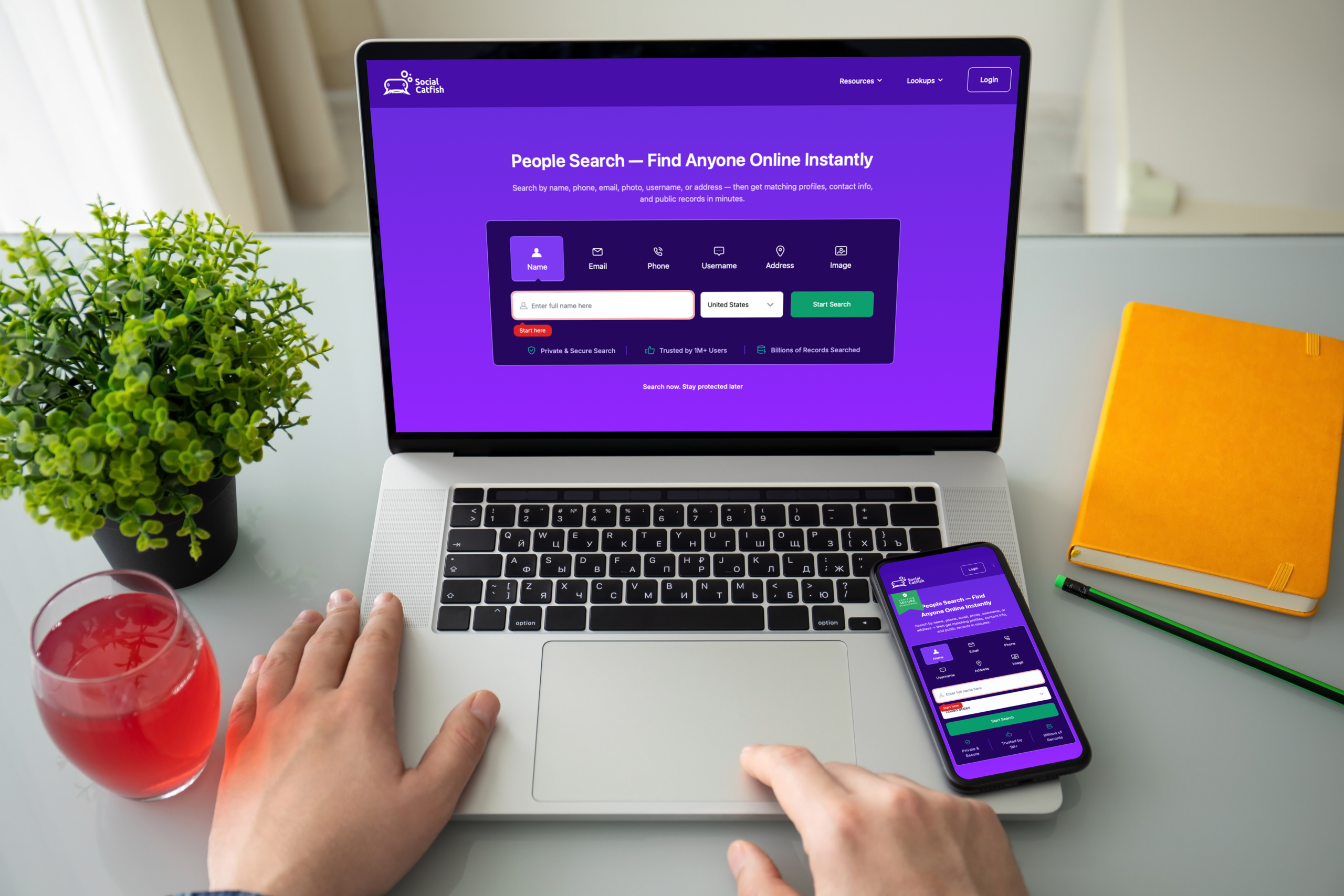
Social Catfish accepts five different starting points, each suited to a different situation.
Name search — best when you have a full name and want to find linked contact details, social profiles, and address history. Works best when combined with a location or age to narrow results for common names.
Phone number search — best when you have a phone number and want to know who it belongs to, which accounts are linked to it, and whether it is a real mobile line or a VoIP number.
Email address search — best when you have an email and want to find every platform account registered to it and the real identity behind the address.
Username search — best when you have a handle from one platform and want to find every other platform where the same username appears.
Photo search — best when you have a profile photo and want to confirm it belongs to the person using it or find where else it appears online.
Real Identity Details
A Social Catfish report returns the real name associated with the information you searched, along with current and past locations, age, and associated contact details.
What this covers:
- Full legal name and any aliases or alternate names linked to the same identity
- Current address and address history showing previous locations
- Age and date of birth where available in public records
- Associated phone numbers and email addresses connected to the same person
Why this matters for verification:
When someone tells you their name, age, and location, a Social Catfish report confirms whether those details are consistent with independently sourced public records. A name that does not match the phone number they gave you, a location that contradicts what they claimed, or an age that does not align with their stated background are all inconsistencies that surface in the identity section of a report.
Dating and Social Media Profiles
This is one of the most frequently used sections of a Social Catfish report, particularly for anyone who met someone on a dating app and wants to verify their identity or check whether they are being honest about their activity on other platforms.
What a report surfaces:
- Active social media accounts on platforms including Facebook, Instagram, Twitter, TikTok, LinkedIn, and others
- Dating app profiles on platforms including Tinder, Bumble, Hinge, OkCupid, and others that do not appear in standard Google searches because dating apps block search engine indexing
- Usernames and handles across multiple platforms, showing whether the same person appears consistently under the same identity
Why this matters:
Dating apps are deliberately invisible to Google. A profile that exists on Tinder will not show up in a standard web search regardless of how carefully you search. Social Catfish’s search covers these platforms directly, which is why it surfaces information that free search methods consistently miss. For anyone checking whether a partner has an active dating app profile they have not disclosed, this is the section of the report that addresses that question.
Photo Match Results
The photo search returns information about where a profile image appears online and whose identity it is actually connected to.
What photo matching covers:
- Whether the profile photo appears on other platforms under a different name, the clearest available signal that an identity is fabricated using stolen images
- Whether the same face appears across multiple accounts, confirming cross-platform identity consistency or surfacing multiple fake accounts using the same stolen photos
- Whether the image traces to a stock photo library or a publicly known source the person did not identify
Facial recognition versus file matching:
Social Catfish uses facial recognition rather than file matching. A standard reverse image search through Google finds the same image file or a visually near-identical one. Social Catfish analyzes the face itself, which means it finds the same person across different photos taken at different times and in different contexts, not just exact copies of the same file. A photo that has been cropped, filtered, or re-uploaded as a different file will not match in Google but will match in a facial recognition search if the face is the same.
Phone Number Details
A phone number search returns the identity registered to that number alongside linked accounts and the technical details of the number itself.
What this covers:
- The real name the number is registered to through carrier databases and public records
- Which platform accounts and social media profiles are linked to that phone number
- Whether the number is a legitimate carrier-registered mobile line or a VoIP or virtual number with no verified real identity behind it
Why the VoIP distinction matters:
A phone number that traces to a VoIP service like Google Voice or a prepaid burner number with no verified registration is a significant red flag in any online interaction involving trust or money. Scammers disproportionately use VoIP numbers because they are easy to create, difficult to trace, and carry no verified identity. A legitimate person’s phone number almost always traces to a real carrier registration with a name attached to it.
Name Search Examples
To get more accurate results, enter the full name including at least First name, Middle name and Last name.
Email Search Examples
Phone Search Examples
Username Search Examples
Address Search Examples
Start typing the initial part of the address and select from the addresses given dropdown afterward.
We Respect Your Privacy.
Red Flags and Scam Reports
Social Catfish maintains a database of names, phone numbers, email addresses, and photos that have been flagged in connection with known scam activity. A report includes a check against this database.
What this covers:
- Whether a phone number, email address, or name has been previously reported in connection with romance scams, investment fraud, or other fraud patterns
- Whether a photo has appeared on previously reported scam profiles
- Any scam report flags tied to the identity being searched
This section is the most directly protective part of a report. A clean result does not confirm the person is legitimate, but a flagged result confirms they have been identified as part of a fraud operation by previous victims or investigators.
Free Preview vs. Full Report
Social Catfish provides a free preview before any payment is required. The free preview shows whether a search returned results confirming that information exists for the identifier you searched for, without revealing the full content of those results.
What the free preview shows:
- Whether results were found
- A general indication of how much information is available
What the full report adds:
- All specific identity details, addresses, and contact information
- The complete list of social media and dating app profiles found
- Photo match results and facial recognition findings
- Phone number registration details and VoIP status
- Public records and address history
- Red flag and scam report checks
The free preview is useful for confirming that a search is worth running before committing to the full report. The full report is what provides the specific, actionable information described in the sections above.
FAQ
Social Catfish draws from public records, carrier databases, social media platforms, and its own scam report database. Results are as accurate as the public records and platform data available for a given person. Someone with a very limited online footprint will return fewer results than someone with an established cross-platform presence. Results should be used as investigative leads and verification tools rather than as legally definitive findings.
No. Social Catfish searches are completely confidential. The person you search receives no notification, alert, or indication that a search was run on them. This applies to every search type: name, phone, email, username, and photo.
Social Catfish offers subscription plans and individual report options. Pricing is available on the Social Catfish website and has varied over time, so checking the current pricing page directly is the most accurate source. A low-cost trial option is typically available for first-time searches.
A first name alone returns a very large number of potential matches. Name searches work most reliably when combined with at least one additional detail: a last name, a location, an approximate age, or a photo. Combining a name with a photo search significantly improves the precision of results.
Conclusion
Knowing what is inside a report removes the guesswork about whether running a search is worth it. A Social Catfish report gives you real identity details, linked social media and dating app profiles, photo match results, phone number registration information, public records, and a check against known scam reports, all from a single search. Run a free preview to confirm results exist for the person you are researching, then unlock the full report for the specific details that confirm or contradict what you have been told.
Name Search Examples
To get more accurate results, enter the full name including at least First name, Middle name and Last name.
Email Search Examples
Phone Search Examples
Username Search Examples
Address Search Examples
Start typing the initial part of the address and select from the addresses given dropdown afterward.
We Respect Your Privacy.