Multiple Faces Detected



 November 5th, 2026
The Social Catfish app puts the website’s six searches on iPhone, so when you have a photo, number, email, username or address in hand, you can check it from your phone. The app is free to download, and full reports need a subscription billed through Apple. It is iPhone only and rated 18+, so Android and desktop readers should use the website.
Social Catfish · Now on iPhone
What do you have to check?
Tap what you’re starting with to see which search to run in the Social Catfish app.
Pick what you have
The app runs the same six searches as the website, from your iPhone.
Upload a photo to see where else it appears online. It’s a quick way to check whether a profile picture is used elsewhere.
Search a name to look for social profiles and other public details linked to it.
Search a phone number to look for names and profiles linked to it.
Search an email address to see where it appears online.
Search a username to see where else it shows up across social sites.
Search an address with place suggestions as you type.
A search can show where a photo, name or username appears online. It may find nothing and can’t confirm who is behind a profile. Not for employment, tenant screening, insurance or credit decisions. Private and confidential — only you see the results.
What Is the Social Catfish App?
The app is called “Social Catfish Official,” with the subtitle “Reverse Image & People Search.” According to its App Store listing, it works on iPhone with iOS 15 or later, is rated 18+, and is sold by Social Catfish LLC. It launched on November 4, 2026.
It is built for the moments when you want to check something quickly. A dating match has photos that look a little too polished. A stranger messaged you out of nowhere. A phone number keeps calling. A rental listing does not add up.
Some people search for a “catfish app” or a “catfish detector app.” This app does not decide for you whether someone is a catfish. It runs searches that can show where a photo, name or username appears online, and you judge what the results mean.
If you already have a Social Catfish website account, you can sign in to the app with it.
What You Can Search in the App
The app runs the same searches as the website. Each one comes with its limits.
Photo Search
Upload a picture to see where else it appears online. This is the usual first check for a profile photo you doubt. A search may find nothing, and it cannot confirm who is in the photo.
Name, Email, Phone and Username Search
These social searches can show profiles linked to a name, email address, phone number, or username. For more on how each works, see our guides to reverse image search, finding accounts linked to an email, and username search. A search can show where details appear. It cannot confirm who is behind a profile, and results vary.
Address Search
Look up an address, with place suggestions as you type. A search may find nothing for some addresses.
RIS Pro Search
RIS Pro is the app’s advanced reverse image search. Like the standard photo search, you upload a picture, and the app looks for where else it appears online. A search may find nothing, and it can’t confirm who is in a photo or who is behind a profile. The price is shown in the app before you subscribe.
Name Search Examples
To get more accurate results, enter the full name including at least First name, Middle name and Last name.
Email Search Examples
Phone Search Examples
Username Search Examples
Address Search Examples
Start typing the initial part of the address and select from the addresses given dropdown afterward.
We Respect Your Privacy.
A Quick-Start Example
Say you matched with someone, and their main photo looks too polished. Open the app, choose the photo search, and upload it. The search can show whether the same photo appears on other profiles or sites, and under what names.
If it does, that is a reason to ask questions, not a verdict. If it finds nothing, that does not prove the person is who they say they are. It means the photo was not found in what the search covers.
What a Report Can Show
According to the App Store listing, a report may include:
- Social profiles
- Contact info
- Photos
- Background details
- Associated people
That is the listing’s description, not a promise for every search. Results vary, a search may find nothing, and a match is not proof of identity.
How Much Does the Social Catfish App Cost?
The app is free to download. Full reports need a subscription.
The price is shown in the app before you subscribe. Subscriptions are billed through Apple.
What to know before you subscribe:
- Subscriptions renew automatically until you cancel
- Apple handles billing, so you manage it through your Apple ID
- Read the plan details on the subscription screen before you confirm
There is also a paid “Premium Data” add-on, which adds extra data to a report. The app shows its price and terms before you buy it.
How to Cancel or Get a Refund
This is the part most readers want to find quickly.
To cancel on your iPhone:
- Open Settings
- Tap your name at the top
- Tap Subscriptions
- Choose Social Catfish and tap Cancel Subscription
Refunds are handled by Apple. Apple’s own page explains how to request one.
Cancelling on the website will not stop a subscription you bought in the app. Cancel an app subscription through Apple. For a subscription bought on the website, see our guide to cancelling a Social Catfish subscription.
iPhone Only: What About Android?
The app is iPhone only for now. Download it only from the App Store listing or the link in this post. Everyone else can use the same searches on the website.
What the App Can’t Do
- It cannot be used for tenant, employment, insurance or credit decisions. Social Catfish is not a consumer reporting agency
- A search may find nothing. No result is not proof that a person or profile is not real
- It cannot confirm who is behind a profile. It shows where details appear online, not who someone is or what they intend
- It is for adults. The app is rated 18+
Ready to Try It?
Got a photo, number or username? Check it from your phone.
The Social Catfish app runs the same six searches as the website.
- Photo
- Name
- Phone
- Username
- Address
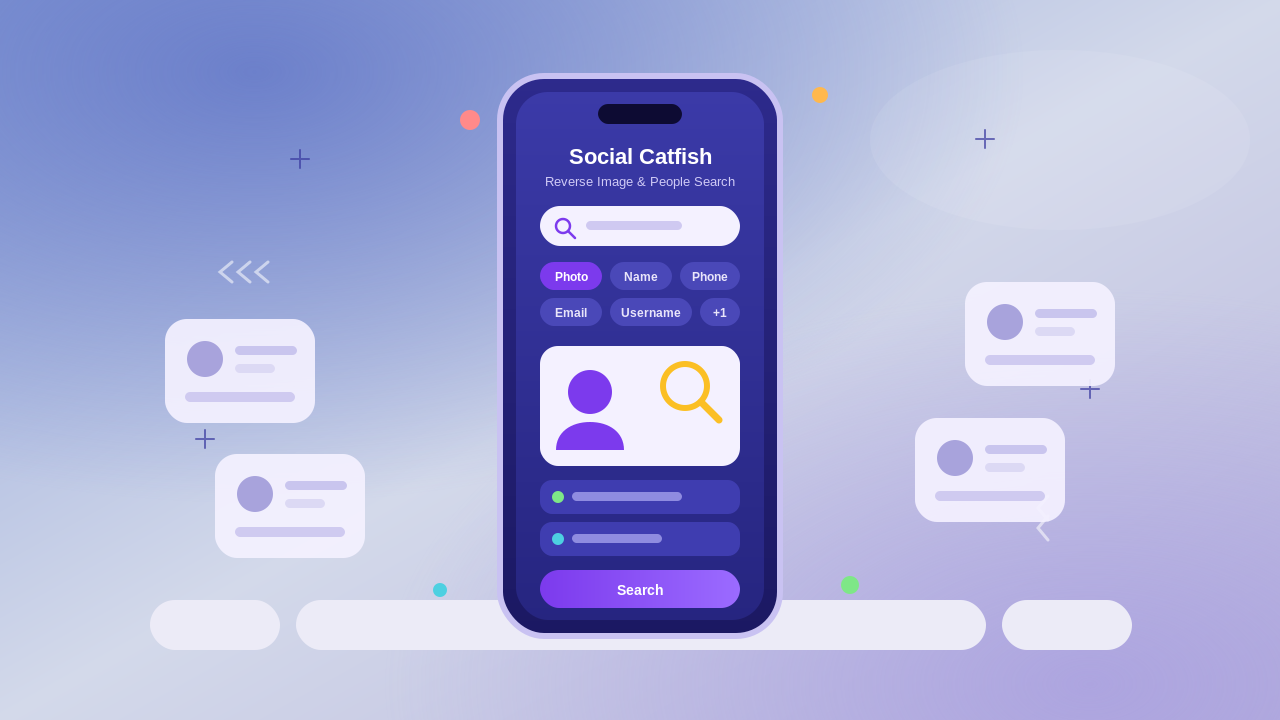
The phone illustration is a stylized graphic, not a screenshot. A search can show where a photo, name or username appears online. It may find nothing and can’t confirm who is behind a profile. Not for employment, tenant screening, insurance or credit decisions. Private and confidential — only you see the results.
FAQ
It is free to download. Full reports need a subscription.
iPhone only for now. Android users can use the website.
Through Apple: Settings, your name, Subscriptions, then Social Catfish. See the cancellation section above.
No. Cancel an app subscription through Apple.
Photos, names, phone numbers, emails, usernames and addresses, plus an RIS Pro search. A search may find nothing.
It is the official app, listed on the App Store as “Social Catfish Official.” Our reviews page covers what users say about the service.