

 Multiple Faces Detected


 August 31st, 2025
Scam calls have become an unfortunate reality of modern life. Whether it’s an automated voice claiming you’ve won a vacation you never entered, someone posing as the IRS demanding immediate payment, or a “tech support” representative insisting your computer is infected, these unwanted calls aren’t just annoying—they’re potentially dangerous to your privacy and financial security.
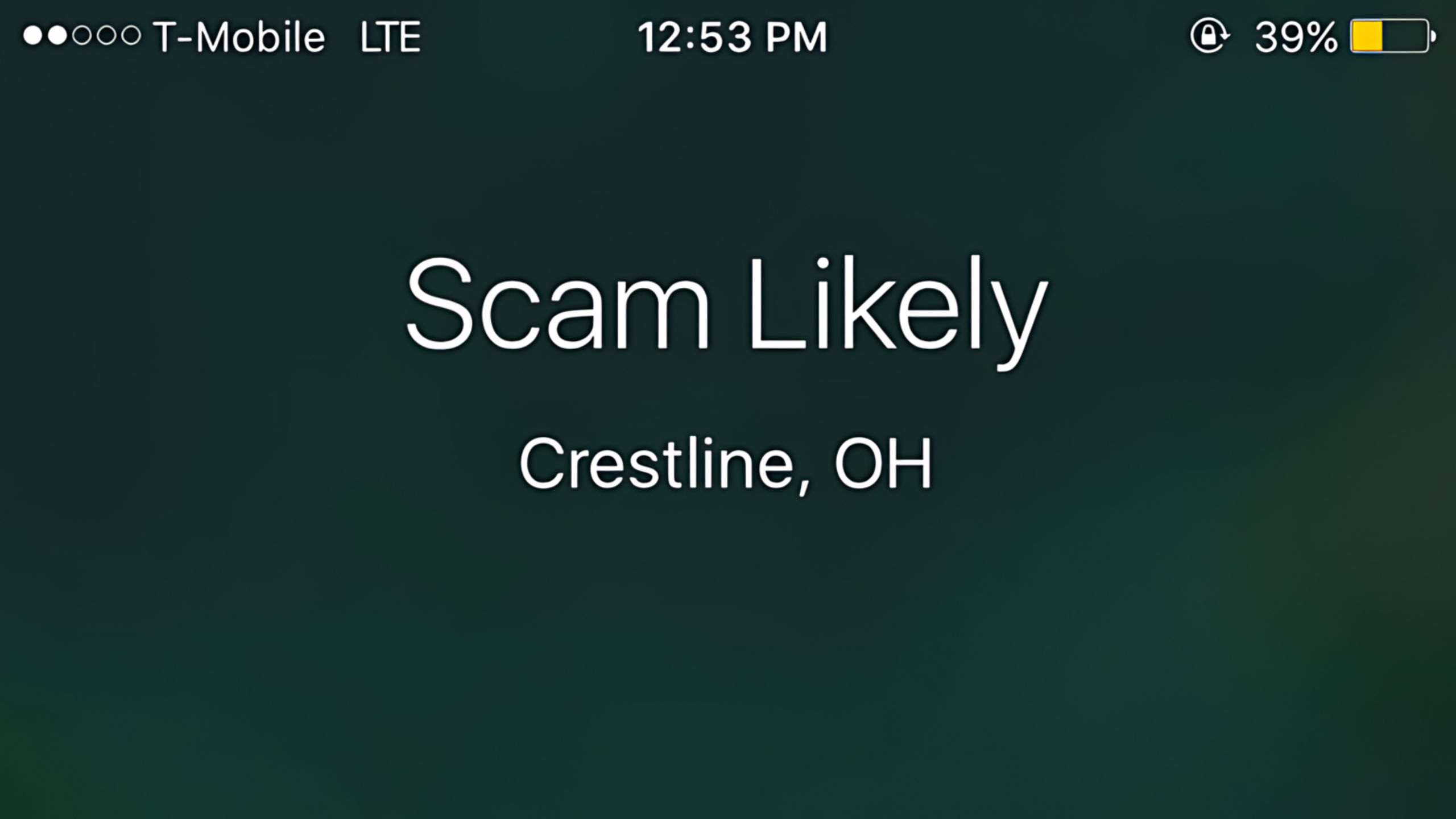
If you’ve ever glanced at your phone to see “Scam Likely” or “Potential Spam” displayed on an incoming call, you’re witnessing your carrier’s attempt to protect you from fraudulent communications. Learning how to block scam calls effectively requires understanding these systems and implementing additional protective measures to significantly enhance your defense against scammers.
Getting suspicious calls from unknown numbers? Use our reverse phone search to investigate who’s calling you before you risk your personal information.
Understanding “Scam Likely” Labels

When you see “Scam Likely” on your phone, it means your carrier has identified the incoming call as potentially fraudulent based on various factors. These systems analyze calling patterns, complaint reports, and other data points to flag suspicious numbers. Major carriers like Verizon, AT&T, T-Mobile, and others have implemented these automatic screening systems to help protect their customers.
However, these systems aren’t perfect. Legitimate businesses sometimes get flagged incorrectly, while sophisticated scammers may slip through the cracks using techniques like number spoofing or rotating through different phone numbers.
Common Types of Phone Scams to Watch For
Scammers employ various tactics to trick victims into providing personal information or money. Here are some of the most prevalent phone scams:
Government Impersonation Scams: Callers claim to represent the IRS, Social Security Administration, or other government agencies, demanding immediate payment of supposed fines or taxes. Remember, legitimate government agencies typically communicate through official mail, not threatening phone calls.
Tech Support Scams: Fraudsters call claiming your computer is infected or compromised, offering to fix the problem for a fee or requesting remote access to your device. Major tech companies don’t make unsolicited calls about computer problems.
Prize and Lottery Scams: You’re told you’ve won a contest you never entered, but must pay fees or taxes upfront to claim your prize. Legitimate contests don’t require upfront payments from winners.
Romance and Relationship Scams: These often start on dating sites or social media but can escalate to phone calls where scammers build emotional connections before requesting money for emergencies or travel expenses.
Don’t let scammers take advantage of your trust. Use our reverse phone search to verify unknown callers before engaging with suspicious calls.
Medical and Insurance Scams: Callers offer bogus health insurance plans, medical devices, or prescription drug deals, often targeting seniors with Medicare supplement scams.
Charity Fraud: Particularly common after disasters or during holiday seasons, these scammers solicit donations for fake charities or keep most donations for themselves rather than helping those in need.
Built-in Protection Features on Your Phone
Modern smartphones come equipped with several features to help combat unwanted calls:
iPhone Users: iOS includes “Silence Unknown Callers” which automatically sends calls from numbers not in your contacts, recent calls, or Siri suggestions straight to voicemail. You can enable this in Settings > Phone > Silence Unknown Callers. The Phone app also allows you to block specific numbers and report them as spam.
Android Users: Android phones offer “Caller ID & Spam” protection through Google’s Phone app, which can automatically screen calls and warn you about potential spam. You can also manually block numbers and report spam calls to help improve the system for everyone.
Both platforms allow you to create custom contact lists for VIP callers who can always reach you, even when Do Not Disturb mode is activated.
Carrier-Level Call Blocking Services
Most major carriers offer enhanced call blocking services, though some charge monthly fees for premium features:
Verizon Call Filter: Provides automatic spam detection and blocking, with a premium version offering more advanced features like caller ID lookup and personal block lists.
AT&T Call Protect: Offers automatic blocking of suspected spam calls and fraud warnings, with enhanced features available for a monthly fee.
T-Mobile Scam Shield: Includes Scam ID (identifies likely scam calls), Scam Block (automatically blocks many scam calls), and Caller ID services.
These services work at the network level, meaning protection applies before calls even reach your phone. Contact your carrier to learn about available options and pricing.
Third-Party Call Blocking Apps
Several reputable third-party applications provide additional layers of protection:
Truecaller: Maintains a large database of known spam numbers and allows community reporting of new threats. It also provides caller ID for unknown numbers.
Hiya: Offers real-time spam detection and automatic call blocking, with customizable settings for different types of unwanted calls.
RoboKiller: Uses audio fingerprinting technology to identify robocalls and includes “Answer Bots” that waste scammers’ time with automated responses.
When choosing a third-party app, read privacy policies carefully, as some apps may collect data about your calling patterns or contacts.
Before installing any app, research the company behind it. Our comprehensive people search tools can help you verify the legitimacy of companies and individuals.
Manual Blocking Techniques
Beyond automated systems, you can take direct action against specific unwanted callers:
Block Individual Numbers: Both iPhone and Android allow you to block specific phone numbers through your recent calls list or contacts. Blocked callers will go straight to voicemail.
Create a Contact for Spam: Some users create a contact called “Spam” or “Do Not Answer” and add suspicious numbers to it, making them easily recognizable if they call again.
Use Do Not Disturb Strategically: Set up Do Not Disturb mode to only allow calls from your contacts or people who call repeatedly (which might indicate an emergency).
What to Do If You Answer a Scam Call
If you accidentally answer a suspicious call, follow these guidelines:
Never Provide Personal Information: Don’t give out your Social Security number, bank account details, passwords, or other sensitive information, regardless of who the caller claims to be.
Don’t Press Any Numbers: Even pressing numbers to “opt out” can confirm your number is active and lead to more unwanted calls.
Hang Up Immediately: Don’t engage in conversation or try to waste the scammer’s time, as this can mark your number as active.
Report the Call: Report scam calls to the Federal Trade Commission (FTC) at donotcall.gov and to your phone carrier.
If you suspect you’ve been targeted by a scammer who may have obtained your personal information through other means, it’s crucial to verify their identity and protect yourself from further contact.
How Social Catfish Can Help
At Social Catfish, we understand that phone scams are just one piece of a larger puzzle when it comes to protecting your privacy and security online. Our comprehensive suite of search tools can be invaluable in identifying and protecting yourself from scammers who may try to reach you through multiple channels.
Phone Number Investigation: Our reverse phone search tool allows you to investigate suspicious numbers that have called you. You can discover who owns a phone number, see associated social media profiles, and find other contact information linked to that number. This is particularly useful when dealing with persistent callers or when you want to verify if a number is legitimate before calling back.
Email Verification: Many phone scams are preceded by or followed up with email communications. Our email search feature helps you investigate suspicious email addresses, allowing you to see what other information is associated with that email and whether it’s been used in known scam operations.
Identity Verification: When scammers call, they often claim to be someone they’re not. Our people search tools enable you to verify if the person calling you is who they claim to be. You can search by name to see photos, contact information, and social media profiles associated with that individual.
Address Confirmation: If a caller claims to be from a local business or organization, our address search functionality can help you verify the legitimacy of their claimed location and see who else might be associated with that address.
Reverse Image Search: Scammers often steal photos from legitimate profiles to create fake identities. If you’ve been targeted by a romance scammer or someone using fake photos, our reverse image search can help you determine if the photos they’re using belong to someone else entirely.
These tools work together to provide a comprehensive protection strategy. For example, if you receive a suspicious call, you can use our phone search to investigate the number, then cross-reference any names or email addresses you discover using our other search features.
Don’t let scammers operate in the shadows. Start your investigation today and take control of your digital safety.
Creating a Personal Security Protocol

Developing a systematic approach to handling unknown calls can significantly reduce your risk:
Establish Verification Procedures: If someone claims to represent a legitimate organization, tell them you’ll call back using the official number from the company’s website. Legitimate businesses will understand and accommodate this request.
Maintain a Call Log: Keep records of suspicious calls, including the number, date, time, and nature of the scam attempt. This information can be valuable for reporting purposes and pattern recognition.
Educate Family Members: Ensure all household members, especially elderly relatives who may be more vulnerable to certain scams, understand common tactics and know how to respond safely.
Regular Security Reviews: Periodically review your blocked numbers list, update your carrier’s spam protection settings, and assess whether your current protection methods are still effective.
The Legal Landscape and Reporting
Understanding your rights and the proper reporting channels helps combat scam calls on a broader scale:
The Telephone Consumer Protection Act (TCPA) provides legal protections against unwanted calls, while the Do Not Call Registry allows you to opt out of legitimate marketing calls. However, scammers typically ignore these legal requirements.
When you report scam calls to the FTC, your information contributes to a national database that helps law enforcement identify patterns and pursue legal action against scam operations. Similarly, reporting to your carrier helps improve their automated detection systems.
Conclusion
Protecting yourself from scam calls requires a multi-layered approach combining technology, awareness, and proactive investigation. While built-in phone features and carrier services provide a foundation of protection, combining these with third-party apps and your own vigilance creates a more robust defense.
Remember that scammers continually evolve their tactics, so staying informed about new threats and regularly updating your protective measures is essential. When in doubt about a caller’s legitimacy, it’s always better to err on the side of caution and verify their identity through independent means.
Take charge of your privacy and security today. Explore our comprehensive search tools to investigate suspicious contacts and protect yourself from scammers across all communication channels.
By implementing these strategies and utilizing professional investigation tools when needed, you can significantly reduce your exposure to phone scams while maintaining the ability to receive legitimate calls from people and organizations you want to hear from. Stay vigilant, stay informed, and don’t let scammers disrupt your peace of mind.









