

 Multiple Faces Detected



 March 5th, 2026
Need to find someone’s social media presence, but don’t want to pay for expensive search services? Whether you’re reconnecting with an old friend, verifying someone’s identity before a first date, or checking if a partner has hidden profiles, discovering someone’s accounts across multiple platforms can feel overwhelming. With 83% of U.S. adults using YouTube and 68% using Facebook, according to Pew Research Center, people maintain multiple social media presences across various platforms.
The good news? You don’t necessarily need to pay for premium services to find someone’s social media accounts. Several free methods and tools can help you track down profiles across Facebook, Instagram, Twitter, LinkedIn, TikTok, and more, if you know where to look and how to search effectively.
This guide will show you practical, free methods to find someone on all major social networks, from basic search techniques to leveraging built-in platform features. While free methods have limitations, we’ll also show you when investing in tools like Social Catfish makes sense for comprehensive, reliable results. Let’s get started.
Social Media Lookup: 5 Ways to Search for Someone Online
The All-in-One Search Solution
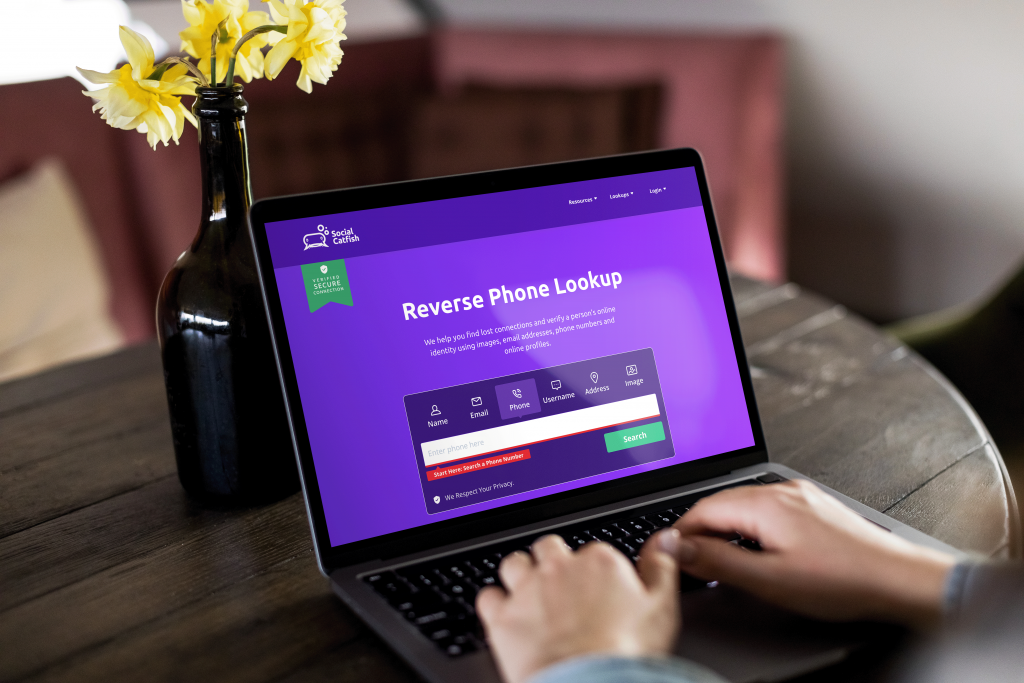
Social Catfish eliminates the hassle of checking multiple platforms individually. If you’re asking, is Social Catfish free? It can still help you by searching across all major social networks simultaneously. Instead of spending hours manually searching Facebook, Instagram, Twitter, LinkedIn, TikTok, and dozens of other platforms, Social Catfish delivers comprehensive results in minutes using whatever information you have available.
Multiple Search Methods:
Phone Number Search: Enter a phone number to uncover all social media accounts, dating profiles, and messaging apps linked to it. This reveals Facebook, Instagram, Twitter, Snapchat, WhatsApp, and more, even if the person has hidden their number from public view.
Email Address Search: Search by email to discover every social network, dating app, and online profile registered with that address. Many people use the same email across multiple platforms, making this an effective discovery method.
Username Search: Have their Instagram handle or Twitter username? Search it through Social Catfish to find connected accounts across other platforms. This often reveals their presence on networks you didn’t know they used.
Name Search: Enter someone’s full name and location to generate a comprehensive report showing all associated social media profiles, public records, and online presence. This works even when you have limited information.
Reverse Image Search: Upload a profile photo to find everywhere that image appears online, across social media platforms, dating apps, professional networks, and websites. This is particularly useful for verifying if someone is using their real photos.
Why Finding Someone Across Social Networks Is Harder Than It Looks
Even though social platforms feel searchable, they’re built for privacy and safety first. That means tracking someone across all networks can take more than a quick name search.
People use different names everywhere
- Real name on Facebook, nickname on Instagram
- Abbreviations, initials, or inside jokes on TikTok/Snapchat
- Married names, maiden names, or middle names on some platforms
- Result: one search term won’t catch every profile
Usernames aren’t consistent (and they change)
- Many people reuse handles with variations
johnsmith→john.smith→johnsmith_92
- Some platforms let users change usernames anytime
- Result: you might be searching an old handle
Privacy settings hide profiles from search
- Private accounts don’t appear in general searches
- Users can block discovery by:
- phone number
- contact syncing
- Result: the profile exists, but you can’t see it manually
Platforms limit search on purpose
- Apps restrict searching by contact info to prevent misuse
- Dating apps and Snapchat are especially locked down
- Result: free searching becomes slow and incomplete
Scammers and catfishers make it even harder
- Same photos across platforms, different names
- Multiple accounts to avoid detection
- Fake info to create believable stories
- Result: manual searching can miss the bigger pattern
Because of these roadblocks, the best strategy is stacking methods (name + username + photo + phone/email). And when free searches hit platform limits, Social Catfish helps by scanning multiple sources at once to connect the dots faster.
How to Search Each Platform — Step by Step
Start with the platforms where the person is most likely to have a public presence, then work outward to niche sites.
Facebook has the most comprehensive public search of any major platform if the account isn’t fully locked.
- Search their full name in the Facebook search bar. Filter by People.
- Add a location filter if you know their city; this cuts through common name clutter significantly.
- If you find a profile, check mutual friends, tagged photos, and linked accounts in the About section.
- Try searching their email address or phone number directly in Facebook search. Many users have these linked with discovery enabled.
Tip: Google
site:facebook.com "First Last" cityto surface profiles that Facebook’s own search misses.
Instagram’s search is weaker than Facebook’s, but there are workarounds.
- Searching their name on Instagram shows username results first, so try common username variations too.
- If you know their Facebook, check whether it’s linked to many people. Connect both accounts, and their Instagram handle appears in their Facebook bio.
- Google
site:instagram.com "username"to find the profile even if their account is private. - Check tagged photos on accounts of mutual connections, people appear in tags even when their own account is private.
TikTok and Snapchat
Both platforms are heavily privacy-locked, but username reuse is your best asset here.
- Try searching for the exact username they use on other platforms. Most people reuse handles.
- On TikTok, search their name and check the bio of any matching accounts for links to Instagram or YouTube.
- Snapchat has no public search; you need their exact username. If they’ve shared it anywhere publicly (Twitter bio, Discord), that’s your best route in.
Red flag: If someone refuses to share their Snapchat or TikTok username but claims to be active on those platforms, that’s worth noting.
LinkedIn is one of the most reliable platforms for identity verification because most people keep it professional and accurate.
- Search their full name. Even low-activity accounts usually have a photo, employer, and location.
- Google
site:linkedin.com/in "First Last"to surface their profile without needing a LinkedIn login. - Cross-reference their employer and location against what they’ve told you — inconsistencies here are significant.
Twitter / X
Twitter’s search is relatively open, making it one of the easier platforms to search.
- Search their name and common username variations. Twitter shows full name in the display field even when the username is different.
- Use Google:
site:twitter.com "First Last"for a broader sweep. - Check their bio for links to other platforms. Twitter users commonly link to Instagram, YouTube, or personal websites.
Reddit, Discord, and Community Forums
These platforms are often overlooked, but people are frequently easier to find here than on major socials. They reuse usernames and reveal real details in casual conversation.
- Reddit — search their username across subreddits. Check their post and comment history for location, workplace, and personal details they may have shared casually.
- Quora — real names surface frequently here, along with location and work details.
- Discord — usernames sometimes match their Instagram, TikTok, or gaming handles. Mutual servers are the easiest route in.
Tip: Google the username directly. Reddit posts, Quora answers, and forum threads are heavily indexed and often surface faster than platform searches.
YouTube, Twitch, and Creator Platforms
Creators cross-link constantly. If someone has any kind of online presence, their YouTube or Twitch bio is often the most complete directory of their other accounts.
- YouTube — check the About tab. Most creators list their Instagram, Twitter, and TikTok directly.
- Twitch — stream bios usually list all social links.
- SoundCloud / Bandcamp — artists frequently connect back to Instagram or X.
Pinterest, Goodreads, and Hobby Platforms
These are the platforms people forget to lock down. Real names, photos, and location breadcrumbs show up frequently here.
- Pinterest — many profiles use real names and link directly to other social accounts.
- Goodreads / Letterboxd — handles and avatars often match their main platforms.
- Strava / Fitbit — useful for confirming name and city, especially if they’ve mentioned fitness.
Finding even one small profile on a niche platform can unlock the rest. One confirmed username leads to ten others.
When Free Methods Hit Their Limits
Free manual searches have a hard ceiling. Privacy settings, platform restrictions, and deleted or deactivated accounts all create gaps that manual searching can’t fill.
This is where a cross-platform tool like Social Catfish closes the gap. Instead of checking platforms one by one, Social Catfish scans across major social networks, dating apps, public records, and databases simultaneously, using whatever information you have available: a name, phone number, email, username, or photo.
- Finds profiles even when privacy settings block manual discovery
- Cross-references photos across platforms to detect reused images under different names
- Surfaces older or deactivated accounts that still appear in archived data
- Searches dating platforms and sites not indexed by standard search engines
If free methods have returned incomplete results or nothing at all, running a Social Catfish search is the fastest way to get a complete picture.
Red Flags That the Person Is Hiding or Faking Their Identity

Not everyone hard to find is suspicious; some people just value privacy. But when multiple warning signs stack up, it’s worth slowing down and verifying with tools like Social Catfish.
Their details don’t match across platforms
- Different names, ages, or locations on each account
- New profiles with no history but a “perfect” backstory
- Claims that can’t be confirmed anywhere else
Their photos look recycled or too polished
- Same photo appears on multiple profiles with different names
- Images feel like modeling shots or stock-style pictures
- Very few photos, all highly edited, no candid pics
- Social Catfish reverse image search can show where else those photos appear
They avoid video calls or real-time proof
- Constant excuses for not FaceTiming or meeting
- Won’t send a current, casual photo when asked
- Always “traveling,” “deployed,” or in a situation that prevents calling
Their social footprint is unusually thin
- No tagged photos, no friends interacting, no comments
- Accounts created recently with little activity
- Only one platform exists, nothing else connected
- Social Catfish phone, email, and username searches can uncover hidden or older profiles
They push the relationship fast or move off-platform quickly
- Love-bombing early, excessive compliments right away
- Tries to switch to WhatsApp/Telegram/text immediately
- Gets defensive when you ask basic questions
They ask for money, gifts, or financial help
- Emergencies, travel issues, crypto opportunities, medical claims
- Pressure to act fast or keep it secret
- This is one of the clearest scam indicators
If you notice more than one of these red flags, don’t ignore your gut. Run a SocialCatfish free search to verify the person’s photos, phone number, email, or username before you invest more trust.
FAQ
Start broad, then narrow. Search their full name on major platforms (Facebook, Instagram, TikTok, LinkedIn, X), then add a location, school, workplace, or nickname to filter results. After that, Google their name in quotes with a platform tag (example: "Alex Rivera" Instagram). If you find one real profile, check bios and linked accounts to branch out. When free methods hit privacy limits, Social Catfish can scan multiple sites at once using whatever clue you have.
Free options depend on platform settings. Save the number in your contacts and enable contact syncing on apps like Facebook, Instagram, TikTok, and Snapchat. These apps may suggest accounts tied to that number. You can also search the number directly inside Facebook or Instagram if discovery is enabled. If nothing shows up, it often means the user has restricted lookup; in that case, for a Social Catfish reverse phone lookup can search wider databases beyond what apps reveal.
Try three free checks:
Google the email in quotes to catch public profiles, comments, or forum accounts.
Paste the email into platform search bars where allowed (LinkedIn and Facebook sometimes surface matches).
Use account-recovery pages to see if the email is registered (without resetting anything).
If results are thin, Social Catfish email lookup can uncover connected usernames, profiles, and sites tied to that address in one scan.
Usually, it’s one of these: they’re using a different name/handle, their accounts are private, they turned off discovery by phone/email, or they’ve recently changed usernames. Scammers may also create fresh accounts with minimal history. Social Catfish helps by cross-checking photos, phone numbers, emails, and usernames together, so even if one clue is hidden, another can confirm the identity.
Social Catfish offers some free tools and previews, but full reports and deeper searches usually require a paid plan. The free results can help you get started, and upgrading unlocks more complete, cross-platform details.
Final Thoughts: Bringing It All Together
Finding someone across social networks for free is totally doable, it just takes a layered approach. Start with what you know, search names and locations on major platforms, test username variations, use Google like a social search tool, and don’t forget niche sites where people often reuse the same handles or photos. One confirmed profile can lead you to the rest.
But free methods have limits, especially when accounts are private or discovery settings are turned off. That’s where Social Catfish makes the biggest difference. By running phone, email, username, and reverse image searches across multiple databases at once, Social Catfish helps you connect fragments into a verified identity faster, more accurately, and with less guesswork.
Use these tools responsibly, trust your instincts when something feels off, and remember: the goal is clarity and safety, not crossing boundaries.









