Multiple Faces Detected



 June 9th, 2026
Etsy’s search is built for products, not sellers. If you type a seller’s name into the search bar, you get a page of listings rather than a direct link to their shop. There are workarounds for every starting point, and once you find the shop, there are ways to verify the seller is legitimate before you hand over payment. This guide covers every method in order of speed, with free options first. If you want to verify the real person behind an Etsy shop before purchasing, Social Catfish’s reverse search tools confirm a seller’s identity from a name, email, or phone number in minutes.
How to Search for a Seller on Etsy by Shop Name
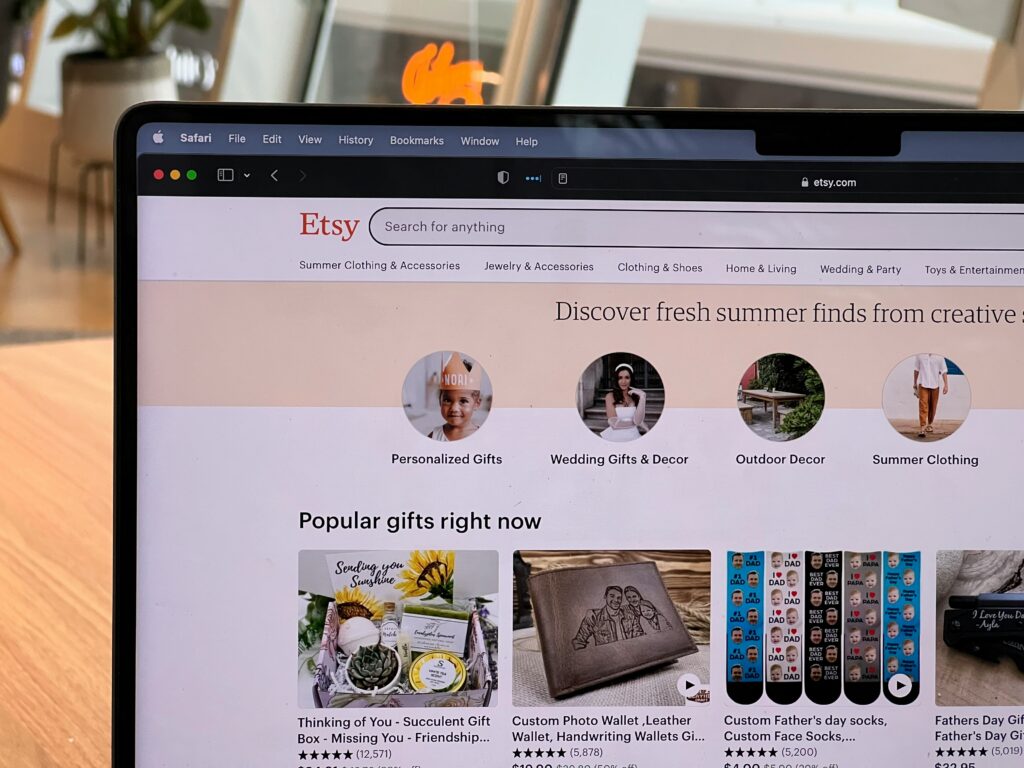
The fastest native method for finding a specific seller is searching their shop name directly.
Using Etsy’s search bar: Go to etsy.com and type the shop name or username into the search bar. After the results load, look for the Shops filter in the left-side menu and select it. This narrows results to shop pages rather than individual product listings, which is what Etsy defaults to.
The shop prompt shortcut: When you type a known shop name into the search bar, Etsy sometimes displays a “Did you mean the shop [Name]?” prompt at the top of the results page. Clicking this link takes you directly to the shop without needing to filter manually.
Google site search: Search site:etsy.com/shop shopname in Google. This returns the shop page directly from Google’s index without navigating Etsy’s search interface, which is often faster and more reliable for exact shop name lookups.
Username vs shop name distinction: An Etsy username is the account identifier used for login and community activity. A shop name is the public brand name displayed on the storefront. These can be completely different. When searching for a seller, use their shop name rather than their username for the most reliable results.
How to Search by Seller on Etsy Using the Direct URL
When you have any part of a seller’s identity, direct URL methods are faster than search.
Shop URL: Go to etsy.com/shop/shopname directly in your browser, replacing shopname with the seller’s shop name. If the shop exists and is active, the storefront loads immediately without any search required.
Profile URL: Go to etsy.com/people/username directly, replacing username with the seller’s Etsy username. This loads their public Etsy profile page, which lists every shop they operate under that account. Sellers can have multiple shops on Etsy, and all of them appear on their profile page. This is the most comprehensive view of a seller’s full Etsy presence.
Finding a shop from a product listing: If you found a product you like and want to see the seller’s full shop, click the shop name displayed underneath the product title on any listing page. This takes you directly to their storefront without needing to search.
How to Find an Etsy Seller by Their Real Name
When you know the person behind the shop but not the shop name itself, these methods work around Etsy’s product-first search limitation.
Google site search with real name: Search “Firstname Lastname” site:etsy.com in Google. Google indexes all Etsy shop pages and seller bios, which means a seller who has used their real name anywhere in their shop bio, about section, or profile will surface in this search. This is the most reliable free method for real-name seller lookup on Etsy.
Check their social media first: Many Etsy sellers actively promote their shops on Instagram, TikTok, and Pinterest. Search the person’s name on those platforms and look for their shop link in their bio or pinned posts. Most sellers who use social media for promotion list their Etsy shop name directly, giving you the exact shop name to search or the direct link to follow.
Search their name on Google: generally, search their full name in quotes alongside “Etsy” in Google. Any reviews, mentions in craft communities, or social media posts linking to their shop often surface this way, particularly for sellers with an established reputation outside of Etsy itself.
How to Find a Previous Etsy Seller You Bought From
This is a common practical need and Etsy’s own interface handles it well once you know where to look.
Check your Purchases and Reviews: Go to your Etsy account and navigate to Account, then Purchases and Reviews. Every order you have placed appears here with a direct link to the seller’s shop. This is the fastest and most reliable way to find a previous seller when you want to reorder.
Check your Etsy messages: Go to your Messages inbox on Etsy. Every conversation you have had with a seller is stored there, and each conversation includes a link to their shop. If you communicated with the seller at any point during or after a purchase, the thread is accessible here.
Search by product description: If the above methods do not work, search a distinctive phrase from the product name or description in Google with site:etsy.com. If the listing is still active, Google’s index returns it with a direct link.
If contact happened outside Etsy: If a seller asked you to communicate through email, WhatsApp, or any channel outside Etsy, note that this is itself a red flag for future reference. To find them again, search their name or email on Google or use Social Catfish’s reverse email search to surface any associated Etsy shop or other online presence.
How to Verify an Etsy Seller Before You Buy
Finding a seller is one step. Confirming they are legitimate before paying is a separate and equally important step, particularly for higher-value purchases or custom orders where payment is made before the item ships.
What to check on the Etsy shop itself:
- Reviews with real written descriptions rather than just star ratings. Shops with only star ratings and no written feedback are less verifiable than those with detailed reviews from identifiable buyers.
- Consistent shop policies covering returns, shipping times, and custom order terms. Vague or absent policies are a warning sign.
- A seller bio with genuine personal information about the seller and their work. A bio that reads like generic filler with no specific detail about who the seller is or what they make warrants a closer look.
- Recent review dates. A high total review count with no recent activity may indicate an old account that has changed hands or become inactive.
Red flags that warrant further investigation:
- A very new shop with no reviews offering unusually low prices for the category
- Product photos that appear to be stolen from other shops or stock photo sites
- A request to pay outside Etsy through Venmo, Zelle, Cash App, or PayPal Friends and Family. Etsy’s buyer protection only covers payments made through Etsy’s own checkout. Any request to pay outside the platform removes that protection entirely.
- Vague or copied product descriptions that do not reflect original work
Social Catfish for comprehensive seller verification: If something feels off about a shop and you want to verify the person behind it before a significant purchase, enter the seller’s name, email address, or phone number into Social Catfish’s reverse search. The search cross-references those details against public records, social media accounts, and identity databases, confirming whether the identity behind the shop is real and consistent. If a seller has shared contact details off-platform and you want to confirm they match the identity presented on the shop, Social Catfish surfaces any inconsistencies in minutes.
Can You Search for a Seller on Etsy by Username?
Etsy does have a People Search function, but it does not work reliably for finding specific profiles by name through standard search. Etsy’s search infrastructure is built primarily for product discovery, and people search is a secondary function that returns inconsistent results.
The most reliable method for username-based lookup is the direct URL approach. Go to etsy.com/people/username directly. If the account exists, their public profile loads immediately showing all shops and community activity associated with that account.
If you do not have the exact username, search “username” site:etsy.com in Google. Google indexes Etsy community pages and seller profiles, which often surfaces the exact username from public activity even when Etsy’s own search does not.
If you have a username from another platform and want to find out whether the same person has an Etsy shop, enter it into Social Catfish’s username search. The search cross-references the handle across hundreds of platforms simultaneously, including Etsy, and returns every account where that username appears. Many sellers use the same handle across their Etsy shop, Instagram, TikTok, and personal website, and Social Catfish surfaces all of those connections in a single search rather than requiring you to check each platform manually.
FAQ
Type the shop name into Etsy’s search bar and filter results by Shops in the left menu. Use etsy.com/shop/shopname directly if you have the exact shop name. For a people search, go to etsy.com/people/username or use Google with site:etsy.com/shop shopname for the most reliable result.
Yes, though Etsy’s search defaults to products. Filter results by Shops after searching, or use Google with site:etsy.com “seller name” to surface any shop bio or profile that includes their real name. Checking their social media profiles for a linked Etsy shop is often faster for real-name searches.
A username is the account identifier used for login and community activity. A shop name is the public brand name displayed on the storefront. They can be completely different. Use the shop name for storefront search and the username for the etsy.com/people/username profile URL.
Go to Account, then Purchases and Reviews on Etsy to find every shop you have ordered from with a direct shop link. Check your Messages inbox for any conversations with the seller. Both sections are accessible from your Etsy account without any search required.
Check for detailed written reviews with recent dates, a genuine seller bio, consistent shop policies, and original product photos. Red flags include requests to pay outside Etsy, very new shops with no reviews, and unusually low prices. For higher-value purchases, run the seller’s name or any contact details they have provided through Social Catfish to verify their real identity before paying.
Conclusion
Etsy’s search is product-first by design, which means finding a specific seller requires knowing the right workarounds. The shop name filter, direct URL methods, and Google site search together cover every starting point from exact shop name to real name to username. Once you find the shop, the verification step matters as much as the discovery step, particularly for custom orders, high-value purchases, or any seller who has asked to communicate or accept payment outside the platform.
Checking reviews, policies, and seller bios covers most cases. When something still feels off, Social Catfish’s reverse search confirms whether the identity behind the shop is genuine before any money changes hands.