

 Multiple Faces Detected



 April 9th, 2026
Someone is behind every Instagram account a real person with a real identity even when they have gone out of their way to hide it.
Instagram does not publicly display the owner’s identity, email address, or phone number. But most people leave enough of a digital footprint across their bio, their posts, their other platforms, and their broader online presence that finding out who owns an Instagram account is possible with the right methods.
If you already have a username, photo, or any contact detail and want to run a private search right now, Social Catfish cross-references that information against Instagram accounts and hundreds of other platforms privately, with no notification to anyone.
This article covers how to find out who owns an Instagram account, how to find who is behind a fake profile, and what tracking an Instagram account owner actually means in 2026.
How to Find Out Who Owns an Instagram Account
Step 1 — Read the profile carefully
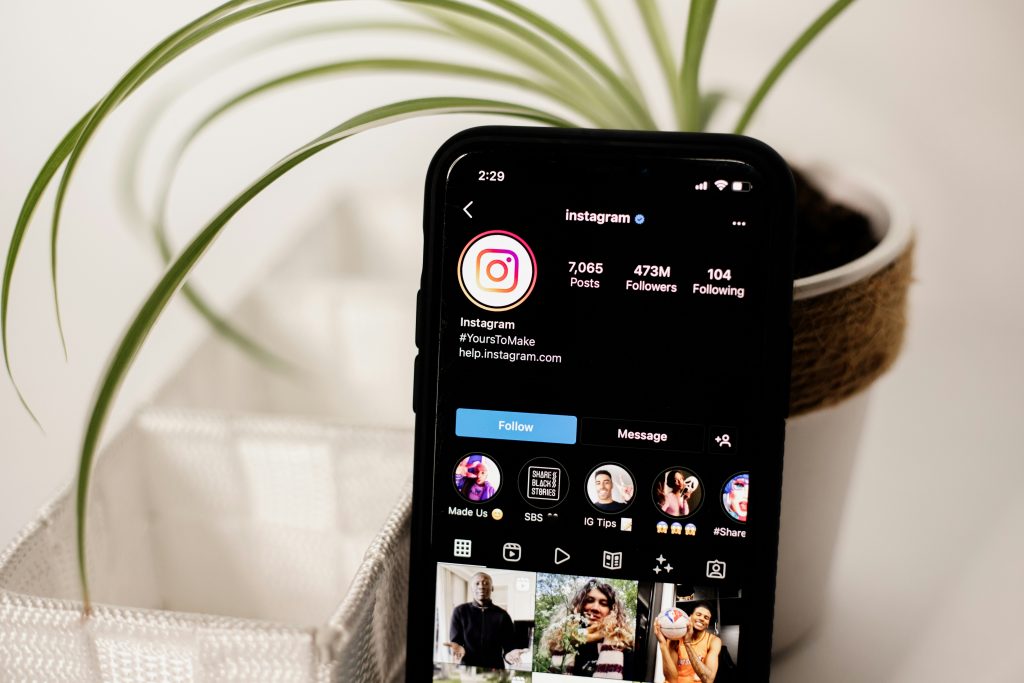
Instagram’s bio section is the most direct source of identifying information on any account. Before running any external search, check:
- Display name — many accounts use a real name as their display name even when their username is a pseudonym
- Bio text — profession, location, affiliated brands, personal details, or a linked website
- Contact button — business and creator accounts display an email address or phone number through the Contact button beneath the bio
- Linked accounts — Instagram allows users to link their Facebook, WhatsApp, and other profiles, which are often under their real name
- Link in bio — Linktree, Beacons, or direct website links frequently lead to a page with the person’s full name and other contact details
Even a partial clue from the bio a business name, a location, a professional title is enough to identify the account owner through a follow-up search.
Step 2 — Search the username across other platforms
Most people use a consistent username across multiple platforms. Take the Instagram username and search it directly on Google, Twitter, TikTok, Reddit, LinkedIn, and Facebook. A username that appears on another platform under a real name is one of the fastest ways to identify who owns an Instagram account.
Try this Google search: "username" site:instagram.com to confirm the profile, then search the same username without the site operator to surface other platforms where it appears.
Step 3 — Reverse image search the profile photo
Upload the profile photo to Google Images or TinEye. If the same photo appears on another platform under a real name, a LinkedIn profile, a personal website, a Facebook account, you have identified the account owner. If it surfaces on multiple unrelated accounts under different names, the photo is likely stolen and the account is not who it claims to be.
Step 4 — Check the password reset method for partial contact details
Instagram’s password reset flow surfaces a partially obscured email address or phone number associated with the account, without sending any notification to the account holder, as long as you stop before completing the reset:
- Go to the Instagram login page and tap Forgot password
- Enter the username of the account you want to identify
- Instagram will display a partially masked email or phone number — for example
j***@gmail.comor+1 *** *** **82 - Do not proceed further — stopping here means no notification is sent
This does not reveal the full contact detail but confirms the format and may provide enough information to narrow down the identity when combined with other searches.
Step 5 — Check tagged photos and comment sections
The account’s tagged photos and comment sections are often overlooked but frequently revealing:
- Friends and followers sometimes address the account holder by their real name in comments
- Tagged photos from other accounts may show the person in settings that reveal their identity
- Recurring commenters who know the person personally sometimes tag their other accounts or mention their name
Find Owner of Instagram Account Free: Methods That Work
The free methods that reliably identify Instagram account owners without paying for any tool are:
Google the username in quotation marks
Search "username" in Google and review all results. This surfaces any web page where that username appears, including other social profiles, forum posts, and mentions often with a real name attached.
Google the display name
If the account has a display name that could be real, search it combined with Instagram: "Display Name" Instagram. If the same name appears on a LinkedIn profile or a business website, you have a match.
Search bio details externally
Copy any unique text from the bio a business name, a tagline, a specific phrase, and paste it into Google in quotation marks. Unique bio text that appears on a personal website or another social profile connects the account to a real identity.
Reverse image search
Free on Google Images and TinEye. Upload the profile photo to either tool and check all results for other platforms where the same image appears under a name.
Check mutual followers
If you know anyone who follows the account in question, check their following list for the account and look at who interacts with it. People who comment frequently or who are tagged in photos by the account often have a direct connection to the owner.
How to Find Who Is Behind a Fake Instagram Account
A fake Instagram account is one that deliberately misrepresents its identity using stolen photos, a fabricated name, or a false persona. Finding out who is behind one requires a different approach from identifying a real account.
Identify the signals of a fake account first
Before investigating, confirm the account is actually fake rather than simply anonymous:
- Reverse image search the profile photo — if it appears under a different name elsewhere, the photos are stolen
- Check the account age and activity — fake accounts are typically new, have few followers, and show limited organic history
- Look for inconsistencies — details in the bio, posts, and stories that contradict each other over time
- Check whether the username exists on other platforms — a fake account often has no presence anywhere else online
Find out who made a fake Instagram account
If the fake account is using your photos or impersonating someone you know:
- Search the bio and any unique text — people who create fake accounts sometimes use the same bio text or usernames on other platforms where their real identity is visible
- Check the account’s follower and following list — fake accounts created by someone who knows the target often follow that person’s real-world contacts, which narrows down who created it
- Look at who the fake account interacts with — the people it comments on, likes, and follows most frequently are likely known to the creator in real life
- Run the profile photo through Social Catfish — if the creator used a photo of themselves at any point, or if the stolen photo has a traceable source, Social Catfish’s reverse image search surfaces the connection
What to do once you have identified a fake account
- Document everything screenshots of the profile, posts, and any messages, before taking any action
- Report the account to Instagram through the profile’s three-dot menu
- If the fake account involves harassment, impersonation, or threats, report it to the FTC at reportfraud.ftc.gov and contact local law enforcement
- Instagram can be compelled through legal process to disclose account holder information, this requires a formal legal request but is the definitive method for serious cases
How to Track an Instagram Account Owner
The word “track” when it comes to Instagram account ownership is worth clarifying, because the approach that actually works in 2026 is different from what many people assume.
What you cannot do
You cannot track an Instagram account’s IP address. Instagram routes all activity through its own servers, which means any IP address visible in message headers belongs to Instagram’s servers, not the user’s device. This is frequently suggested online and is consistently inaccurate, it does not work and is not a method for identifying account owners.
What tracking an Instagram account owner actually means
Effective account tracking in 2026 means cross-referencing the digital identity behind the account, using the username, profile photo, bio details, and contact information to surface who that person is across the broader internet.
How to find out who runs an Instagram account through cross-platform identity search
Social Catfish’s identity search tools approach this as a cross-platform investigation rather than a platform-specific lookup:
- Username search — searches the Instagram handle across dozens of platforms simultaneously, surfacing every account where the same handle appears and the identity attached to those accounts
- Reverse image search — cross-references the profile photo against social networks, dating platforms, and public records to find other accounts using the same image, often under a real name
- Phone number lookup — if a phone number is associated with the account anywhere, cross-references it against public records and platform data to surface the registered identity
- Email lookup — if an email address is known, surfaces all accounts and identity data connected to it
Every search runs privately. The account holder will never know a search was run.
Who Owns This Instagram Account? How to Identify Any Profile
If you are looking at a specific profile and want to know definitively who is behind it, here is the most efficient sequence to follow:
Quick identification checklist
- Check the bio — look for a real name, business name, location, or linked website
- Check the Contact button — business accounts display an email or phone number here
- Search the username on Google —
"@username"and"username" site:instagram.com - Reverse image search the profile photo — Google Images and TinEye, free and fast
- Search the display name — combine it with Instagram and other platform names on Google
- Check the tagged photos section — often reveals the person’s real name through friends’ captions
- Look at the bio link — follow any link in bio to find the person’s name and other contact details
When the profile resists identification
Some accounts are deliberately built to resist identification; no real name, AI-generated profile photo, bio with no identifying details, no cross-platform presence. For these accounts, a dedicated identity search through Social Catfish provides the most thorough available option, cross-referencing everything known about the account against a significantly broader dataset than any single platform or free tool can access.
Conclusion
Finding out who owns an Instagram account, or who is behind a fake one starts with the profile itself and expands outward from there. A careful read of the bio, a reverse image search on the profile photo, and a cross-platform username search cover the majority of cases where the account holder has left any public footprint at all.
When those methods come up empty, Social Catfish’s username search, reverse image search, phone lookup, and email search cross-reference the available information against a much broader dataset — privately, with no notification to the account holder, and surface the connections that public searches cannot reach.
Top 5 FAQs
Check the bio for a real name, email, or linked website. Search the username on Google in quotation marks to find it on other platforms. Reverse image search the profile photo on Google Images or TinEye.
Often yes. Reverse image search the profile photo immediately, stolen photos surface under the original owner’s name. Check the fake account’s following list for real-world connections.
The most effective approach is cross-platform identity tracking, using the username, profile photo, bio details, and any contact information to surface who the person is across the broader internet. Social Catfish’s username search, reverse image search, and phone or email lookup cross-reference available information against public records and social platforms simultaneously.
No. Instagram does not publicly disclose the identity, email, or phone number of account holders. This information can only be obtained through a formal legal request, subpoena or law enforcement process which Meta responds to in specific legal circumstances.
No. Every Social Catfish search runs completely privately and confidentially. The account holder will never receive a notification or any indication that a search was run.









