Multiple Faces Detected



 May 2nd, 2026
If you are searching for a WhatsApp profile viewer, you are likely trying to do one of two things: see someone’s full WhatsApp profile picture, or find out who has been viewing your own profile. Both are common questions, and both need honest answers before you waste time on tools that do not work.
This guide covers what WhatsApp actually shows about profile views, how to see someone’s full WhatsApp profile picture, and, most importantly, how to find out who is really behind any WhatsApp account when the platform itself tells you nothing useful.
WhatsApp’s privacy design keeps most information hidden by default, but the phone number behind every WhatsApp account is a direct route to a verifiable real identity. Social Catfish’s reverse phone lookup cross-references any WhatsApp number against public records, social media, and identity databases, returning the real name and full online presence behind the account.
Can You See Who Viewed Your WhatsApp Profile?
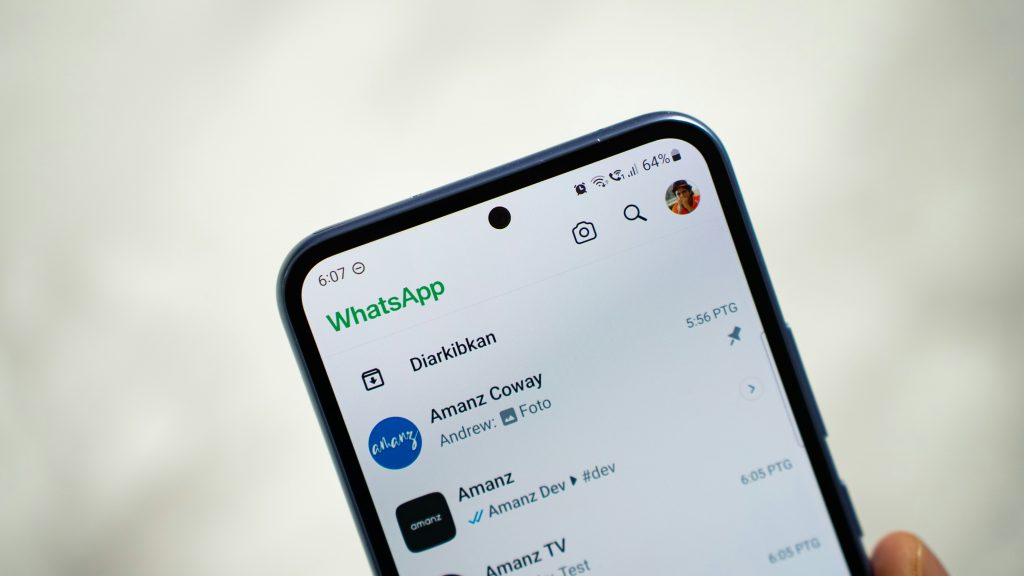
No, with one very limited exception. WhatsApp does not have a profile view tracking system. It does not show you who viewed your profile photo, who read your bio, or who visited your profile in any general sense.
The one exception is WhatsApp Status. If you post a WhatsApp Status update, a temporary photo, video, or text that disappears after 24 hours, WhatsApp shows you a list of contacts who viewed that specific Status post. This is the only context in which WhatsApp shows any view-related information, and it only applies to Status content, not to your profile itself.
Outside of Status views, WhatsApp provides no profile view data. Your profile photo, bio, and “last seen” information are visible to whoever your privacy settings allow, but you have no way of knowing who actually looked at them.
Who Viewed My WhatsApp Profile: What WhatsApp Does and Doesn’t Tell You
The question of who viewed my WhatsApp profile comes up constantly, and the answer is consistently the same, regardless of how it is phrased: WhatsApp does not provide this information.
What WhatsApp does show you:
- Who viewed each individual WhatsApp Status post you share, while it is active
- Read receipts on messages — the blue double tick confirms someone read a specific message
- Whether a contact is online or their last seen time, depending on mutual privacy settings
- Delivery and read status for messages in group chats
What WhatsApp does not show you:
- Who viewed your profile photo
- Who viewed your bio or About section
- How many times your profile has been viewed
- Who searched for your number on WhatsApp
- Any list of profile visitors
WhatsApp profile pic views, in the sense of tracking who has seen your profile photo, are not tracked by WhatsApp at all. Your profile photo is visible to whoever your privacy settings permit: contacts only, everyone, or no one, but no record is kept of who actually viewed it.
Third-party apps claiming to show you who viewed your WhatsApp profile are not credible. WhatsApp’s API does not expose this data, which means no external tool can legitimately access it. Apps making this promise typically harvest your phone number or account credentials, show fabricated data to appear functional, or generate revenue through misleading advertising. Do not grant any such app access to your WhatsApp account.
Who Viewed Your WhatsApp Profile: Is There a Way to Find Out?
Who viewed your WhatsApp profile and who viewed your WhatsApp profile are searched thousands of times a month because the desire to know is entirely natural. The direct answer remains no, WhatsApp does not offer this capability, and no legitimate third-party tool provides it.
What you can do instead is control who is able to view your profile in the first place. WhatsApp’s privacy settings let you restrict your profile photo, bio, last seen, and online status to contacts only, specific contacts, or no one. If your concern is about unwanted attention from specific people, adjusting these settings is more effective than trying to track viewers after the fact.
To adjust profile privacy on WhatsApp: Go to Settings → Privacy. From here, you can set separate visibility rules for Last Seen, Profile Photo, About, Status, and Online status. Setting profile photo and About to “My Contacts” limits visibility to people you have saved as contacts. Setting them to “Nobody” hides them from everyone, including existing contacts.
Who Is Viewing My WhatsApp Profile?
Who is viewing my WhatsApp profile and who saw my WhatsApp profile are the same question from different angles, and the answer is the same. There is no way to know who is viewing your WhatsApp profile because WhatsApp does not record or report this information.
If you are asking because you are worried about a specific person having access to your profile, the solution is privacy settings rather than viewer tracking. Block the specific contact to prevent them from seeing any of your profile information or contacting you. Blocking on WhatsApp removes you from their contacts view entirely, your profile photo becomes invisible to them, your last seen disappears, and messages from them do not reach you.
If your concern is more general, wanting to understand your WhatsApp presence and who can see it, auditing your contacts list and privacy settings together gives you the clearest picture of your actual exposure.
WhatsApp Profile Picture Viewer: How to See Someone’s Full Profile Photo
The WhatsApp profile picture viewer question has a practical answer that works in most situations. WhatsApp displays profile photos at reduced size by default in chats and contact lists, requiring a specific step to display the full-resolution version.
Within the WhatsApp app: Open a chat with the contact or search for them in your contacts list. Tap their name at the top of the chat to open their contact info. Tap their profile photo to open it in full screen. The full-size version of whatever resolution they uploaded is now visible.
Saving the profile photo: Once the photo is open in full screen, take a screenshot to save it. On iOS, press the side button and volume up button simultaneously. On Android, press the power and volume down buttons simultaneously. The photo saves to your camera roll from the screenshot.
WhatsApp profile photo download for contacts whose photo is restricted: If the contact has set their profile photo to visible to contacts only and you are not in their contacts, you will see a grey silhouette instead of their photo. In this case, there is no way to view the photo within WhatsApp itself; the restriction is enforced at the platform level.
For non-contacts: If someone messaged you from a number not saved in your contacts, their profile photo may still be visible in the chat thread, depending on their privacy settings. Open the chat and tap their number at the top to view their profile details.
View Profile Picture WhatsApp: Step-by-Step
For downloading or saving a WhatsApp profile picture in the highest available resolution, here is the complete process.
Step 1 — Find the profile. Open WhatsApp and navigate to the contact’s chat or search for them in the contacts tab.
Step 2 — Open their profile. Tap their name or number at the top of the chat screen to open their contact info page.
Step 3 — View full size. Tap their profile photo to open it in full-screen view.
Step 4 — Save the image. Screenshot the full-screen view to save it to your camera roll. This is the most reliable method for downloading WhatsApp profile photos on both iOS and Android.
For a whatsapp profile pic viewer on desktop: WhatsApp Web at web.whatsapp.com mirrors your WhatsApp account on desktop. Open a contact’s chat, click their name to open their profile, and click their photo. On desktop you can often right-click the full-screen photo and select “Save image as” to download it directly.
Important limitation: You can only view and download profile photos that the contact has made visible to you based on their privacy settings. If their photo is restricted to contacts only and you are not in their contacts, the photo is not accessible through any method within WhatsApp.
How to Find Out Who’s Really Behind a WhatsApp Account
This is the section that goes beyond profile pictures and view tracking to answer the more substantive question, who is this person, and are they who they say they are.
Every WhatsApp account is registered to a real phone number. WhatsApp requires phone number verification at signup, which means the number behind any WhatsApp account is a genuine, active phone number tied to a real identity. That phone number is your most direct route to finding out who is really behind the account.
When to investigate further: You received a message from an unknown WhatsApp number and want to know who it is before responding. Someone on WhatsApp seems suspicious, the profile does not match what they have told you about themselves, or the conversation has raised concerns. A contact has a WhatsApp profile that does not match any other information you have for them.
How to Use Social Catfish to Look Up a WhatsApp Profile
Step 1 — Get the phone number. Every WhatsApp profile is linked to a phone number. The number is visible when you open the contact’s profile in WhatsApp; it appears as their WhatsApp ID beneath their display name. For unknown contacts who messaged you, the number appears at the top of the chat thread.
Step 2 — Run a reverse phone search. Enter the full phone number, including country code, into Social Catfish’s reverse phone lookup at socialcatfish.com. The search cross-references the number against public records, social media registrations, carrier databases, and identity databases, returning the real name registered to the number, linked social media accounts, email addresses, and any other public records associated with that identity.
Step 3 — Cross-reference with their profile photo. If the reverse phone search returns a name and you want to verify it matches the person in the profile photo, save their WhatsApp profile picture and upload it to Social Catfish’s reverse image search. The facial recognition searches across social media and public websites to confirm whether the profile photo belongs to the identity the phone number is registered to, or reveals that the photos belong to a completely different person.
Step 4 — Search their display name. If the WhatsApp display name looks like a real name, enter it alongside any location details you have into Social Catfish’s name search. This returns linked social profiles and public records for that name and location, often surfacing additional accounts that confirm or contradict the identity they presented.
Step 5 — Search for any other contact details. If they gave you an email address or a username for another platform, enter those into Social Catfish’s reverse email or username search. Cross-referencing multiple identifiers together gives you the most complete picture of who is behind the account.
FAQ
No. WhatsApp does not track or display profile views. The only view-related information WhatsApp provides is who viewed a specific WhatsApp Status post, and only while that Status is active.
No legitimate tool can show who viewed your WhatsApp profile because WhatsApp does not expose this data through its API. Any app or website claiming to provide this is not credible; avoid granting such tools access to your account.
Open their chat, tap their name to view their contact info, then tap their profile photo to see it full size. Screenshot the full-screen view to save it. This works for any contact whose photo is visible to you based on their privacy settings.
Enter the phone number, including country code, into Social Catfish’s reverse phone lookup. The search returns the real name, linked social accounts, and public records associated with that number, identifying the person behind the account without alerting them.
Go to Settings → Privacy in WhatsApp. Set your profile photo and About to “My Contacts” or “Nobody.” Block specific contacts to prevent them from seeing any of your profile information and to stop receiving messages from them.
Yes, for contacts whose photo is visible to you. Open their profile, tap their photo to view it full screen, and screenshot it. For contacts who have restricted their photo to contacts only, the photo is not accessible if you are not saved in their contacts.
Conclusion
A WhatsApp profile viewer in the sense of tracking who visits your profile does not exist. WhatsApp does not record or report this information, and no third-party tool can legitimately provide it. What you can do is control your own privacy settings to limit who sees your profile, and use the tools available to identify who is behind any WhatsApp number that concerns you.
The phone number behind every WhatsApp account is a direct route to the real identity behind it. Social Catfish’s reverse phone lookup takes that number and returns the real name, linked social accounts, and public records associated with it, giving you the information WhatsApp itself never shows. Combined with a reverse image search on their profile photo, it gives you the most complete answer available about who is really behind any WhatsApp account.