

 Multiple Faces Detected


 August 26th, 2022
There was a lot of fear online once people found out their precise location is being tracked by social media platforms like Facebook and Instagram 24 hrs a day. Most people’s main concern with these tracking features is that their data might fall into the wrong hands, or that Instagram itself is secretly using their data for nefarious means. In this article, we’ll look at whether there is any truth behind these concerns.
Does Your Phone Track Your Exact Location?
Yes, it’s true, your phone does track your exact location. But if you think about the modern conveniences that we all enjoy through our phones, it becomes clear why. Your phone tracks your location in order to be able to deliver the services you need. Uber, for instance, would not know where to send a car to pick you up. Doordash wouldn’t know where to deliver your food, and your GPS wouldn’t know how to get you where you want to go. So your phone allows precise location data in order to allow for all of these things.
Why Does Instagram and Facebook Need To Track Your Location?
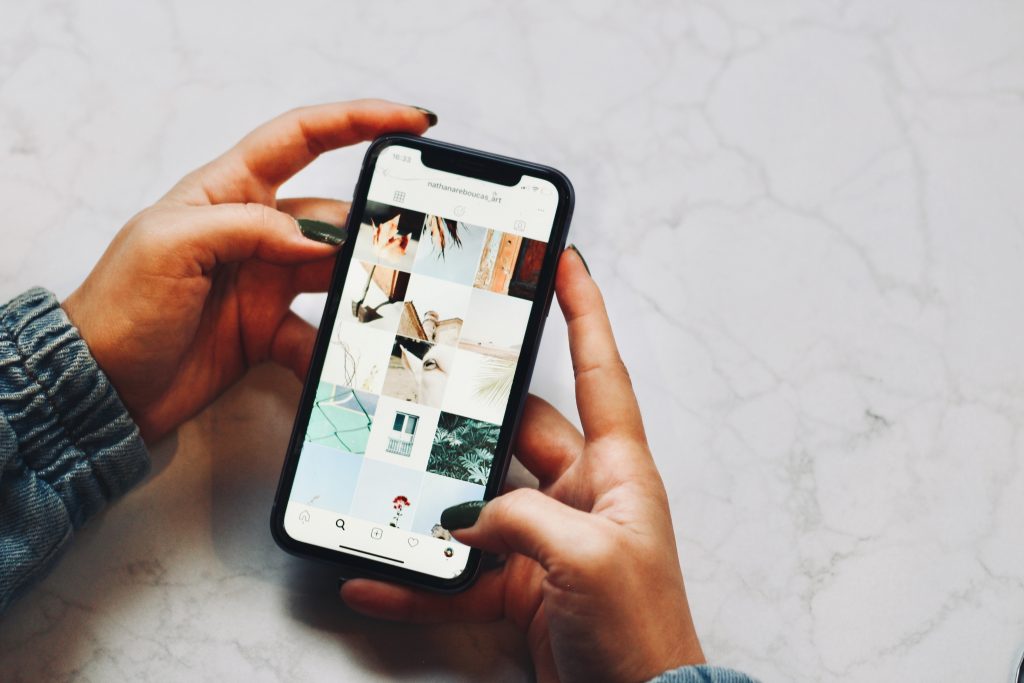
Instagram and Facebook track your location in order to enhance your experience on the platforms. Some of the things tracking makes possible are filters, stickers on stories, and other such features.
Why People Are Alarmed by This
Although platforms often have a good reason for tracking you, some say that Instagram and Facebook’s tracking features are a bit excessive, with the platforms tracking your location around the clock. This goes far beyond the usefulness of these apps because there is little value in having Instagram or Facebook know where you are at all times. So you might be someone who wants to get rid of this setting. We’ll dive into how to do so below.
How to Turn Off Location Settings On iPhone
If you’ve looked at this information and you’re not comfortable with Instagram knowing where you are at all times, here is the simple process of turning off precise tracking on these apps.
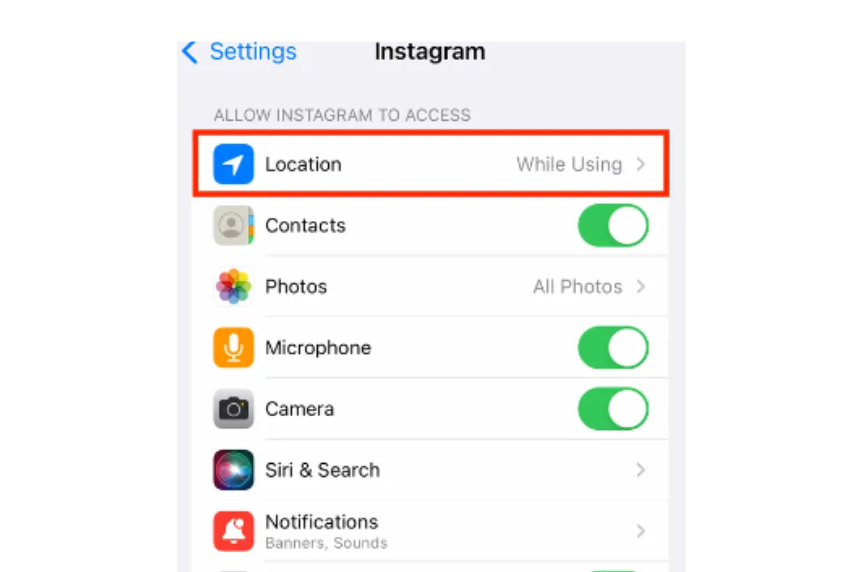
- Open the “Settings” app
- Scroll down until you see the app you want to turn off precise location tracking for
- If you have location data turned on, you’ll see the “location” icon. Click the Icon
4. Toggle the “Precise Location” button
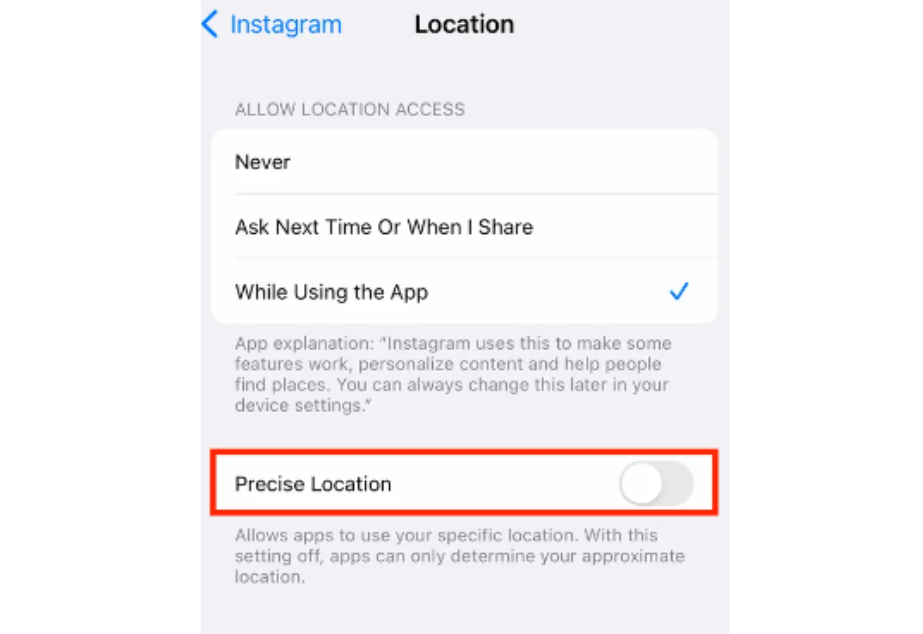
Once you’ve turned off these settings, rather than having your exact location, Instagram or Facebook will only have a general idea of where you are. When you have the precise location feature activated, Instagram can track you with complete accuracy, but with the feature turned off, you’re only tracked using wifi networks and cellular towers.









