Multiple Faces Detected



 August 3rd, 2026
There are two reasons people search for someone on Quora. The first is straightforward: you want to find a specific person’s profile to read their answers or make contact. The second is more cautious: you encountered an answer from someone claiming expertise and want to verify whether they are who they say they are before trusting what they wrote. Both are legitimate, and both quickly run into Quora’s real limitations. Here is how to handle each, starting with what is free.
Name Search Examples
To get more accurate results, enter the full name including at least First name, Middle name and Last name.
Email Search Examples
Phone Search Examples
Username Search Examples
Address Search Examples
Start typing the initial part of the address and select from the addresses given dropdown afterward.
We Respect Your Privacy.
How to Find Someone on Quora by Name
Using Quora’s Native Search
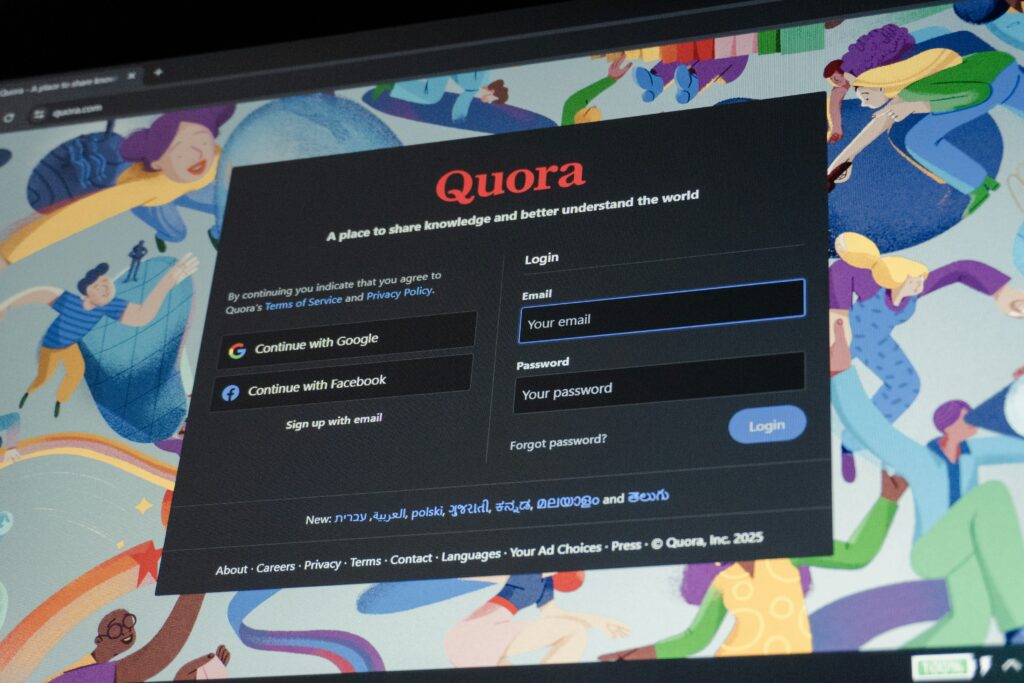
Quora’s search bar at the top of every page accepts names alongside topics and questions. To search specifically for a person rather than a topic:
- Type their full name into the search bar and press Enter
- Select the People tab from the filter options that appear at the top of the results page
- Browse the results for the correct profile
This works reliably when the person uses their real name on Quora and has an unusual enough name to return a small result set. It falls apart quickly for common names, which can return dozens of profiles with no way to filter by location, age, employer, or any other narrowing criterion.
Using Google as a Workaround
When Quora’s own search returns too many results to be useful, Google’s site search is the most effective free alternative.
- Search site:quora.com “Firstname Lastname” in Google
- Add context alongside the name to narrow results, such as their employer, city, or field of expertise
- For example: site:quora.com “Sarah Chen” “software engineer” returns only Quora pages where both terms appear together
Google indexes public Quora profiles and answers, which means this approach surfaces profiles that Quora’s own search buries, and it gives you the benefit of Google’s ranking to surface the most relevant results first.
What to Do When the Name Search Does Not Work
Why Quora Name Search Fails More Often Than Expected
Quora has a real-name policy but does not verify or enforce it. In practice:
- Many users create profiles with usernames or nicknames rather than legal names
- Some users have multiple accounts for different topics or audiences
- Common names return too many results with no location filter available
- Profiles set to reduced visibility may not surface in search results at all
The result is that finding a specific person on Quora by name is significantly less reliable than finding them on LinkedIn or Facebook, where real-name usage is more consistent and profile information is more detailed.
Cross-Referencing Any Username You Find
If you find a Quora profile that might be the right person but you are not certain, the username is your most useful next identifier.
- Take the Quora username or any handle they use on the platform
- Search it directly on Google in quotes
- Try it on Twitter/X, Reddit, LinkedIn, and any other platform where the person might be active
- Most people use consistent handles across platforms, so a match on another site often confirms the identity
If manual cross-referencing is not producing a clear answer, Social Catfish’s username search cross-references the handle across hundreds of platforms simultaneously rather than requiring you to check each site individually.
How to Find Out Who Is Behind an Anonymous Quora Answer
What Quora’s Anonymous Feature Actually Does
Quora allows users to post answers and ask questions anonymously. When someone chooses this option, their name and profile photo are replaced with “Anonymous,” and their identity is hidden from every other user on the platform, including moderators viewing the public side of the content.
There is no reliable free method to unmask a truly anonymous Quora answer. The anonymity is genuine from the reader’s perspective and is not removable through any tool available to ordinary users.
Why This Matters for Scam Awareness
The anonymous answer feature is worth understanding beyond the technical limitation because it has a documented role in a specific trust-building pattern.
Scammers sometimes use Quora to establish apparent credibility before initiating contact elsewhere. The pattern works like this:
- A fake financial advisor, medical expert, or relationship counselor posts detailed, confident answers on Quora under a real-seeming name
- Someone who reads the answers finds them impressive and searches for the person
- The scammer’s Quora profile appears credible because it has many answers and a professional-sounding bio
- Contact moves off Quora to email, WhatsApp, or a direct message where the actual fraud begins
The Quora presence functions as a trust signal that was never independently verified. Credentials and expertise claims on Quora are entirely self-reported. There is no verification process for claimed job titles, qualifications, or professional histories on the platform.
If someone has cited their Quora answers as evidence of expertise and then moved contact off-platform, verifying their identity independently before engaging further is worth doing regardless of how credible the answers appeared.
Name Search Examples
To get more accurate results, enter the full name including at least First name, Middle name and Last name.
Email Search Examples
Phone Search Examples
Username Search Examples
Address Search Examples
Start typing the initial part of the address and select from the addresses given dropdown afterward.
We Respect Your Privacy.
Verify a Quora Profile Photo
When a Quora profile has a photo, reverse image search is the fastest available verification step.
Free Reverse Image Search
- Right-click the profile photo and save it, or screenshot it if right-click is blocked
- Upload it to Google Images at images.google.com
- Check results for the same face appearing under a different name or context
TinEye at tineye.com is a useful supplement to Google for tracking whether a specific image file has appeared elsewhere online and when it first appeared.
Social Catfish Reverse Image Search
Google matches image files. If the profile photo has been cropped, filtered, or taken at a different angle from the original source, Google often returns no results.
Social Catfish uses facial recognition rather than file matching, which finds the same face across different photos on platforms that Google cannot index. Upload the Quora profile photo to Social Catfish, and the search returns every platform where that face appears and under what names. A genuine person’s photo appears consistently under their own identity. A fabricated profile photo traces back to someone else’s social media or appears under multiple different identities.
This is usually the highest-intent verification moment when researching a Quora profile: the photo check either confirms the identity quickly or surfaces an inconsistency that changes how you evaluate everything they have written.
Find a Quora Profile From a Phone Number, Email, or Photo
Quora does not support any of these starting points natively. There is no phone number lookup, no email search, and no reverse image search built into the platform.
If you have a phone number, email address, or photo connected to someone you encountered on Quora, Social Catfish is the most practical route from these identifiers to a confirmed identity.
Reverse phone lookup:
Enter the phone number into Social Catfish. The search returns the real name and linked accounts registered to that number, including any social media profiles or platform registrations connected to the same identity.
Reverse email search:
Enter the email address into Social Catfish. The search cross-references it against platform registrations and identity databases simultaneously, returning every account linked to that address and the identity behind it.
Photo search:
Upload any photo the person has shared through Quora messaging or any other channel into Social Catfish’s reverse image search. The facial recognition confirms whether the photo belongs to a consistent verified identity or has been used under different names elsewhere.
These searches are the only available route from a phone number, email, or photo to a confirmed Quora identity, since Quora’s own tools provide no path from these starting points.
All Social Catfish searches are completely confidential. The person being searched receives no notification.
Is It Safe to Trust Someone Based Only on Their Quora Answers?
Not without independent verification.
Quora credentials are entirely self-reported. Anyone can claim to be a doctor, a financial advisor, a lawyer, or a senior executive. Quora does not verify job titles, qualifications, licenses, or any other claimed expertise. A profile with hundreds of detailed answers and a convincing professional bio has passed no external vetting process.
Red flags worth watching for on Quora:
- A profile with impressive credentials but no verifiable external presence, no LinkedIn, no company website, no news mentions
- Answers that consistently direct readers toward a specific product, service, or contact method
- A profile that looks professional but was created recently with a high answer volume that would be difficult to produce organically
- Expertise claims in high-trust fields like medicine, finance, or law with no verifiable license or registration information
If someone you encountered on Quora has initiated direct contact and is offering services, advice, or investment opportunities, verify their identity through Social Catfish before engaging further. The search confirms whether the identity behind the Quora profile is consistent and verifiable across independent sources rather than relying on self-reported credentials alone.
FAQ
No. Quora has no native phone number or email lookup. Name search within Quora and Google site search are the only free native options. Social Catfish’s reverse phone and email search are the only available routes from those starting points to a confirmed Quora identity.
No. Quora encourages real names but does not verify or enforce them. Usernames, pseudonyms, and partial names are common. Many profiles use a first name only or a clearly invented handle despite the policy.
Not through any tool available to regular users. Quora’s anonymous feature genuinely hides the asker’s identity from other users. There is no reliable free method to unmask a truly anonymous Quora post.
Quora has no location filter, age filter, or employer filter on its people search. Common names return many profiles with no native way to narrow results. The Google site:quora.com “Full Name” approach combined with an additional context term is the most effective free workaround.
Yes. Quora’s native search bar under the People tab and the Google site:quora.com “Full Name” approach are both free starting points. When those return too many results or the wrong person, Social Catfish’s username search, reverse image search, and reverse contact lookup cover the cases free methods cannot reach.
Conclusion
Quora’s search tools are limited by design, and its lack of location filters, name verification, and contact-based search means that free methods hit a wall quickly for common names or anonymous accounts. The native search bar and Google site search are always worth trying first. When those come up empty or return too many results to be useful, Social Catfish’s cross-platform username search, reverse image search, and reverse contact lookup cover the identity verification layer that Quora itself does not provide.
Name Search Examples
To get more accurate results, enter the full name including at least First name, Middle name and Last name.
Email Search Examples
Phone Search Examples
Username Search Examples
Address Search Examples
Start typing the initial part of the address and select from the addresses given dropdown afterward.
We Respect Your Privacy.