Multiple Faces Detected




 October 21st, 2026
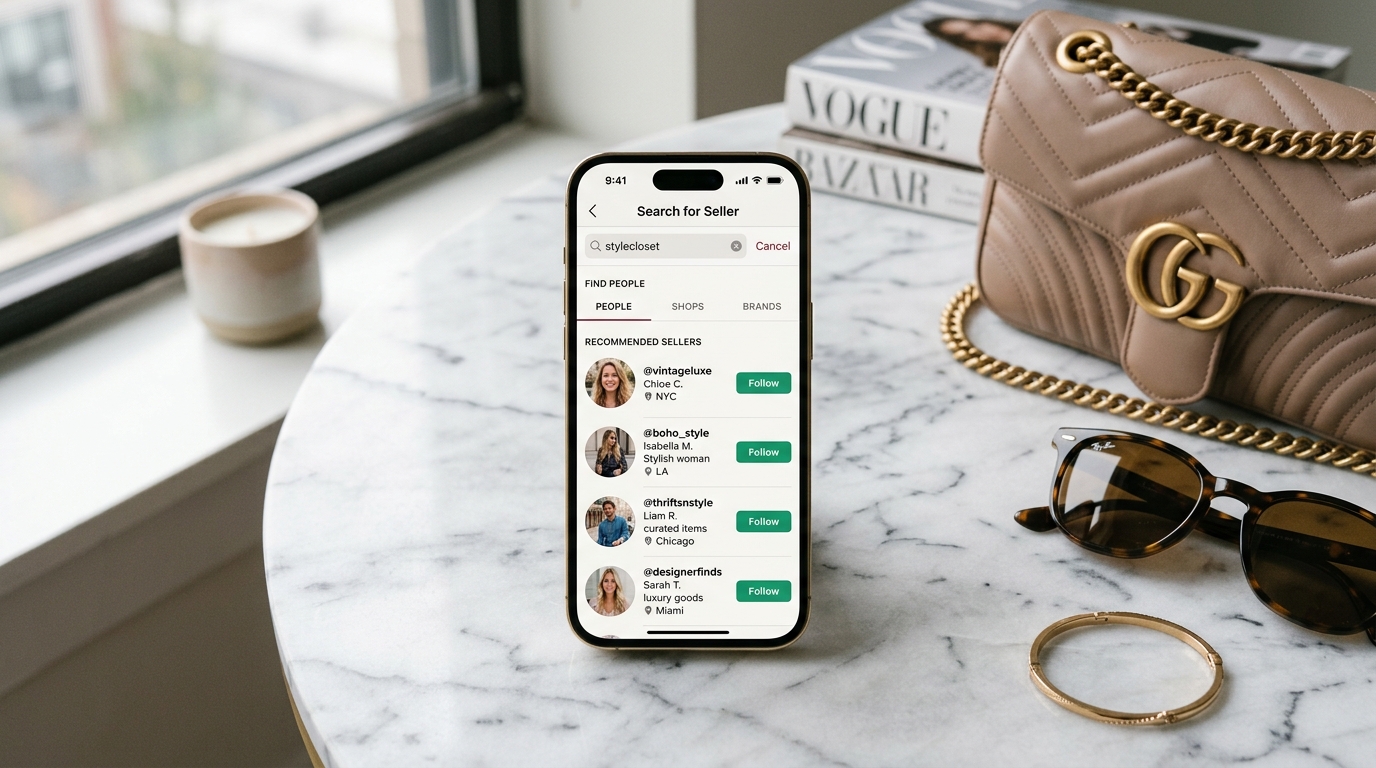
Mercari’s native search is built around listings, not users. You can search for products, browse categories, and filter by condition and price, but searching for a specific username or person directly is limited compared to what most people expect. Here is exactly what Mercari’s own search lets you do, how to find a seller or buyer you already know about, and how to check whether someone looks legitimate before you pay or ship anything.
Before completing a transaction with someone you found on Mercari, Social Catfish’s cross-platform search can show whether the same photos, username, or contact details appear elsewhere online under a different identity. All searches are completely confidential.
Name Search Examples
To get more accurate results, enter the full name including at least First name, Middle name and Last name.
Email Search Examples
Phone Search Examples
Username Search Examples
Address Search Examples
Start typing the initial part of the address and select from the addresses given dropdown afterward.
We Respect Your Privacy.
How to Search a User on Mercari
Mercari does not have a dedicated username search bar the way some platforms do. There is no field where you type a username and get a user profile as the result. What Mercari does allow:
From the app:
- Open the Mercari app and go to the search bar
- Type the seller’s username or shop name exactly as it appears
- Results will show listings from that seller if they have active items — tap a listing to reach their profile
- Alternatively, if you have a direct link to their profile (mercari.com/u/username), you can navigate there directly in a browser
The honest limitation:
If a seller has no active listings at the moment you search, searching their username through the listing search may return nothing even if their account exists. The most reliable route to a specific user’s profile is a direct profile link rather than a keyword search through listings.
Verify the current search interface in the Mercari app before relying on these steps, as Mercari updates its navigation periodically.
Social Catfish · Seller Check
Check a seller before you pay
Tap anything you’ve noticed about a buyer or seller. This can’t tell you whether an account or listing is real or who is behind it. It only shows whether what you’re seeing is worth slowing down for.
No checklist or search result proves an account or listing is fake or shows who is behind it, and you should never send money to someone you haven’t verified. Private and confidential — only you see the results.
How to Find a Seller on Mercari
From an active listing:
The fastest path to any seller’s profile is through one of their listings. Open a listing, scroll to the seller’s name or profile photo at the top of the listing page, and tap it. This opens their full profile showing all active listings, their ratings, and how long they have been on the platform.
From a profile link:
If you have a direct URL to someone’s Mercari profile, typically formatted as mercari.com/u/their-username, open it in a browser. This works whether or not they have active listings.
From a name or shop you already know:
If you know the seller’s Mercari username specifically, search that term in the app’s search bar. Listings from that seller should appear in the results if they have active items. Tap any listing to reach their profile.
From outside Mercari:
Some sellers promote their Mercari shops on social media, in Facebook groups, or on other resale platforms. A Google search of their username alongside “Mercari” sometimes surfaces their profile directly or shows where they are active elsewhere.
Mercari User Search Limits
Mercari’s user profiles show a limited set of information by design; the platform prioritizes transaction safety over profile transparency.
What you can see on a Mercari profile:
- Username and profile photo
- Seller ratings and reviews from completed transactions
- Number of items sold and listed
- How long the account has been active
- Active listings
What you cannot see:
- Real name — Mercari does not display legal names on public profiles
- Location beyond what the seller voluntarily adds to a listing
- Contact details of any kind
- Transaction history with specific buyers or sellers
- Account verification status beyond what is shown in the profile badge system
This limited visibility is intentional. Mercari’s design keeps personally identifiable information off public profiles to protect both buyers and sellers. The trade-off is that it also limits how much you can independently verify about who you are dealing with.
Name Search Examples
To get more accurate results, enter the full name including at least First name, Middle name and Last name.
Email Search Examples
Phone Search Examples
Username Search Examples
Address Search Examples
Start typing the initial part of the address and select from the addresses given dropdown afterward.
We Respect Your Privacy.
Is Mercari Legit? What to Know Before You Buy or Sell
Mercari is a legitimate, operating marketplace founded in Japan in 2013 and launched in the United States in 2014. It is publicly traded and has processed hundreds of millions of transactions. It is not a scam platform.
What Mercari’s buyer protection covers:
Mercari holds payment until the buyer confirms they received the item as described, or until a set number of days pass after confirmed delivery. If an item does not arrive or is significantly different from the listing, buyers can request a return or refund through Mercari’s resolution process. Verify the current terms of Mercari’s protection policy directly on mercari.com since coverage details and timeframes change.
What it does not cover:
Transactions that move off the platform: payments made through Venmo, Zelle, Cash App, or any method outside Mercari’s own checkout are not covered by any Mercari protection. This is the most important single fact for both buyers and sellers.
What users report:
Trustpilot and Reddit reviews of Mercari describe both positive experiences and recurring frustrations. Common complaints include slow dispute resolution, difficulty getting refunds when items are not as described, and scam attempts that arrive through the platform’s messaging system. Common positives include the large active inventory and the payment protection for on-platform transactions.
Mercari Scams to Watch For
These scam patterns specifically target Mercari users and are documented across Reddit and consumer complaint forums.
Off-platform payment requests:
A seller or buyer who asks you to pay through Venmo, Zelle, PayPal Friends and Family, Cash App, or any method outside Mercari’s checkout is asking you to remove yourself from Mercari’s buyer protection. This is the single most consistent scam setup on the platform. Legitimate Mercari transactions go through Mercari’s payment system, period.
Fake shipping or verification links:
Messages containing links claiming to be Mercari shipping confirmations, account verifications, or payment holds that link to pages outside mercari.com. Mercari communications come through the app and from official Mercari email addresses, not through chat messages with external links.
Overpayment or refund tricks:
A buyer sends more than the listed price and asks the seller to refund the difference through Venmo or another method. The original payment later fails or is disputed, leaving the seller out the item and the refund amount.
Requests to move to text or email:
A buyer or seller who wants to continue the conversation outside Mercari’s messaging system before completing a transaction is removing the conversation from Mercari’s visibility. Most legitimate users have no reason to do this before the transaction is complete.
New accounts with no ratings:
A brand-new account with zero ratings wanting to purchase a high-value item, or listing an unusually desirable item at a significant discount, warrants additional scrutiny. New accounts are not automatically suspicious, but the combination of no history and high value is worth verifying independently.
How to Check a Seller or Buyer Before You Pay
Mercari’s own profile shows ratings and reviews from past transactions, which are useful but limited to what previous users have reported. An independent check covers what Mercari’s profile cannot.
Reverse image search their profile photo:
Save their Mercari profile photo and upload it to Social Catfish’s reverse image search. The facial recognition finds where that face appears online and under what names. A profile photo that traces back to a stock image, another person’s social media, or a different marketplace listing under a different name confirms the account is using a borrowed identity.
Username cross-reference:
Enter their Mercari username into Social Catfish’s cross-platform username search. The search returns every platform where that handle is active alongside the identity connected to it. A seller who uses the same username on eBay, Poshmark, or other resale platforms with consistent positive history presents a different risk profile than one whose username exists only on Mercari with no other traceable presence.
Name or contact detail search:
If they have shared a name, phone number, or email during the conversation, enter those into Social Catfish’s reverse search. The search returns the real identity and linked accounts registered to those details.
All Social Catfish searches are completely confidential. The person being searched receives no notification.
Name Search Examples
To get more accurate results, enter the full name including at least First name, Middle name and Last name.
Email Search Examples
Phone Search Examples
Username Search Examples
Address Search Examples
Start typing the initial part of the address and select from the addresses given dropdown afterward.
We Respect Your Privacy.
FAQ
Not through a dedicated user search bar. Mercari’s search is built around listings. Searching a username in the main search bar returns listings from that seller if they have active items. The most reliable way to reach a specific user’s profile is through a direct profile link at mercari.com/u/their-username or by tapping their name on any active listing.
Mercari holds buyer payment until delivery is confirmed, which protects sellers from non-payment for completed transactions. Sellers face a different risk: buyers who claim an item was not as described and request a return. Using accurate photos and detailed descriptions in listings, and communicating only through Mercari’s messaging system, provides the most protection. Never ship an item or accept payment outside the platform.
No. Mercari’s public profiles show usernames, ratings, and listings but not legal names. Real names are used internally for payment processing and verification purposes but are not displayed on public profiles.
Go to the user’s profile in the Mercari app, tap the three-dot menu or the flag icon, and select Report. You can also report a user through a specific transaction or listing. Mercari reviews reports and takes action on accounts that violate its terms of service.