Multiple Faces Detected


 October 9th, 2026
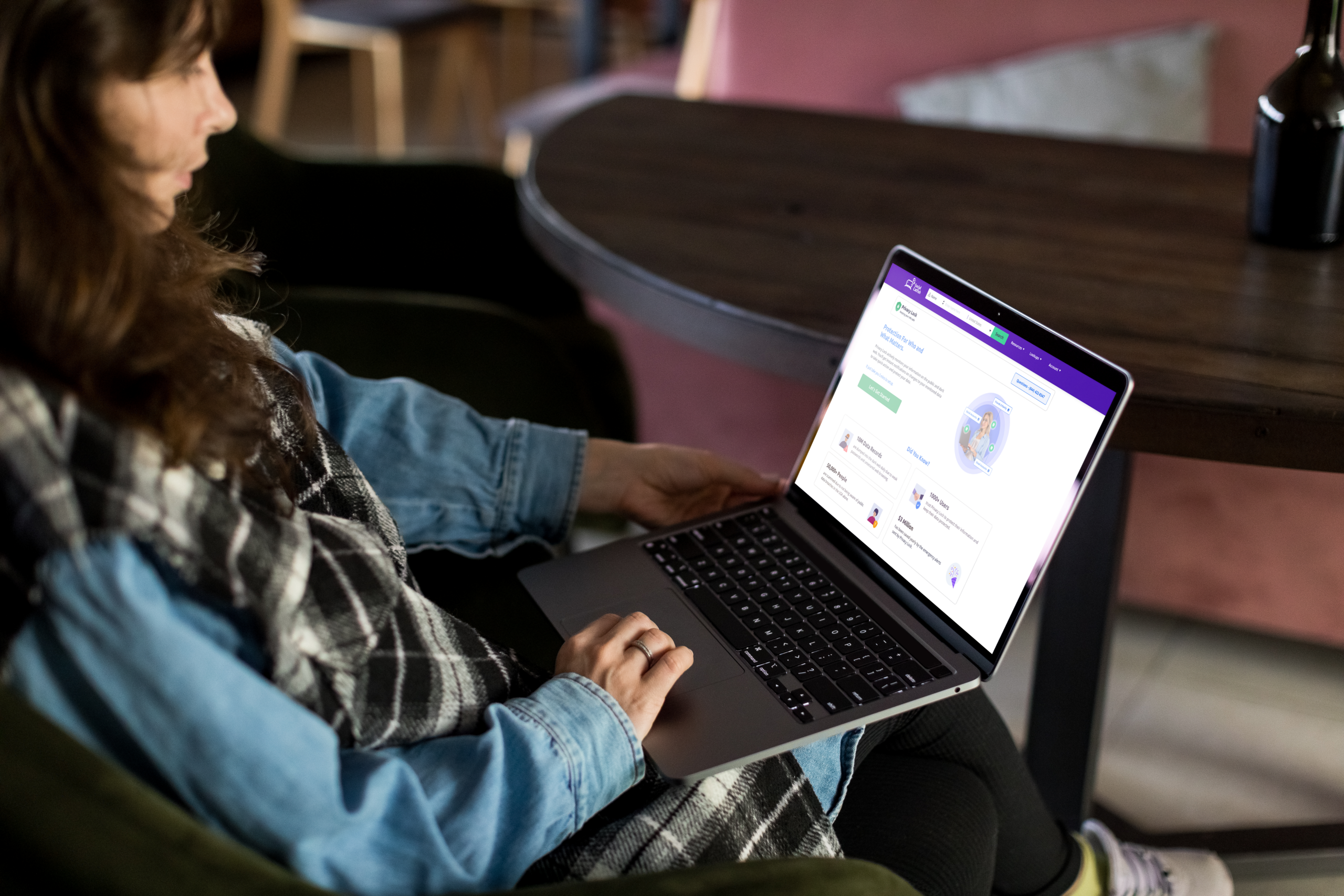
Your personal information doesn’t have to be stolen for it to end up exposed people-search sites and data brokers compile your name, address, phone number, and email from public records and sell access to anyone who looks you up. Privacy Lock is Social Catfish’s answer to that: it finds where your information is exposed, submits removal requests to get it taken down, then keeps checking and emails you if anything comes back.
Social Catfish · Privacy Lock
See What’s Exposed About You in Under a Minute
People-search and data-broker sites buy and resell your name, address, phone number, and relatives — often without you ever knowing. A free scan shows you what’s actually out there.
Commonly Exposed Information
Home address — exposed
Phone number — exposed
Relatives’ names — exposed
Private and confidential — only you see the results.
What Is Privacy Lock?
Privacy Lock does two things, not one: it removes your exposed personal information from the people-search and data-broker sites where it shows up, and it keeps checking afterward so you’re covered if that information reappears.
- You add your name, address, phone number, and email to your Privacy Lock profile
- Privacy Lock submits removal requests to the people-search and data-broker sites where that information appears
- Once a removal is submitted, the system rescans every 4 weeks to confirm it’s still gone
- Your email addresses also get checked daily against known data breaches
- If anything reappears, you get an email alert, so you’re not the one who has to notice and start over
A removal without any follow-up just means the listing quietly comes back later. Checking without ever removing anything means you get told about exposure you still have to fix yourself. Privacy Lock is built to do both.
Who Should Use Privacy Lock
Privacy Lock isn’t only for people who’ve already been through a breach or a scam; it’s just as useful as a precaution.
- Anyone active on dating apps or marketplaces, where an email or phone number gets handed to strangers regularly
- Anyone who’s already found their information on a people-search site, whether they searched for themselves or found out from someone else
- People rebuilding their privacy after a scam or identity theft incident, who want their exposed listings actually taken down, not just tracked
- Anyone who’s changed jobs or moved recently, since both events tend to spread a person’s contact information across new systems and forms at once
How Privacy Lock Works
Setting it up takes a few minutes, and the ongoing part runs entirely in the background.
Run a Free Scan
Enter your name and basic details, and Privacy Lock shows you where your information is currently exposed across people-search and data-broker sites before you pay for anything.
Removal Requests Get Submitted
Once you choose a plan, Privacy Lock submits removal requests to the sites where your information was found. You don’t have to track down each site’s individual opt-out process yourself.
Ongoing Checks Keep It From Coming Back
After a removal goes through, Privacy Lock rescans every 4 weeks to confirm the listing hasn’t reappeared. Your email addresses are checked daily against known data breaches, separately from the broader rescan cycle.
You Get an Email If Anything Changes
Alerts go out by email only. Each one tells you what was found and what to do next, so you’re not left guessing.
Name Search Examples
To get more accurate results, enter the full name including at least First name, Middle name and Last name.
Email Search Examples
Phone Search Examples
Username Search Examples
Address Search Examples
Start typing the initial part of the address and select from the addresses given dropdown afterward.
We Respect Your Privacy.
If Your Email Shows Up in a Breach
Breach data is different from a people-search listing: once your email and password show up in a company’s leaked database, that specific data can’t be pulled back offline or “removed” the way a people-search listing can.
What Privacy Lock does instead: it checks your email addresses daily against known breaches, and if yours turns up in one, it emails you with the specific steps to take, typically changing the password tied to that account and changing it anywhere else you reused it.
The Other Tools Inside Privacy Lock
Removal and ongoing checks are the core of Privacy Lock, but they’re not the only tools living in that part of your dashboard.
- Has My Password Been Hacked? — a dedicated password breach checker that tells you if a password you use has turned up in a known data breach. If you haven’t run this check recently, it’s worth doing alongside setting up Privacy Lock.
- Email Hider — creates private email aliases that forward to your real inbox, so your actual email address never gets exposed to dating matches, online sellers, or shopping sites in the first place. Fewer places your real email lives means less for Privacy Lock to ever need to alert you about.
Together, these tools cover the full loop: reducing what’s exposed in the first place, taking down what’s already out there, and checking for anything that comes back.
What to Do When You Get a Privacy Lock Alert
An alert isn’t cause for panic, but it does mean it’s time to act. Here’s the order that actually helps.
- Read what the alert says first. A breach alert about an email address calls for a different response than a removal alert about a listing that came back. Don’t assume they mean the same thing.
- Change the password tied to that account, especially if the same password is reused anywhere else. Reused passwords are exactly how one breach turns into several.
- Run the Has My Password Been Hacked? checker to confirm whether that specific password shows up in a known breach, not just the email address.
- Set up an Email Hider alias for that account going forward, so a repeat exposure of the same real email address becomes far less likely.
- Watch for follow-up scam attempts. Exposed data is often used for targeted phishing, so treat unexpected emails or calls referencing personal details with extra suspicion for the next few weeks.
Social Catfish · Privacy Lock
See What Privacy Lock Would Do With Your Information
Tap each category to see how a removal request moves from found to requested.
Private and confidential — only you see the results.
FAQ
A Social Catfish feature that finds your personal information on people-search and data-broker sites, submits removal requests to get it taken down, then rescans every 4 weeks and checks your email daily for breaches, emailing you if anything comes back.
Both. Privacy Lock submits removal requests to the people-search and data-broker sites where your information appears, then rescans every 4 weeks to confirm the removal has held. Your email addresses are also checked daily against known breaches.
No, once data is part of a breach, it can’t be pulled back or removed. Privacy Lock checks your email addresses daily for breach exposure and emails you the specific steps to take if yours is affected, such as changing a reused password.
You’ll get an email alert with what was found and suggested next steps. Alerts go out by email only.
Privacy Lock submits the removal requests for you rather than requiring you to find and complete each site’s individual opt-out process, then keeps rechecking every 4 weeks so a listing that resurfaces doesn’t go unnoticed.
Name Search Examples
To get more accurate results, enter the full name including at least First name, Middle name and Last name.
Email Search Examples
Phone Search Examples
Username Search Examples
Address Search Examples
Start typing the initial part of the address and select from the addresses given dropdown afterward.
We Respect Your Privacy.