Multiple Faces Detected


 July 15th, 2026
Every time you sign up for a dating app, reply to a Craigslist listing, or create an account on a shopping site, you are handing over your real email address, and once it is out there, you cannot take it back. It can get sold to spammers, matched against other accounts to reveal more about you than you intended to share, or exposed the next time that company has a data breach. Email Hider fixes that by giving you a private email address that forwards to your real inbox, without ever revealing it.
Name Search Examples
To get more accurate results, enter the full name including at least First name, Middle name and Last name.
Email Search Examples
Phone Search Examples
Username Search Examples
Address Search Examples
Start typing the initial part of the address and select from the addresses given dropdown afterward.
We Respect Your Privacy.
What Is Email Hider?

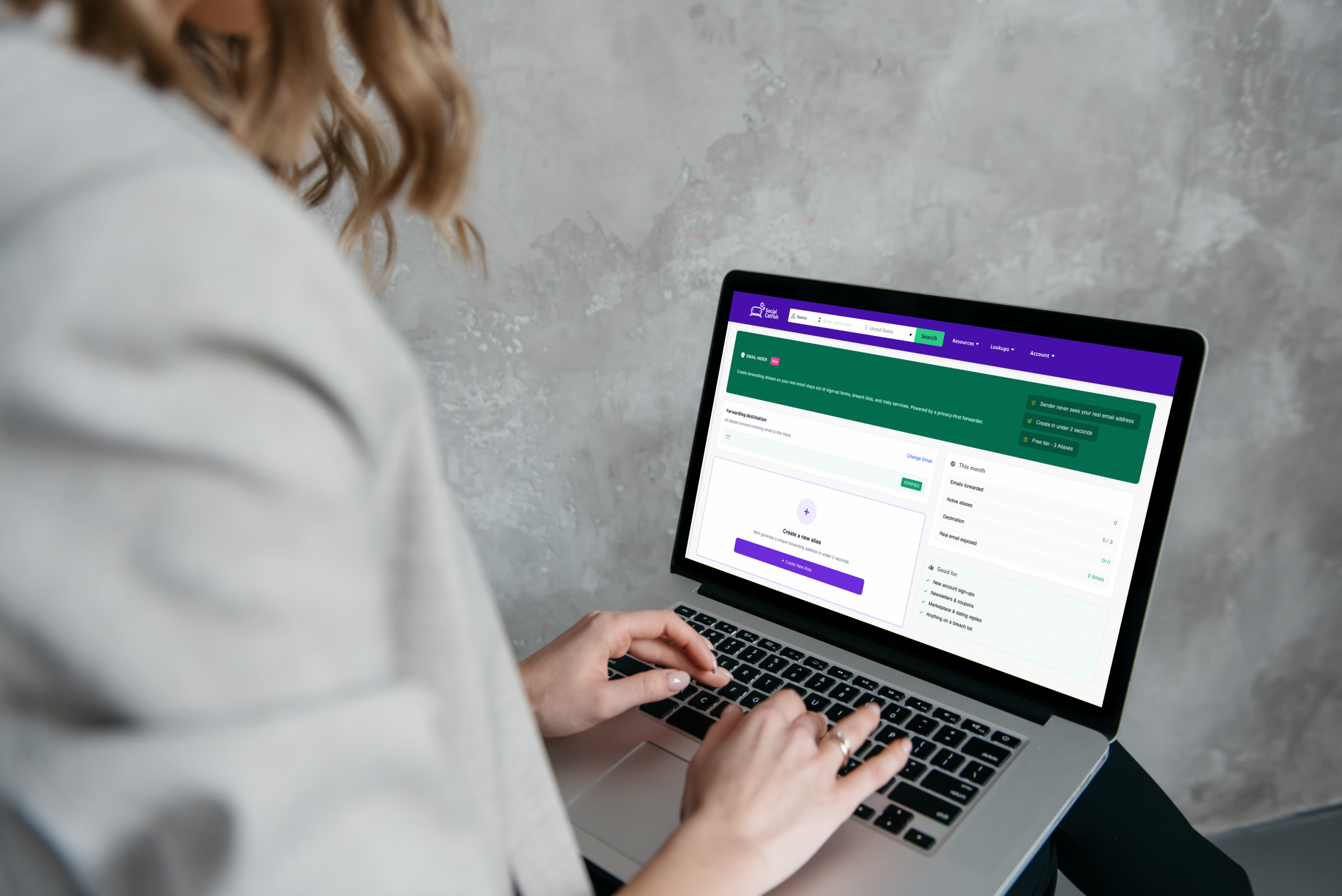
Email Hider is a Social Catfish privacy feature that creates fake email addresses called aliases that forward messages directly to your real inbox. The sender only ever sees the alias address. Your actual email stays completely hidden.
Think of it like a P.O. Box for email. Someone sends a message to myshop.shopping@socialcatfish.app, and it lands in your real inbox as normal. You can read it, reply to it, and manage it, but the person who sent it never learns your actual email address. Even when you reply, the message routes back through the alias, so your real address never appears.
What You Get on the Free Plan
- Three email aliases included at no cost
- Each alias forwards to one destination email of your choice
- Private reply — your real email stays hidden even when you respond
- Full control to disable, re-enable, or delete any alias at any time
- Access from your Social Catfish dashboard under Privacy Lock
Why Hiding Your Email Actually Matters
Most people hand over their real email address without thinking twice. Here is why that is worth reconsidering across a few specific contexts.
Dating apps:
When you sign up for a dating app with your real email, you are linking your dating activity to an address that may be connected to your name, your other accounts, and years of online history. Reverse email lookups, the kind Social Catfish itself runs, can connect an email address to social media profiles, public records, and other platform registrations you did not intend to associate with your dating life. An alias breaks that connection entirely.
Craigslist and online marketplaces:
Replying to a Craigslist listing or Facebook Marketplace post with your real email hands it to a stranger whose intentions you cannot verify. Scammers who collect email addresses use them to cross-reference your identity across other platforms and to target you with follow-up phishing attempts. An alias gives them nothing useful.
Shopping sites and newsletters:
Every unfamiliar retailer you buy from once keeps your email address indefinitely. Many sell it to third parties or expose it in breaches. A shopping alias contains the damage spam floods the alias, not your real inbox, and you can delete it the moment it becomes a problem.
Data breaches:
When a platform you signed up for gets breached, the breach exposes your email alongside whatever other data was stored. An alias means a breach at a dating app or shopping site does not expose the email address you use for banking, work, or personal correspondence.
How to Set Up Email Hider
Setting up Email Hider takes three steps and a few minutes.
Step 1: Enter Your Real Email
Log in to your Social Catfish account and go to your Dashboard. Look for the Privacy Lock section and click the Email Hider card. Enter the email address where you want forwarded messages to land. This is your destination email, the real one that stays hidden. Click Hide Your Email to proceed.
Step 2: Verify It
Social Catfish sends a verification email to the address you entered from @socialcatfish.app. Open that email and click the verification link to confirm you own the address. Until verification is complete, alias creation is locked.
If the verification email does not arrive within a few minutes, check your spam or junk folder. First-time emails from @socialcatfish.app sometimes land there. If it is not there, use the Re-Send Link button on the verification screen. There is a 59-second cooldown between re-sends, so wait a full minute before trying again.
Step 3: Create Your First Alias
Once your email is verified, click the Create New Alias button. Type a name for the alias, something descriptive like myshop or dating profile, and select a category from the dropdown. Your alias is ready to use immediately after creation.
The alias address format is name.category@socialcatfish.app. If you name your alias myshop and select the Shopping category, your alias is myshop.shopping@socialcatfish.app.
Picking the Right Category
When you create an alias, you choose a category label. The category does not change how the alias works; it is a personal organizational tool that also appears in the alias address format. The six available categories are:
- Shopping — online stores, order confirmations, receipts
- Newsletters — email subscriptions and blog updates
- Dating — dating apps and sites
- Marketplace — Facebook Marketplace, OfferUp, and similar platforms
- Craigslist — Craigslist posts and replies
- Deals and Coupons — promotional sign-ups and coupon sites
For Social Catfish’s core audience, Dating and Marketplace are the most immediately relevant. A dedicated dating alias keeps your dating app activity completely separated from your real email identity. A marketplace alias gives you a safe way to respond to listings without handing your real address to strangers.
Managing Your Aliases
Once your aliases are set up, you have several management options from the Email Hider dashboard.
Copy:
Copies the alias address to your clipboard so you can paste it wherever you need it. A Copied confirmation appears on screen.
Disable:
Pauses forwarding on the alias. Any emails sent to a disabled alias are silently dropped; they do not bounce back to the sender, and they do not reach your inbox. The alias still occupies one of your three slots while disabled.
Re-Enable:
Turns forwarding back on for a disabled alias. Use the toggle switch to flip it back to active.
Delete:
Permanently removes the alias. Emails sent to a deleted alias bounce back to the sender. The name cannot be reused. Deleting is irreversible; there is no recovery option once an alias is deleted. Deleting does free up one slot, so your Create New Alias button returns.
Change Email:
Updates where forwarded messages go. After changing the destination email, you will need to verify the new address before forwarding resumes.
The important distinction between disabling and deleting:
Disabling pauses an alias and keeps the slot reserved so you can re-enable it later. Deleting permanently removes the alias and frees the slot. If you want to keep the option to reactivate an alias later, disable it. If you are done with it permanently and want the slot back, delete it.
Name Search Examples
To get more accurate results, enter the full name including at least First name, Middle name and Last name.
Email Search Examples
Phone Search Examples
Username Search Examples
Address Search Examples
Start typing the initial part of the address and select from the addresses given dropdown afterward.
We Respect Your Privacy.
What Happens When You Hit the 3-Alias Limit

Free accounts include three alias slots. When all three are in use, whether active or disabled, the Create New Alias button disappears, and a link appears reading Need more aliases? Let us know. Clicking this link opens a request form to reach the Social Catfish team.
If you want to create a new alias without reaching out for more slots, delete one of your existing aliases to free a slot. The Create New Alias button returns immediately after a deletion.
Remember that disabling an alias does not free a slot. Both active and disabled aliases count toward the three-alias limit. Only deleting frees a slot.
FAQ
No. Your real email is never shared with anyone. Senders only ever see the alias address ending in @socialcatfish.app. When you reply to a forwarded message, the reply routes back through the alias, so the recipient still only sees the alias; your real address stays hidden throughout the entire exchange.
Disabling pauses the alias emails sent to it are silently dropped, but the alias still occupies one of your three slots and can be re-enabled at any time. Deleting permanently removes the alias, causes future emails to bounce back to the sender, and is irreversible, but it frees up a slot so you can create a new alias.
Check your spam or junk folder first; emails from @socialcatfish.app sometimes land there on first contact. If it is not there, confirm the email address you entered was spelled correctly, then use the Re-Send Link button on the verification screen. There is a 59-second cooldown between re-sends.
Three aliases are included on the free plan. Each alias, whether active or disabled, occupies one slot. Deleting an alias frees a slot. If you need more than three, use the Need more aliases? Let us know the link on the Email Hider page to send a request to the Social Catfish team.
Yes. Dating is a built-in category specifically designed for this use case. Create an alias with the Dating category and use it whenever a dating app asks for your email during signup. Your activity on that platform stays completely separated from your real email identity, and if the app sells or exposes your email in a breach, the alias takes the hit, not the address you actually use.
Conclusion
Your real email address is more connected to your identity than most people realize. Reverse email lookups, data broker databases, and cross-platform account matching can all use an email address to build a picture of who you are across the internet, which is the opposite of what you want when signing up for dating apps, responding to strangers on Craigslist, or shopping at retailers you have never used before.
Email Hider gives you a simple, practical way to keep that connection broken. Three free aliases, private reply built in, and full control to disable or delete any alias the moment it stops being useful. Find it in your Social Catfish dashboard under Privacy Lock.
Name Search Examples
To get more accurate results, enter the full name including at least First name, Middle name and Last name.
Email Search Examples
Phone Search Examples
Username Search Examples
Address Search Examples
Start typing the initial part of the address and select from the addresses given dropdown afterward.
We Respect Your Privacy.