Multiple Faces Detected


 April 5th, 2026
You found what looks like a great deal on eBay. The price is attractive, the listing looks clean, and the seller seems active. But something feels slightly off maybe the account is newer than you would expect, maybe the feedback is thinner than it should be, or maybe the deal is just a little too good to be true.
That instinct is worth acting on. eBay is one of the most popular online marketplaces in the world and one of the most targeted by scammers. About one in three buyers encountered a scam between 2022 and 2024, and in 2026, fraudulent listings are harder to spot than ever, thanks to AI-generated photos, stolen listing images, and accounts built specifically to look legitimate before disappearing after a few transactions.
If a seller has given you contact details and something does not add up, you can run their name, phone number, email, or photo through Social Catfish for a private identity check before any money changes hands.
Why eBay Does Not Make User Search Easy
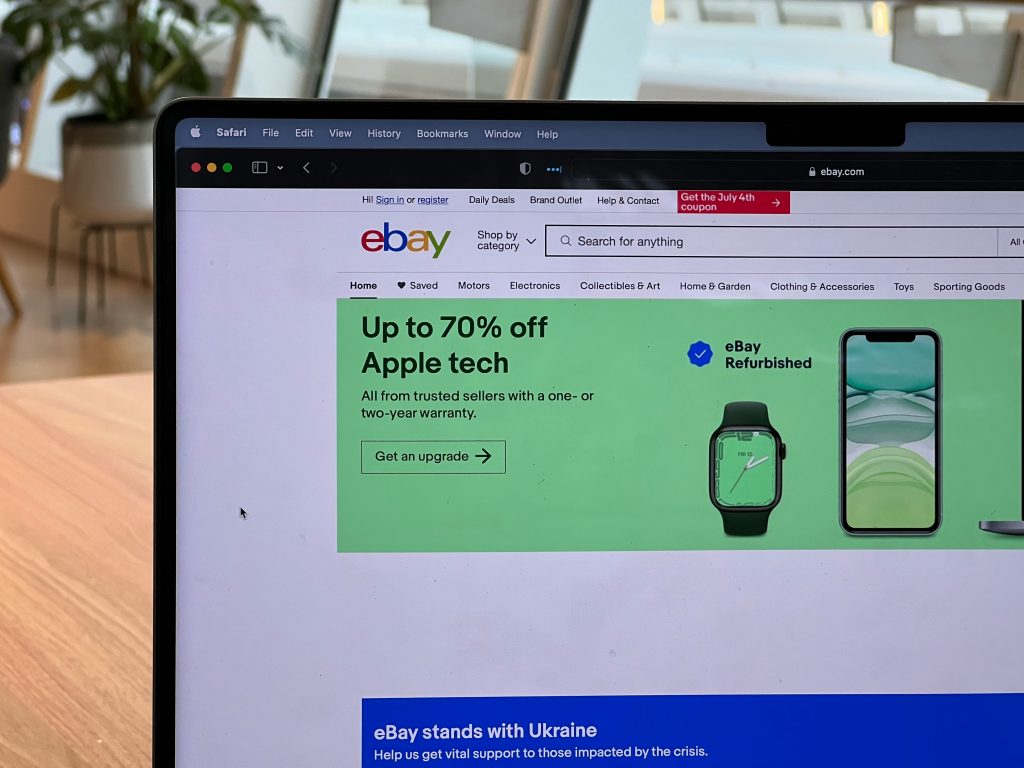
Before getting into the methods, it helps to understand why finding an eBay user requires more than a simple search bar. eBay removed its standalone Find a Member tool from the main navigation years ago and deliberately limits how much user information is publicly accessible. The platform prioritises user privacy, which is legitimate, but it also means that verifying a seller requires using indirect methods and tools outside the platform itself.
eBay does not allow searches by real name or email address. You cannot filter users by location. And without a username, finding a specific seller through eBay’s own interface is genuinely difficult.
That is where an eBay user finder approach, combining the platform’s own buried tools with external searches and identity verification, gives you a complete picture that eBay’s native search alone cannot.
How to Find an eBay User: The Methods That Actually Work
Method 1: Use the Direct Profile URL
The fastest way to find an eBay user if you have their username is to navigate directly to their profile. Every eBay user has a public profile at a predictable URL format: ebay.com/usr/username. Replace “username” with the account name you want to look up, and the profile will load if the account exists.
This surfaces their feedback score, member-since date, current listings, and any store associated with the account. If the URL returns a “User ID not found” message, the account does not exist or has been closed.
Method 2: Use eBay’s Hidden Feedback Forum Search
Many people do not realise this page still exists. eBay’s legacy member search tool is buried in the Feedback Forum and is not linked from any main navigation. Go to pages.ebay.com/services/forum/feedback-login.html and enter the username you want to search. If the account exists, eBay loads its full feedback profile. This page is particularly useful because it surfaces feedback history in more detail than the standard profile view.
Method 3: Search by Seller in Advanced Search
If you are wondering how to find an eBay user through their listings rather than their profile directly, eBay’s Advanced Search gives you a seller-specific filter. Go to eBay’s search bar, click Advanced, and look for the “Search by Seller” option. Enter the username to see all their current and recently ended listings. This is useful for assessing how active the account is and whether the listing range is consistent with a genuine seller.
Method 4: Search eBay Stores
For sellers who operate an eBay store, the Find Stores option in Advanced Search allows you to search by store name directly. Click Advanced Search, select Find Stores from the left sidebar, and enter the store name. This works separately from username search; a store name and a user ID are both unique, but are searchable through different routes.
Method 5: Google the Username
If you are asking how do find a user on eBay when direct platform searches return limited results, Google is often more effective than eBay’s own interface. Search the username in quotation marks combined with “eBay.” If the account has any presence beyond the platform forum posts, community mentions, or listings that have been indexed, Google will surface them. You can also try the username across other platforms to see whether it is being used consistently or appears in unexpected places.
How to Read an eBay Profile for Red Flags
Finding the profile is only the first step. Once you find an eBay user, knowing what to look for in what you find is what separates a safe transaction from a risky one.
Account Age
Check the member-since date on the profile. A newly created account selling high-value items at attractive prices is one of the most consistent patterns in eBay fraud. Scammers frequently create accounts, run a series of fraudulent transactions, and disappear before enough reports accumulate to get the account suspended. A legitimate, established seller typically has years of account history.
Feedback Score and Feedback Content
A high feedback score is not automatically reassuring if the account is new. Scammers sometimes buy small items to build a score quickly before listing fraudulent products. Read the actual feedback content rather than just the number. Look for:
- Feedback that specifically mentions the seller’s responsiveness, item accuracy, and shipping speed
- Any negative feedback and what it says particularly mentions of items not received, items not as described, or difficulty getting a response
- A feedback pattern that is consistent over time rather than a sudden spike in recent activity
Listing Patterns
Look at what the seller has listed and what they have sold. A genuine seller in a specific niche, such as vintage electronics, sports memorabilia, or collectibles, will have a listing history that reflects genuine expertise and consistent activity in that area. A seller with a chaotic mix of unrelated high-value items, all at prices below market rate, is following a pattern consistent with fraudulent listing activity.
Prices That Do Not Make Sense
This is the most universal red flag across all eBay scams. A price significantly below every comparable listing on the platform without a clear explanation, like damage, incomplete set, or missing accessories, is almost always either a counterfeit product or a non-delivery scam. Scammers use attractive pricing specifically to trigger urgency and bypass the careful evaluation that would catch the fraud.
The Most Common eBay Scams to Know Before You Buy
Understanding what fraudulent sellers are actually doing helps you recognise the patterns faster.
Non-Delivery Scams
The seller accepts payment, marks the item as shipped, and either sends a package to the wrong address to generate a fake tracking number or disappears entirely. The tracking confirmation protects the scammer from immediate disputes while the victim waits for an item that never arrives.
Counterfeit and Fake Items
Listings for high-demand items, designer goods, electronics, and collectibles that use stolen or AI-generated photos and claim authenticity. The item either never arrives or arrives as an obvious fake. Performing a reverse image search on listing photos before purchasing can identify whether the images were taken from another source.
Off-Platform Payment Requests
A seller who asks you to complete payment outside of eBay via wire transfer, gift cards, cryptocurrency, or direct bank transfer is removing your access to eBay’s buyer protection before the transaction is complete. There is no legitimate reason for a genuine seller to request off-platform payment.
Overpayment Scams Targeting Sellers
A buyer sends more than the agreed price via a fraudulent cheque or payment method and asks for a refund of the difference. The original payment is later reversed or bounces, leaving the seller out of pocket for both the item and the refund they sent.
Fake eBay Customer Service
A scammer places a fake customer service number on their profile or listing. When a buyer contacts it to resolve an issue, the scammer poses as eBay support and requests sensitive financial information or payment to process a refund.
Going Deeper: How to Verify an eBay Seller’s Identity Beyond the Platform
When a profile check raises questions that the profile alone cannot answer, cross-referencing the seller’s identity outside of eBay gives a more complete picture. This is where an eBay user finder approach extends beyond the platform itself.
Reverse Image Search Their Listing Photos
If the listing photos look too clean, too professionally shot, or too similar to manufacturer stock images, run a reverse image search. Upload the listing photo to Google Images or TinEye and check whether the same image appears elsewhere on a different seller’s listing, on a retail site, or on a completely unrelated page. A photo that appears across multiple listings under different seller names is a direct confirmation of fraud.
Social Catfish’s reverse image search goes further than Google Images, cross-referencing the photo against dating platforms, social profiles, and public records databases to surface connections that standard web searches miss.
Search Their Contact Details
If the seller has provided any contact information, an email address, a phone number, or a name, search it. Paste an email address into Google in quotation marks to see whether it surfaces on other platforms or has been flagged in any fraud reports. A phone number entered into Google or Social Catfish’s phone number lookup can surface the identity actually registered to that number, which may not match the seller’s claimed identity at all.
Run a Full Identity Check Through Social Catfish
When a single data point is not enough, combining multiple inputs gives the most thorough result. Social Catfish allows you to run searches using a name, email address, phone number, username, and photo simultaneously, cross-referencing all available information against public records and platform data at once.
This approach is particularly useful for sellers who have constructed a convincing eBay profile but whose broader digital identity does not hold up to scrutiny. A username that appears under a different name on another platform, an email registered to a different identity, or a photo linked to accounts elsewhere are all the kinds of connections a combined identity search surfaces.
Every Social Catfish search is completely private. The seller will never know a search was run.
Red Flags Checklist Before You Buy
Run through this before completing any transaction:
- The account was created recently with limited feedback history
- The price is significantly below comparable listings with no explanation
- Listing photos look professionally shot, stock-like, or return results in a reverse image search
- The seller requests off-platform payment via gift card, wire transfer, or cryptocurrency
- Communication is vague, template-like, or deflects specific questions about the item
- The seller creates urgency — claiming other buyers are waiting or the listing will end soon
- Any customer service number provided cannot be verified as an official eBay contact
- The seller’s username returns no results or suspicious results when searched outside eBay
Conclusion
Knowing how to find an eBay user is only the starting point. What matters is what you do with what you find, reading the feedback accurately, recognising the listing patterns that signal fraud, and going outside the platform when the profile check alone is not enough.
Most fraudulent sellers rely on buyers not looking closely enough, not checking beyond the platform, and not verifying the identity behind the account before the money moves. Running a reverse image search on listing photos, checking a seller’s contact details against public records, and using Social Catfish’s identity tools for a thorough cross-platform check costs a few minutes and can protect you from losses that take significantly longer to recover from if they are recoverable at all.
Buy with the information you actually need. That starts with knowing who you are actually buying from.
Top 5 FAQs
Without a username, the most effective approach is to search for items they may have sold using eBay’s Advanced Search, then look for their profile in the seller information attached to those listings. You can also Google any details you have, such as an email address, a store name, or a product description, to find their username indirectly.
Navigate directly to ebay.com/usr/username if you have their username. For a more detailed feedback search, use eBay’s hidden Feedback Forum search at pages.ebay.com/services/forum/feedback-login.html. For store-based sellers, use the Find Stores option in Advanced Search.
Check the account creation date, feedback score and content, listing history and consistency, and price relative to comparable items. Read the actual feedback comments rather than just the number of negative feedback mentioning non-delivery or items not as described is the most direct warning signal available.
Yes. Run a reverse image search on their listing photos, search their email or username across other platforms, and use Social Catfish’s phone number lookup or full identity search to cross-reference any contact details they have provided against public records and platform data.
No. All Social Catfish searches are completely private and confidential. The seller will never receive a notification or any indication that a search was run.