

 Multiple Faces Detected


 March 15th, 2026
Someone sends you a message on Viber. Maybe it’s a new contact, someone you met on a dating app, a business opportunity, or a message from someone claiming to be a friend of a friend. The app feels familiar, it’s been around since 2010, it’s owned by a major Japanese company, and it looks legitimate.
That’s exactly what makes it useful to scammers.
The Viber app has over a billion registered users across 190 countries. It’s the dominant messaging app in several Eastern European countries, widely used across Asia, and growing in the Middle East and South America. It’s a real, legitimate platform, and like every large messaging platform, it’s also a channel that fraudsters actively exploit, especially because many users trust it more than they trust a cold text or email.
This guide covers what the Viber app actually is, how it works, what scams to watch for, and how to verify that the person messaging you is who they claim to be.
Before you trust anyone reaching out on Viber, verify them. Social Catfish lets you search by name, phone number, photo, or username to confirm whether someone is real before you share anything personal.
What Is the Viber App?
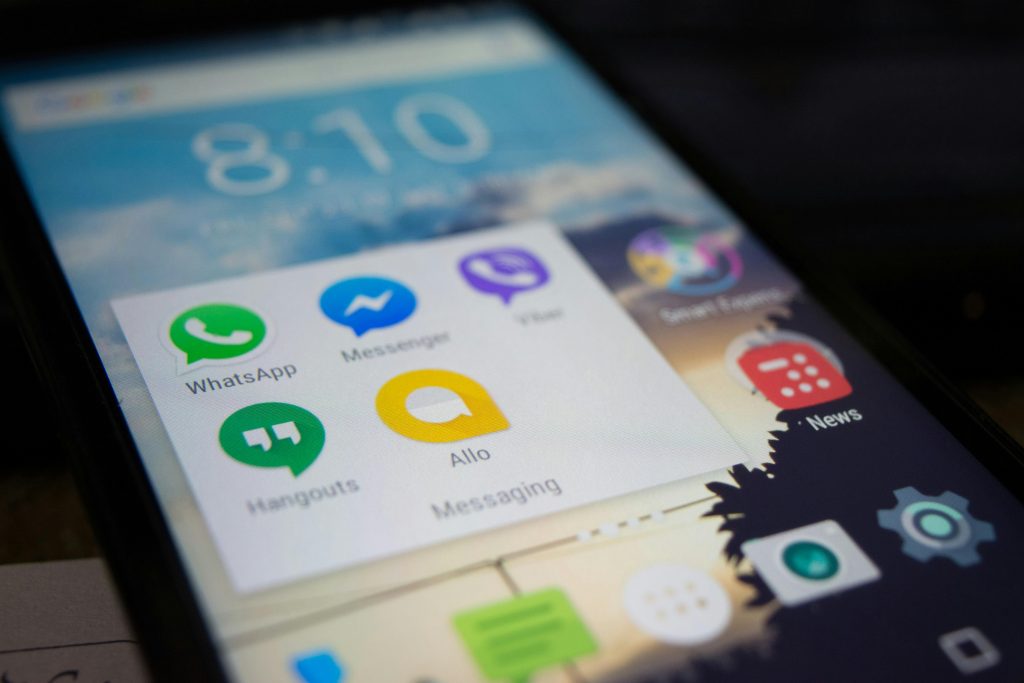
Viber is a free messaging and calling app developed by Viber Media and owned since 2014 by Japanese company Rakuten. It works over Wi-Fi or mobile data and is available on iOS, Android, Windows, Mac, and Linux.
Your phone number is your Viber ID. When you install and set up the app, Viber automatically finds which of your existing contacts also use the platform. From there, you can message and call any of them for free, regardless of where in the world they are.
Key features of the Viber app:
- Free calls and messages to other Viber users worldwide
- Viber Out — low-cost calls to non-Viber numbers and landlines
- Group chats and group calls — up to hundreds of participants
- Communities — large public groups with unlimited members
- End-to-end encryption on private and group chats and calls (encryption keys exist on user devices only)
- Secret chats — self-destructing messages for extra privacy
- Disappearing messages — set messages to delete after viewing
- Viber Dating — launched in early 2025, a built-in dating feature within the app
- Viber Marketplace — local business discovery and ordering, launched in 2025
- AI Link Summary — available to Viber Plus subscribers, summarizes shared links inside chats
Viber is free to download and use. A premium tier Viber Plus offers additional features, including ad-free use, large file sharing, and priority support.
Who Uses Viber — And Why That Matters for Safety
Viber’s user base is heavily concentrated in specific regions: Eastern Europe (it’s the most popular messaging app in Ukraine, Belarus, and Moldova), the Philippines, Iraq, Nepal, and parts of the Middle East and South Asia. It’s also used in Russia and several CIS countries.
This geographic profile is relevant for safety because it shapes how scams play out. Viber is frequently used in international romance scams, job scams, and investment fraud setups where a scammer presents themselves as someone from a different country or working abroad, and Viber’s free international calling makes the cover story easier to maintain.
If someone you met online on a dating app, on social media, through a job board, moves the conversation to Viber, that’s not automatically a red flag. Lots of real people prefer Viber. But it’s worth pausing to verify who you’re actually talking to before the relationship progresses further.
Common Scams on the Viber App
Romance Scams
The setup follows a familiar pattern: someone adds you or responds to you on Viber, builds rapport over days or weeks, and eventually introduces a financial need, a medical emergency, a stuck investment, a plane ticket to come meet you. By the time money comes up, a significant emotional investment has already been built.
Viber’s free international calling makes it easy for scammers to maintain a fake persona across countries. Someone claiming to be a military officer deployed overseas, a doctor working abroad, or an engineer on an international contract can carry on a convincing voice call from anywhere in the world.
Fake Job Offers
Job scam messages on Viber typically arrive unsolicited from an unknown number. The offer sounds straightforward: flexible remote work, good pay, and minimal requirements. Early tasks seem legitimate. Then comes a request for a registration fee, a “security deposit,” or your bank details to process payment.
58% of job scams globally now originate on messaging apps. Viber is a frequently used channel for this type of fraud because it mimics the informality of a real recruiter reaching out directly.
Investment and Crypto Scams
A contact introduces you to an investment opportunity, often crypto or forex trading, through Viber. They might add you to a community or group chat full of apparent success stories. Early “returns” look real. When you try to withdraw, you’re told you need to pay taxes or fees first. The money never comes.
These are sometimes called “pig butchering” scams. They’re labor-intensive scammers who spend weeks or months building trust before the financial ask. Viber’s free messaging makes it easy to run these at scale.
Phishing and Fake Verification Messages
You receive a Viber message appearing to come from your bank, a delivery service, or Viber itself asking you to click a link to verify your account, confirm a transaction, or claim a reward. The link leads to a fake website designed to harvest your login credentials or financial information.
Viber has rolled out encrypted one-time password (OTP) verification for legitimate business messages but not all users know the difference between an official business message and a fake one mimicking the same format.
Fake Customer Support
Scammers create Viber accounts posing as customer support for Viber itself, your bank, or a popular service. They initiate contact, claiming there’s an issue with your account. Real support teams don’t reach out this way. If you receive an unsolicited message from someone claiming to be from support, don’t provide any information. Find the company’s official contact details independently and reach out through those instead.
Red Flags on Viber to Watch For
These patterns appear consistently across Viber scams:
- Unsolicited first contact from an unknown number — especially if the message is flattering, offers something valuable, or creates urgency
- Moving from another platform to Viber quickly — a common setup in romance and investment scams, designed to get the conversation somewhere less monitored
- Refusing video calls or always having a reason they can’t appear on camera — a near-universal red flag in romance scams
- A profile photo that looks too polished — most catfish accounts use stolen photos from models or social media accounts
- Requests for money, gift cards, or crypto — regardless of the reason given
- A story that escalates in urgency — medical crisis, legal trouble, missed flight, frozen account
How to Find and Verify Someone on Viber
Viber uses your phone number as your account identifier. You can find someone on the Viber app by:
- Searching by phone number — if you have their number, Viber will show their profile if they’re a user
- Searching by username — users can set a public username; search this directly in the app
- Browsing mutual communities — if you share a group or community, you can find members through the member list
What Viber search can tell you: whether an account exists, what name and photo are associated with it, and whether they’re in any shared groups.
What Viber search can’t tell you: whether the name and photo are real, whether the person is who they claim to be, or whether the account was created two days ago for the purpose of contacting you.
That verification gap is the problem. Someone can set up a convincing Viber profile in minutes, with a professional-looking photo, a believable name, and a bio that matches their story. The platform has no identity verification for standard accounts.
Before trusting someone you’ve only interacted with on Viber, especially if the relationship started online and has moved quickly:
- Reverse image search their profile photo if it belongs to someone else; the account is fake
- Search their name, phone number, or username across other platforms to check for consistency
- Run a search through Social Catfish, enter their phone number, name, photo, or username to cross-reference their identity against public records, social profiles, and reverse image results. This is the step that tells you whether the person behind the account is real before you go any further.
How to Protect Yourself on the Viber App
A few practical steps that significantly reduce your risk:
- Enable two-step verification. Go to Settings > Privacy > Two-Step Verification. This adds a PIN requirement to any attempt to re-register your number on a new device.
- Review who can message you in Privacy settings, and you can restrict messages to contacts only.
- Don’t click links from unknown numbers, even if the message looks like it’s from a bank or service you use.
- Don’t share OTPs or verification codes with anyone. Real companies never ask for these over chat.
- Report and block suspicious contacts: tap the contact’s profile, select Report, and choose the reason. This helps Viber’s moderation team act on bad actors.
- Keep your phone number private. Viber requires a phone number to set up, but you control who can see it in your Privacy settings.
FAQ
Yes. Viber is free to download and use. Calls and messages between Viber users are free over Wi-Fi or mobile data. Viber Out for calling non-Viber numbers and landlines requires purchasing credit. A paid tier called Viber Plus adds extra features for a monthly fee.
Viber is a legitimate app with end-to-end encryption on private chats and calls. The platform itself is safe, but like any large messaging app, it’s also used by scammers who exploit the trust users place in familiar platforms. Being on Viber doesn’t make someone trustworthy. Verify people before you trust them, not after.
Viber doesn’t verify the identity of standard account holders. A profile photo, name, and bio can all be fabricated in minutes. To verify someone’s identity, reverse image search their photo, check their name and phone number across other platforms, and run a search through Social Catfish, which cross-references names, photos, phone numbers, and usernames against public records and social profiles.
Yes, by default. If someone has your phone number and searches for it in Viber, they can find your profile. You can limit this in Settings > Privacy > Who Can Find Me by Phone Number.
Stop all contact and block the account immediately. Screenshot everything before you do. Report to Viber through the app’s support channels. If money was sent, contact your bank right away. The sooner you report, the better your chances of recovery. File a report with the FTC at reportfraud.ftc.gov and the FBI’s Internet Crime Complaint Center at ic3.gov.
The Bottom Line
The Viber app is legitimate, widely used, and genuinely useful for international communication. It’s also a platform that scammers actively use because its large, trusting user base, free international calling, and limited identity verification make it easy to exploit.
The platform’s encryption protects your messages from being intercepted. It doesn’t protect you from the person on the other end of the conversation.
Whether someone reaches out to you on Viber or you’re initiating contact, verify their identity through a source outside the app before you trust them with anything personal. Social Catfish lets you search by phone number, name, photo, or username, giving you a real answer about who you’re talking to before it matters.









