Multiple Faces Detected


 June 11th, 2026
Have you ever wondered who’s behind a profile picture, whether someone is using your photos without permission, or if that dating match is really who they claim to be? Face image search technology has revolutionized how we verify identities online, making it possible to trace any photo back to its source in seconds.
With Americans losing over $12.5 billion to fraud in 2024, verifying photos before trusting someone online isn’t optional; it’s essential. Romance scammers, catfishers, and identity thieves rely on stolen photos to build fake personas. A simple face image search can expose their deception before you become another victim.
Social Catfish’s reverse image search makes finding anyone online effortless. Upload any photo and discover where else it appears on the internet, who the person really is, and whether they’re using stolen images across multiple fake profiles. Whether you’re protecting yourself from scams, verifying a romantic interest, or tracking down someone from a photo, face image search gives you the answers you need.
What Is a Face Image Search?
A face image search, also called a reverse face search or reverse image search by face, works differently from a standard Google image search. Rather than matching an identical image file, it analyzes the facial features in a photo: proportions, bone structure, eye spacing, and distinctive characteristics. It then scans billions of images to find that same person across different websites, platforms, and profiles.
This distinction matters. Scammers don’t reuse the same image file; they crop it, filter it, take screenshots of it, or download it from one platform and re-upload it to another. A basic Google reverse image search often misses these variations. A dedicated face image search finds matches even when photos have been edited, saved at lower resolution, or captured from a video.
Social Catfish’s face image search goes further still, scanning dating platforms, social media networks, public records databases, and sites not indexed by standard search engines, including platforms with privacy settings that block Google entirely.
How to Run a Face Image Search — Step by Step
Running a face image search takes less than five minutes. Here’s exactly how to do it:
Step 1: Get a Clear Photo
Screenshot their profile picture from the dating app or social media platform. For best results:
- Use a front-facing, clear image not a group shot
- Crop to show just the face and minimal background
- Avoid heavily filtered images where possible
- The more recent and clear the photo, the more accurate your results
Step 2: Upload to Social Catfish
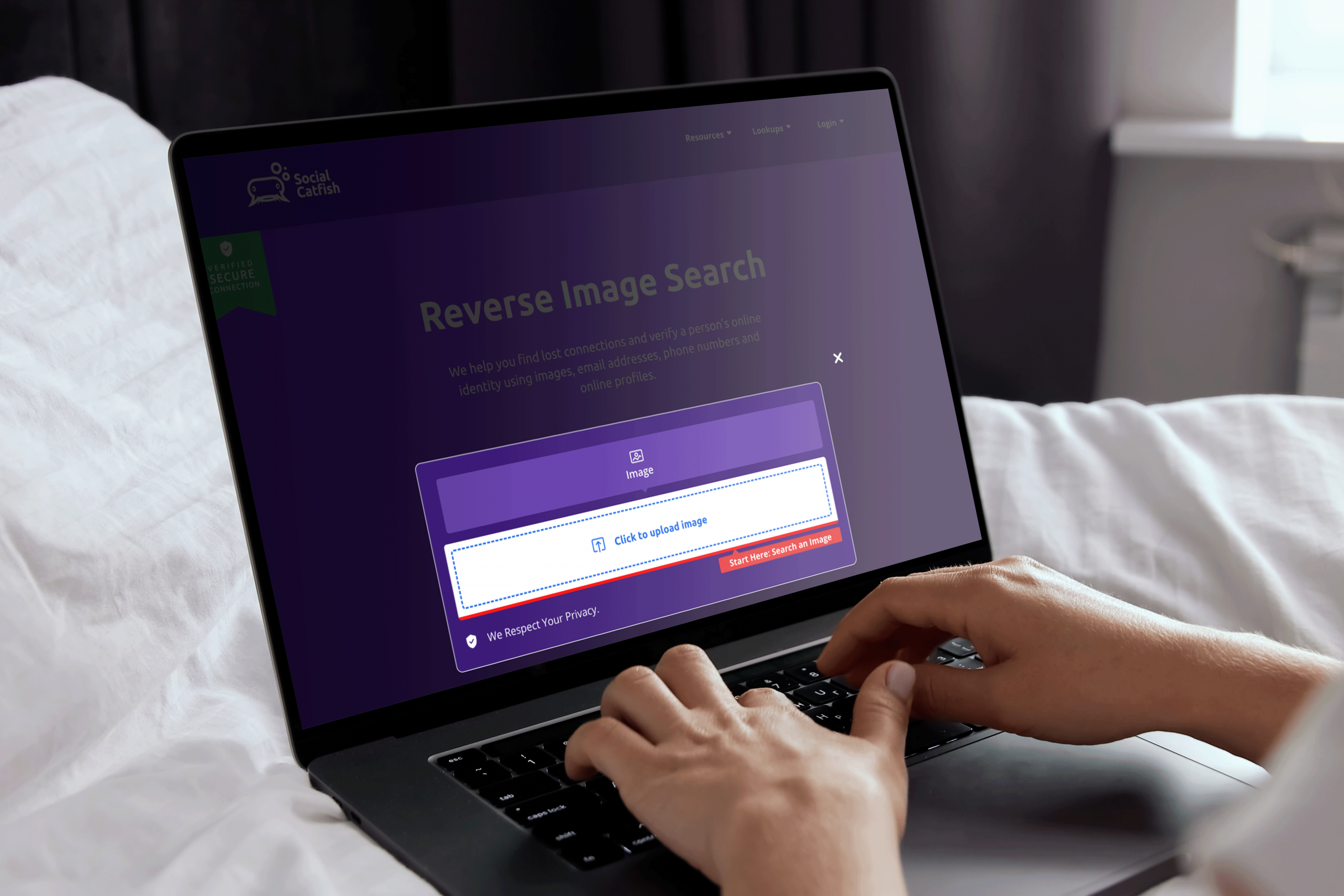
Go to Social Catfish’s face image search tool and click “Upload Image.” Select the photo from your device. Social Catfish accepts JPG, PNG, and most common image formats from both mobile screenshots and downloaded files.
Step 3: Let the Search Run
Social Catfish scans billions of images across hundreds of websites, dating platforms, social media networks, and public databases. Unlike Google, it also searches:
- Dating sites with privacy settings (Tinder, Bumble, Hinge, Match)
- Social media profiles not fully indexed by search engines
- Adult platforms and sites where romance scammers frequently operate
- International websites and platforms
- Deep web sources not accessible through standard searches
The search typically takes a few minutes to compile comprehensive results.
Step 4: Review Your Results
Your report shows every website where the photo appears, the names and profiles it’s associated with, whether the image is being used under different identities, and whether it’s been flagged in romance scam databases. The next section explains exactly how to interpret what you find.
Face Image Search on Dating Apps — Platform by Platform
Each dating platform handles photos differently, which affects how you capture images for a face image search. Here’s what works on each one.
How to Reverse Image Search on Tinder
Tinder doesn’t allow direct photo downloads, but getting an image for a face image search is straightforward:
- Screenshot their Tinder profile on your phone.
- Crop the screenshot to just their face.
- Upload to Social Catfish’s face image search tool.
If you’re already in a conversation, you can also ask them to send a photo via chat — this gives you a higher-quality image to search with.
Red flag: If a face image search finds the same Tinder photo attached to multiple different names, or the image traces back to a model’s Instagram account, stop all communication immediately.
How to Reverse Image Search on Bumble and Hinge
The process on Bumble and Hinge is identical: screenshot and crop. One advantage of these platforms: users typically post multiple photos rather than a single headshot. Run a face image search on each one separately.
Scammers often use a stolen professional photo as their main profile picture but slip up with less-curated secondary images. If one photo returns no results but another reveals a different name or country, that inconsistency alone is worth investigating further before you meet.
How to Reverse Image Search on OnlyFans
OnlyFans impersonation scams are common, fake accounts use stolen photos to attract subscribers, collect payment, and disappear. A face image search is the fastest way to verify whether a creator is using their own photos or someone else’s.
Screenshot their profile picture and any publicly visible preview images. If those images trace back to a verified creator on another platform or to a completely different person, the account is using stolen content. Report it to OnlyFans directly and avoid any further payment.
How to Read Your Face Image Search Results

Your results will typically fall into one of three categories:
One consistent identity. The photo appears on LinkedIn, Instagram, and Facebook all under the same name and location. This is a reassuring sign that the person is who they claim to be.
Multiple names or profiles. The same face appears attached to different names across multiple dating apps or social platforms. Romance scammers build multiple fake profiles using the same stolen images. This is a major red flag.
The photo belongs to someone else entirely. The image traces back to a model, public figure, or stock photo library. Scammers frequently steal photos from Instagram models or professional photographers. If this is your result, cease all communication and do not share any personal information.
5 Signs You Should Run a Face Image Search Right Now
Even before your results come back, watch for these warning signs alongside your face image search:
- Photos seem too professional. Their photos look too polished. Real people take casual selfies. If every photo looks like a professional shoot, something is off.
- They avoid video calls. Catfish using stolen photos can’t video call, they’ll always have an excuse: bad connection, broken camera, working away from home.
- Their story keeps changing. Small inconsistencies in their job, location, or backstory are a sign the story is invented.
- They ask for money or gift cards. This is the clearest sign of a romance scam, regardless of how convincing they seem.
- The relationship escalates unusually fast. Moving from “just matched” to “I love you” within days is a classic manipulation tactic designed to lower your guard before the ask comes.
If any of these apply, run a face image search before your next conversation.
FAQ
While Google Images is excellent for finding exact duplicates of a file, Social Catfish uses proprietary facial recognition technology. This means it doesn’t just look for the same image file; it analyzes facial features (like the distance between eyes and jawline) to find different photos of the same person across “deep web” sources, including dating sites and private social networks that Google often misses.
Facial recognition tools scan public-facing data. If a person has a completely locked-down profile with no public “tagged” photos or past profile pictures, it is harder to find. However, Social Catfish often uncovers historical data photos that were public at one point or appear on other platforms (like LinkedIn or older forums) that link back to the person’s current identity.
This is a major red flag for catfishing. If a reverse image search reveals the photo belongs to an influencer, a model, or simply a person with a different name and location, you are likely being catfished. We recommend saving the search report and ceasing communication immediately, especially if they have asked for money or personal details.
“No results” can happen if the photo is AI-generated, heavily filtered, or extremely low resolution. To improve your chances, try:
Use a clear, front-facing shot.
Cropping out background clutter so the AI focuses only on the face.
Use a screenshot of a video call if they refuse to send new photos.
Yes, using Social Catfish is legal as it aggregates publicly available information. It is a tool for personal due diligence and protection against fraud. However, it should never be used for illegal stalking or harassment. Always use the platform ethically to verify the identity of people you are interacting with online.
Answer what you know about this person. Your suspicion score builds in real time.