Multiple Faces Detected



 August 7th, 2026
Realizing you have been scammed is a panicked, sinking feeling. The first thing to know is that your recovery options depend entirely on which Apple payment method was used. Apple Pay and Apple Cash are two different products with two very different dispute processes, and most guides treat them as the same thing. Here is the clear split, and exactly what to do next for each one.
Name Search Examples
To get more accurate results, enter the full name including at least First name, Middle name and Last name.
Email Search Examples
Phone Search Examples
Username Search Examples
Address Search Examples
Start typing the initial part of the address and select from the addresses given dropdown afterward.
We Respect Your Privacy.
Apple Pay vs. Apple Cash: Why It Matters for Getting Your Money Back
This distinction is the most important thing in this guide. Getting it wrong wastes time on the wrong process.
Apple Pay
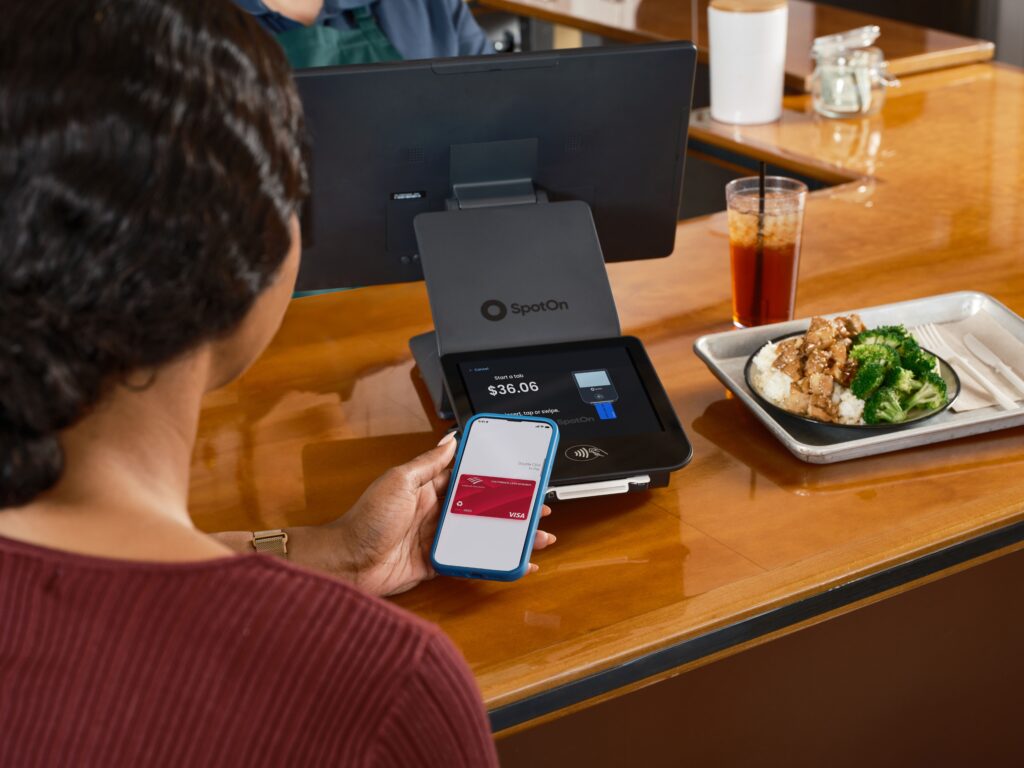
Apple Pay is a payment method that uses your linked credit or debit card to complete a purchase. When you tap to pay in a store, buy something online, or pay within an app using Apple Pay, the transaction routes through your card issuer exactly like any other card purchase.
What this means for recovery:
Apple Pay transactions are disputable through your bank or card issuer the same way any credit or debit card charge is disputable. Apple itself does not process refunds for Apple Pay purchases. Your bank does.
Apple Cash
Apple Cash is a peer-to-peer payment feature. When you send money to another person using Apple Cash, the funds transfer directly to their Apple Cash balance. This is fundamentally different from a card purchase.
What this means for recovery:
Once the recipient accepts an Apple Cash transfer, Apple has no formal dispute or reversal process. The payment is treated as a voluntary transfer between individuals. Apple Cash recovery after acceptance is very unlikely through Apple’s own systems, though some routes described below are still worth attempting.
How to Dispute an Apple Pay Charge
If the scam involved a purchase made with Apple Pay using a linked card, this is your primary recovery path.
Step 1: Report the Issue in the Wallet App
- Open the Wallet app on your iPhone
- Tap the Apple Pay card used for the transaction
- Scroll down to find the transaction and tap it
- Tap Report an Issue and follow the prompts
This generates a record of the dispute within Apple’s system and is a useful first step, but it is not the formal dispute process that produces a refund.
Step 2: Contact Your Bank or Card Issuer Directly
This is the actual recovery path. Your card issuer handles disputes for Apple Pay transactions, not Apple.
What to do:
- Call the number on the back of your card or log into your bank’s app or website
- Navigate to the dispute or report fraud section
- Report the transaction as fraud or an unauthorized charge
- Provide any documentation you have, including screenshots of the scam communication, the seller’s profile, and any receipts
What happens next:
Your bank investigates the dispute, temporarily credits your account in most cases during the investigation, and either confirms the refund or reverses the credit based on their findings. Credit card disputes are generally stronger than debit card disputes because of additional federal protections under the Fair Credit Billing Act.
Act quickly:
Dispute windows vary by card issuer, but most require a report within 60 to 120 days of the transaction. The sooner you report, the better.
Name Search Examples
To get more accurate results, enter the full name including at least First name, Middle name and Last name.
Email Search Examples
Phone Search Examples
Username Search Examples
Address Search Examples
Start typing the initial part of the address and select from the addresses given dropdown afterward.
We Respect Your Privacy.
What to Do If You Sent Money via Apple Cash
Apple Cash recovery is significantly harder than Apple Pay recovery. That does not mean there is nothing worth trying.
Report the Transaction in the Wallet App
- Open the Wallet app and tap your Apple Cash card
- Find the transaction and tap it
- Tap Report a Problem and describe the scam
This creates a record and may prompt Apple’s fraud team to review the recipient’s account. It rarely produces a direct refund once funds have been accepted, but it contributes to any enforcement action against the scammer’s account.
Contact Apple Support Directly
Contact Apple Support through support.apple.com or through the Apple Support app. Explain that you were scammed and provide as much detail as possible about the recipient, the circumstances, and any communication you have.
Apple’s ability to reverse accepted Apple Cash transfers is very limited, but in cases of documented fraud involving an active investigation, Apple’s fraud team has occasionally acted on account-level reports. This is not a reliable recovery path, but it is worth one attempt.
Try Your Linked Funding Source
If the Apple Cash transfer was funded by a linked credit card rather than an existing Apple Cash balance, contact that card issuer and ask whether a dispute is possible.
What to know:
Most banks treat Apple Cash as a voluntarily initiated transfer similar to a wire transfer rather than a purchase, which limits dispute options. However, some card issuers will investigate if you can document the fraud clearly. It is worth the call.
Report the Scam Beyond Apple
Reporting to Apple is useful for protecting other users. Reporting to federal agencies creates the records that law enforcement uses to pursue organized fraud operations.
Report to the FTC:
File at reportfraud.ftc.gov. FTC reports contribute to national fraud enforcement databases and consumer protection actions. Filing takes under ten minutes and does not require you to have recovered any money first.
Report to the FBI:
File at ic3.gov if the financial loss is significant. The FBI’s Internet Crime Complaint Center investigates organized fraud, including Apple Pay and Apple Cash scam operations. Cases with detailed documentation, including communication records, payment amounts, and scammer contact details, are more actionable for investigators.
Report to the platform where the scam originated:
If you were scammed by someone you found through Facebook Marketplace, Craigslist, a dating app, or any other platform, report the listing and the account through that platform’s in-app reporting function before the account is deleted. This both removes the account and creates a record that can be shared with law enforcement upon request.
Identify Who Scammed You
Before you write off the loss entirely, it is worth spending a few minutes trying to identify who is behind the scam. A phone number, an email address, a username, or a profile photo are all searchable identifiers that sometimes reveal a real identity behind a fake persona.
What to run through Social Catfish:
- The phone number associated with the Apple Cash recipient, which appears in your transaction history
- Any name, username, or email address the scammer provided during the interaction
- Any profile photo they shared during the scam communication
Social Catfish’s reverse phone search returns the real name and linked accounts registered to the phone number, which sometimes reveals a real identity even when the scammer used a fake name. The reverse image search uses facial recognition to find where a profile photo appears online and under what names, which can confirm a real identity behind a fake persona. The username search cross-references any handle across hundreds of platforms simultaneously.
Why this is worth doing:
- Information you gather about the scammer strengthens your FTC and FBI reports, making them more actionable for investigators
- In some cases, identifying a real person behind the scam opens additional reporting avenues including local law enforcement
- If the scammer has a real verified identity connected to their contact details, that information is useful even if direct financial recovery is not possible
All Social Catfish searches are completely confidential. The scammer receives no notification that a search was run.
FAQ
Apple does not process refunds directly for Apple Pay transactions. Those are routed through your bank or card issuer, which is where the formal dispute process happens. For Apple Cash, Apple has no formal dispute process once the recipient has accepted the transfer, though contacting Apple Support and your funding source is still worth attempting.
Generally no, once the recipient has accepted the transfer. Pending transfers that have not yet been accepted can be cancelled from the Wallet app before acceptance. After acceptance, reversal through Apple’s systems is very unlikely. The linked funding source dispute route is the remaining option worth trying if the transfer was funded by a credit card.
Report the issue in the Wallet app first, then contact your bank or card issuer directly to file a formal dispute. Your card issuer handles the actual recovery process, not Apple. For Apple Cash, report through the Wallet app and contact Apple Support, then try your linked funding source if the transfer was card-funded.
Yes, regardless of whether you recover any money. File at reportfraud.ftc.gov and at ic3.gov for significant losses. These reports contribute to national enforcement databases and help investigators identify and pursue organized fraud operations. Filing is free and takes under ten minutes.
Sometimes. A reverse search on their phone number, name, username, or profile photo through Social Catfish can reveal a real identity behind a scam profile. The phone number associated with an Apple Cash recipient is particularly useful since it often connects to a real registered identity. Information gathered this way strengthens any law enforcement reports you file.
Conclusion
The Apple Pay versus Apple Cash distinction determines your recovery path more than anything else. Apple Pay transactions route through your card issuer and are disputable like any card charge, with the same protections and timelines. Apple Cash transfers are peer-to-peer and essentially final once accepted, leaving contacting Apple Support and disputing the linked funding source as the remaining options.
Report to the FTC and FBI regardless of recovery outcome. Run the scammer’s contact details through Social Catfish before you close the file, since identifying who scammed you strengthens any investigation and sometimes opens additional reporting avenues. Recovery is not guaranteed, but every step above is worth taking before accepting the loss as final.
Name Search Examples
To get more accurate results, enter the full name including at least First name, Middle name and Last name.
Email Search Examples
Phone Search Examples
Username Search Examples
Address Search Examples
Start typing the initial part of the address and select from the addresses given dropdown afterward.
We Respect Your Privacy.