Multiple Faces Detected


 November 28th, 2022
As parents, it is our responsibility to teach our children the dangers of the world and one of the greatest dangers today is that of the Internet. When you reach the time where your children are using social media sites, it’s important to set boundaries. Father and owner of The Baby Cubby, Cameron Muir says, “ It’s important to teach you kids how to use social media properly and how to stay safe on the internet. Don’t be afraid to talk to your children about the real world consequences that can happen because of social media, this includes teaching them about cyberbullying and catfishing online”
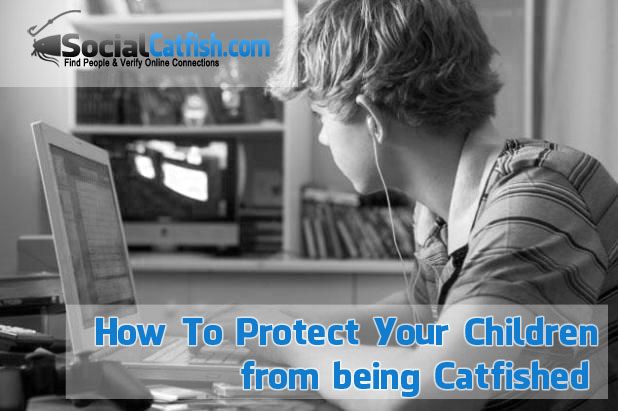
One of the most common dangers of social media is Catfishing and cyberbullying. What is Catfishing? It is when someone pretends to be someone else online by providing false information by using fake names or photos. MTV released a show in 2013 called Catfish that shows real life examples of the way people can trick others into believing they are someone else. What is cyberbullying? A cyberbully is a person who uses digital means (eg. cell phone or computer) to send harrassing text and/or threats to another person.
There are endless amounts of articles, tips and lists of what you can do as a parent to keep you child safe from catfishing. A lot of those tips require parents to be very involved with their child’s online social interaction. Sometimes it may seem like too much or your micro-managing their life. It’s important to be open with your child about the precautions you are taking as a parent to protect them from dishonest people. Let your child know that you will be aware of who they are friends with on Instagram, Facebook or Twitter. Make sure they understand that you will set privacy settings that will keep their photos and personal information less accessible. Be open about telling them you will pay attention to the messages and conversations they are having with their friends. Most of all, remind your children that you trust them and are on their team when it comes to online safety.
Way to Protect Your Kids When Surfing and Interacting with Others Online:
- Keep your personal information private. Never let your child put personal information online, such as their address or phone number. This information would allow someone to find them.
- Remember “Stranger Danger.” Strangers on the internet can be just as dangerous as strangers in person. Online strangers won’t lure with candy, but will attempt to build a trust and may want to meet them somewhere.
- Avoid “friending” someone you do not know in person. Bad people can pretend to be good people on the computer and even use fake pictures, names and information. Only allow your children to be friends with people you both know in real life.
- Avoid talking about emotions on social media. Talk to your children about not discussing feelings of sadness, loneliness or depression. Feelings such as these, when made public, make children easy targets. Likewise, they should also avoid discussing their interest in dating, meeting new people or being single online.
- Use caution when posting pictures. Warn your children that putting even mildly inappropriate photos online can bring unwanted attention. Sure they can still post pictures from the family cruise, but ask them to avoid photos of them in their swimsuits. You’d be surprised at how fast a photo can travel on the internet.