Multiple Faces Detected


 September 17th, 2026
A free dark web scan checks whether your email address or password has appeared in known data breaches that have been indexed by security researchers. That is a genuinely useful check and worth running. It is also a one-time snapshot, not ongoing protection, and understanding the difference between those two things is the most important part of knowing what a dark web scan actually does for you.
Name Search Examples
To get more accurate results, enter the full name including at least First name, Middle name and Last name.
Email Search Examples
Phone Search Examples
Username Search Examples
Address Search Examples
Start typing the initial part of the address and select from the addresses given dropdown afterward.
We Respect Your Privacy.
What a Free Dark Web Scan Actually Checks
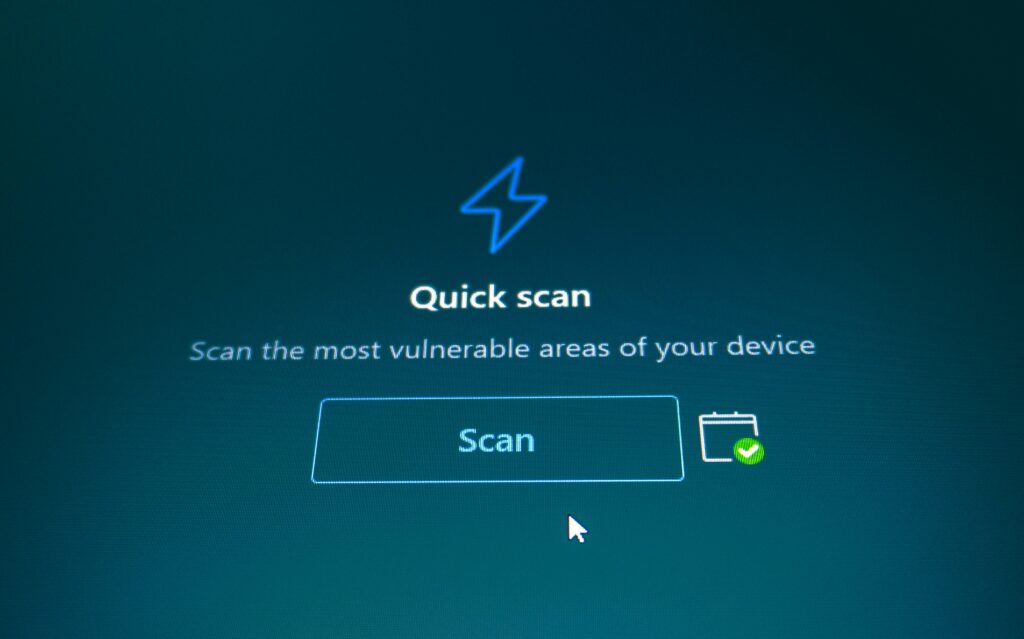
When you run a free dark web scan, the tool checks your email address against a database of known data breaches, collections of credentials, personal data, and account information that have been exposed, sold, or published on dark web marketplaces and hacker forums.
What a typical free scan checks:
- Whether your email address appears in any indexed breach dataset the tool has access to
- Whether passwords associated with your email have been exposed in those same breach records
- Sometimes: whether your phone number, physical address, or other personal identifiers appear in known breach compilations
What the scan is actually searching:
The dark web is not a single searchable database. Security researchers and companies scrape, monitor, and index dark web forums, marketplaces, and paste sites continuously to build their own breach databases. When you run a free scan, you are checking your information against that company’s proprietary collection of indexed breach data, not the dark web itself. The coverage varies significantly between tools depending on how actively they monitor and how large their indexed dataset is.
How the Major Free Scans Work — and Their Shared Limitation
Aura
Aura’s free scan at scan.aura.com checks your email against known breach records and returns a summary of exposed accounts and password types. The free scan is a one-time check. Ongoing monitoring, real-time alerts when new breaches appear, and the full identity protection suite require a paid subscription at approximately $13 per month and up.
Experian
Experian’s free dark web scan ties your email to identity data and searches breach records going back to 2006 across thousands of data sources. It returns a snapshot of your exposure history. Like Aura, ongoing monitoring and alerts require a paid Experian IdentityWorks subscription.
Keeper Security
Keeper’s BreachWatch tool scans passwords against known breach databases to flag reused or compromised credentials. The free version provides a one-time snapshot. Continuous monitoring of new breaches and password alerts require a Keeper subscription.
Malwarebytes
Malwarebytes’ free scan checks your email against breach records and returns a list of breaches where it has appeared. Continuous monitoring is a paid feature.
Have I Been Pwned
Have I Been Pwned at haveibeenpwned.com is a free tool maintained by security researcher Troy Hunt that has become the standard reference for email breach checking. It is completely free, requires no account for a basic check, and covers a large and well-maintained breach database. For checking whether a specific email has ever appeared in a known breach, it is the most reliable free option available. It does not offer continuous real-time monitoring without signing up for notifications.
The Shared Limitation Across All Free Scans
Every free dark web scan from every provider shares the same fundamental constraint: it is a snapshot. It tells you about exposure that has already happened and already been indexed. It does not tell you about exposure that happens tomorrow, next week, or next month.
This matters because data breaches happen continuously. Approximately 10 million data records are dumped to the dark web every day. A scan you run today returns a clean result. A breach tomorrow that exposes the same email address and a new password is completely invisible to yesterday’s scan.
The gap between when a breach happens and when someone finds out about it is where the damage occurs: accounts get accessed, identities get used, and fraudulent activity builds before anyone realizes something went wrong.
Name Search Examples
To get more accurate results, enter the full name including at least First name, Middle name and Last name.
Email Search Examples
Phone Search Examples
Username Search Examples
Address Search Examples
Start typing the initial part of the address and select from the addresses given dropdown afterward.
We Respect Your Privacy.
Why a Single Scan Is Not Enough
Running a free scan and seeing no exposure is a useful data point. It is not a clean bill of health for the future.
The continuous breach problem:
New breaches are disclosed every day. Companies large and small experience data exposures constantly, and many breaches are not discovered or disclosed for months or years after they occur. The information exposed in a breach you are not yet aware of may already be circulating on dark web marketplaces before any scan tool has indexed it.
The lag between breach and indexing:
Even when a breach is discovered, the time between when it occurs and when it is indexed by breach monitoring databases varies from days to months. A scan run today is checked against breaches that have already been found and indexed, not against breaches that are actively being traded but have not yet been identified.
The data resurfacing problem:
Even after a breach is old news, the data from it gets repackaged, combined with other breach datasets, and resold repeatedly on dark web markets. An email address exposed in a 2019 breach may appear in a newly compiled dataset being actively traded in 2026, representing new exposure from old data.
What the gap looks like in practice:
An estimated 50,000 or more people are scammed in the United States each year as a direct result of breaches they did not know about. The damage almost always occurs in the window between when data is exposed and when the person finds out, which, without continuous monitoring, can be months or years.
What Continuous Monitoring Catches That a One-Time Scan Does Not
The practical difference between a one-time scan and continuous monitoring is the difference between a photograph and a live camera feed. The photograph captures one moment. Anything that changes after it is taken is invisible.
How Privacy Lock’s Monitoring Works
Social Catfish’s Privacy Lock provides continuous monitoring of both dark web sources and public internet data for your personal information, rather than checking once and stopping.
What it monitors:
- Dark web marketplaces, forums, and paste sites for your email addresses, phone numbers, and associated personal data
- Public internet sources including data broker sites where your name, address, and contact information are publicly listed
- New breach records as they are indexed, with alerts sent immediately when your information appears in a newly discovered dataset
What happens when something is found:
Privacy Lock sends an immediate alert email and an in-app notification with specific information about what was found, where it appeared, and suggested next steps. Rather than discovering weeks later that an account has been accessed, you find out when the exposure happens and can act before the damage occurs.
The difference in alert timing:
With a one-time scan, you only find out about exposure if you run another scan and happen to time it right. With continuous monitoring, you find out when exposure happens, regardless of when you last ran a check.
What to Do If You Find You Are Already Exposed
If a scan returns results showing your email or password has appeared in breach data, the immediate steps are straightforward.
Change the exposed password immediately:
Change the password associated with the breached account and any other account where you have reused the same password. Password reuse is the most common way a single breach becomes multiple compromised accounts.
Enable two-factor authentication:
On every account where it is available, enable two-factor authentication. This makes a breached password significantly less useful to whoever has it since they also need access to your second factor to log in.
Set up Social Catfish’s Email Hider:
If your primary email address has been exposed, Email Hider creates private alias addresses that forward to your real inbox without exposing your actual email address. Future accounts created with an alias address keep your real email out of future breaches from those services. Three free aliases are available per account, with categories including Shopping, Newsletters, Dating, Marketplace, and Deals, covering the services most likely to be breached.
Watch for targeted phishing:
After a breach, targeted phishing attempts using your real name and personal details become more likely since attackers now know your email address and potentially other personal information. Be especially skeptical of any email referencing account security, password resets, or financial matters in the weeks following a discovered exposure.
Set up ongoing monitoring:
Once you have addressed the immediate exposure, continuous monitoring through Privacy Lock catches the next breach before you are caught off guard by it.
A Scan Checks Once. Your Data Keeps Leaking After.
Watch what happens after the free scan ends — then see the difference monitoring makes.
You run a free dark web scan
It checks your email against breaches on file right now and comes back clean, or shows what’s already leaked.
One-Time SnapshotA new breach hits a site you use
Your email is in it. The scan you ran already finished — nothing runs again unless you remember to check.
Nobody Told YouPrivacy Lock is already watching
Continuous dark web and internet monitoring means you get the alert the moment new exposure happens — not months later.
Caught ImmediatelyA free scan is a snapshot of right now. Your data doesn’t stop moving after it runs. Privacy Lock keeps watching the dark web and public internet for you, so a new leak gets caught the day it happens, not the day you decide to run another scan.
Start Monitoring with Privacy LockSetup takes 5 minutes — private and confidential.
FAQ
A free dark web scan checks your email address and sometimes other personal identifiers against a database of known breach records that the scan provider has indexed from dark web sources. It returns a list of breaches where your information appeared, what type of data was exposed, and when.
Check at haveibeenpwned.com; it is the most comprehensive and reliable free breach-check tool available and requires no account for a basic search. Enter your email address, and it returns every known breach where it has appeared, along with details about what data was exposed in each incident.
They are accurate for what they cover: known, indexed breach data. The limitation is not accuracy but completeness. Any breach that has not yet been discovered, any breach that occurred after you ran the scan, and any data that is being traded but has not yet been indexed by that specific provider’s monitoring are all invisible to a one-time free scan.
A free scan is a one-time check against breach records that existed at the moment you ran it. Continuous monitoring checks your information against new breach records as they are discovered and indexed, sending alerts immediately when new exposure appears rather than requiring you to run another scan to find out.
Yes. Privacy Lock monitors both dark web sources and public internet data broker sites simultaneously. Removal requests for data broker listings are initiated alongside dark web monitoring, addressing both categories of exposure in one place.
Conclusion
A free dark web scan is worth running, and Have I Been Pwned is the best free option for the initial check. What free scans share is a fundamental limitation: they capture a moment in time and miss everything that happens after that moment. Given that approximately 10 million data records appear on the dark web every day, the gap between a one-time scan and continuous monitoring is not a minor detail; it is the difference between knowing about exposure when it happens and finding out about it after the damage is done. Privacy Lock’s continuous monitoring closes that gap with real-time alerts rather than periodic checks you have to remember to run.
Name Search Examples
To get more accurate results, enter the full name including at least First name, Middle name and Last name.
Email Search Examples
Phone Search Examples
Username Search Examples
Address Search Examples
Start typing the initial part of the address and select from the addresses given dropdown afterward.
We Respect Your Privacy.