Multiple Faces Detected



 September 7th, 2026
Bluesky’s profiles are public by default, which means anyone can see them and anyone can copy them. A convincing fake account on Bluesky takes minutes to build: pick a name, write a bio, set a profile photo from someone else’s social media, and start posting. The same openness that makes Bluesky easy to find also makes profile photos easy to check. Here is how to run a reverse image search on any Bluesky profile photo and what to do when the results raise a question.
Name Search Examples
To get more accurate results, enter the full name including at least First name, Middle name and Last name.
Email Search Examples
Phone Search Examples
Username Search Examples
Address Search Examples
Start typing the initial part of the address and select from the addresses given dropdown afterward.
We Respect Your Privacy.
What Is a Reverse Image Search on Bluesky?
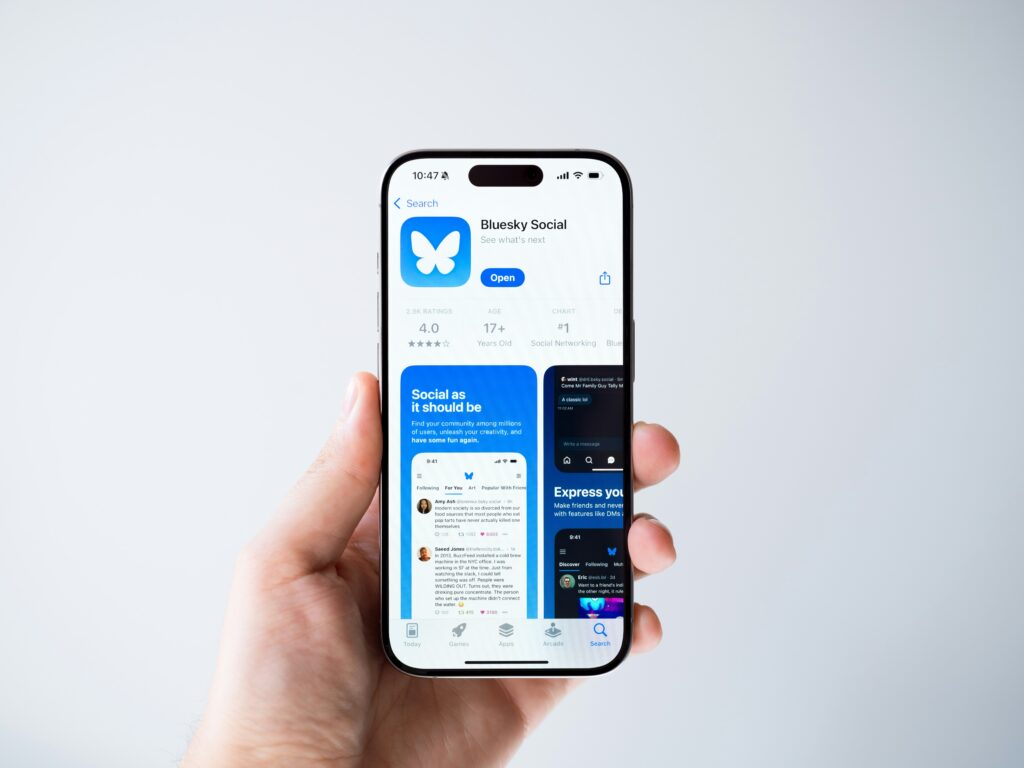
A reverse image search on Bluesky means taking a profile photo from a Bluesky account and searching for where else that image appears online. The search runs entirely outside the Bluesky platform using a separate tool, and the person whose photo you search receives no notification that it happened.
What this search answers:
- Whether the profile photo belongs to the person using it or has been taken from someone else’s social media
- Whether the same face appears under a different name on other platforms
- Whether the image is a stock photo, a model photo, or an AI-generated face rather than a genuine personal photo
The process is the same as reverse image searching a photo from any other platform. You screenshot or save the photo, upload it to a search tool, and review the results for any cross-platform matches.
How Reverse Image Search Protects You on Bluesky
Bluesky has grown rapidly since its public launch, attracting users from Twitter and building a substantial following among journalists, researchers, and public figures. That growth also attracts the fake account patterns that follow every expanding platform.
Stolen Photo Catfishing
The most common fake profile pattern uses a real person’s photos without their knowledge. A photo stolen from someone’s Instagram or LinkedIn appears on a Bluesky account with a different name and a fabricated backstory. The stolen photo looks genuine because it is; it just belongs to someone else. A reverse image search surfaces the real owner of the photo and confirms whether the Bluesky account’s identity is consistent with where the photo actually came from.
Crypto Giveaway and Sockpuppet Accounts
Bluesky has documented problems with crypto-giveaway scam accounts and coordinated inauthentic behavior from sockpuppet networks. These accounts typically use stock photos or stolen images of real people to appear credible before pushing followers toward investment schemes, fake giveaways, or verification scams. A profile photo that traces back to a stock library or appears across multiple different accounts under different names is a direct signal that the account is not what it presents itself as.
Impersonation of Public Figures
Bluesky’s custom domain handle system, where accounts can use domain names as handles, is a genuine differentiator that helps legitimate public figures distinguish themselves. But the profile photo is independent of the handle, and a convincing impersonation account can combine a plausible handle with a stolen photo of the person being impersonated. Checking the photo independently of the handle confirms whether the visual identity matches a genuine public presence.
Red Flags to Look For in Bluesky Profiles
Before running a reverse image search, these signals on the profile itself are worth noting as context for interpreting the results.
New account with a large or fast-growing following:
Genuine accounts build followings gradually. An account created recently with thousands of followers and limited post history has likely used follow-farming or is part of a coordinated inauthentic network. This is not definitive on its own but warrants investigation.
Stock photo quality profile picture:
Profile photos on genuine accounts typically look like real personal photos: casual, varied backgrounds, natural lighting. A profile photo with the visual quality and composition of a stock image is worth checking, since stock photos and model photos are commonly reused for fake accounts.
DMs pushing crypto, investment opportunities, or verification:
Unsolicited direct messages promoting investment platforms, cryptocurrency giveaways, or claiming you need to verify your account through an external link are consistent with scam account behavior regardless of how convincing the profile appears.
Notability claims without a verifiable custom domain handle:
Bluesky’s handle system allows verified public figures and organizations to use their actual domain name as their handle, for example @nytimes.com rather than @nytimes.bsky.social. An account claiming to be a well-known person or organization without a custom domain handle deserves more scrutiny than one that has taken the step of domain verification. The absence of a custom handle is not proof of a fake account, but it is a reason to check the photo.
Name Search Examples
To get more accurate results, enter the full name including at least First name, Middle name and Last name.
Email Search Examples
Phone Search Examples
Username Search Examples
Address Search Examples
Start typing the initial part of the address and select from the addresses given dropdown afterward.
We Respect Your Privacy.
How to Verify a Bluesky Profile Photo With Social Catfish
Step 1: Get the Profile Photo
Bluesky profiles are publicly accessible without an account, which makes saving the profile photo straightforward.
How to get the photo:
- Go to the Bluesky profile and click on the profile photo to open it full size
- Right-click and save the image, or take a screenshot
- Open the image in your photo editor and crop tightly to the face, removing any background, username display, or interface elements
- Save the cropped version as the file you will upload
The tighter the crop to the face, the more accurate the results. A well-cropped face-only image gives the facial recognition system the most relevant data rather than background noise.
Step 2: Upload to Social Catfish’s Reverse Image Search
Go to socialcatfish.com and select the image search option. Upload your cropped photo.
Social Catfish uses facial recognition rather than file matching. Rather than looking for the same image file, it analyzes the face itself and searches for that person appearing across different photos on different platforms, regardless of whether the files are visually similar.
Why this matters for Bluesky specifically:
- Finds the same face across photos taken at different times, angles, and resolutions
- Searches across social media, dating platforms, and other sources that standard file-based search cannot index
- Catches the same person using different photos on different platforms under different names — a common pattern in multi-account fake profile operations
Step 3: Review the Results
What results look like:
- A face appearing consistently under the same name across verified social media confirms the Bluesky profile is using genuine photos
- A face appearing under a different name on another platform confirms the Bluesky profile is using a stolen identity
- No results from a comprehensive facial recognition search on a photo that looks unusually polished may indicate an AI-generated face
Cross-reference with Social Catfish’s username search:
If the Bluesky account has shared any username, handle, or contact details, enter those into Social Catfish’s username search. The search cross-references the identifier across hundreds of platforms simultaneously, returning every account where that handle is active, along with the associated identity. A genuine person has a consistent cross-platform presence. A fake account typically exists in only one or two places with no verifiable history.
All Social Catfish searches are completely confidential. The person being searched receives no notification that a search was run.
What to Do If You Discover a Fake Profile
Block and report on Bluesky:
Bluesky has in-app reporting tools accessible from any profile. Tap the three-dot menu on the profile and select Report. For impersonation specifically, select the impersonation category so Bluesky’s safety team can act on the right type of violation.
Report impersonation to Bluesky’s safety team directly:
For impersonation of a public figure or organization, Bluesky’s safety team handles reports at safety@blueskyweb.xyz. Include the account handle, the handle or profile of the person being impersonated, and any evidence you found through the reverse image search.
Do not send money or personal information:
If a fake account has already solicited financial information, payment, or personal details, do not send anything further regardless of any pressure the account applies.
Report to the FTC if money has changed hands:
File at reportfraud.ftc.gov. FTC reports contribute to enforcement action against the scam operations running these accounts and are the appropriate channel for any interaction that involved financial loss or attempted fraud.
FAQ
Yes. Social Catfish’s reverse image search is the most comprehensive option, using facial recognition to find the same face across different photos and platforms rather than matching the exact image file. For a free first pass, Google Images and TinEye both work as a baseline check before escalating to a full facial recognition search.
No. The reverse image search happens entirely outside the Bluesky platform. Bluesky has no mechanism to detect or notify users that their profile photo was searched elsewhere, and Social Catfish searches are completely confidential, with no notification sent to the person being searched.
The photo may be AI-generated and never posted anywhere else, recently stolen from a private account with no public indexed presence, or from a source outside the search index. When a search returns nothing, and the profile still raises questions, the username search and cross-platform identity check through Social Catfish can provide additional context.
Stolen photos from real people’s social media and stock photo sites are abundant and free. That reuse pattern is exactly what makes cross-platform reverse image search effective; the same photo appearing under different names on different platforms is a direct signal of a fake account operation.
No. A custom domain handle is a stronger authenticity signal than a generic handle because it requires control of the domain. But it is not proof on its own. A profile photo that traces to a different identity through Social Catfish’s reverse image search overrides a convincing handle. Verify both the handle and the photo independently before extending trust.
Conclusion
Bluesky’s public-by-default profile design makes account information easy to find, and the same openness makes profile photos easy to check. A reverse image search takes a few minutes and answers the question that a profile page alone cannot: whether the photo belongs to the person using it or has been borrowed from somewhere else. Social Catfish’s facial recognition search covers the cases that file-based tools miss, finding the same face across different photos and platforms regardless of whether the specific file appears in any standard search index. Run the check before you trust the account.
Name Search Examples
To get more accurate results, enter the full name including at least First name, Middle name and Last name.
Email Search Examples
Phone Search Examples
Username Search Examples
Address Search Examples
Start typing the initial part of the address and select from the addresses given dropdown afterward.
We Respect Your Privacy.