Multiple Faces Detected



 August 6th, 2026
No. Airbnb does not have a dedicated search function that lets you type a host’s name and find their listings directly. If you are trying to look up a specific host before booking, here is what actually works instead, what their profile reveals, and how to verify their identity when something feels off before any money changes hands.
Name Search Examples
To get more accurate results, enter the full name including at least First name, Middle name and Last name.
Email Search Examples
Phone Search Examples
Username Search Examples
Address Search Examples
Start typing the initial part of the address and select from the addresses given dropdown afterward.
We Respect Your Privacy.
Can You Search Airbnb by Host Name?
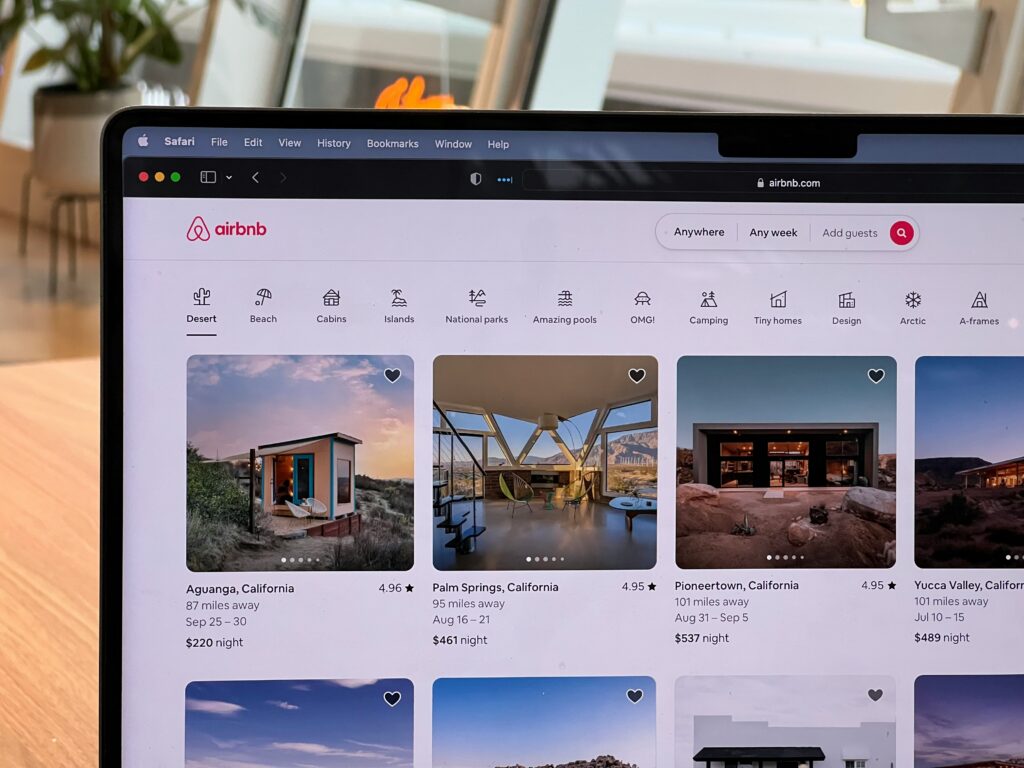
Airbnb’s search is built around properties and locations, not people. There is no search bar on the platform that accepts a host name and returns their listings the way a person’s search works on a social network.
What Airbnb does let you do:
- Click through to a host’s profile from any active listing to see their full history, reviews, and account details
- See all other listings the host has active from their profile page
- View verified identity badges, response rates, and join dates on every host profile
The path to a specific host’s profile always starts from one of their listings rather than from a direct name search. If you have been in contact with a host and want to find their profile, searching their name alongside Airbnb in Google often surfaces their profile or their active listings directly.
How to Look Up a Host Before You Book
Check the Host Profile Thoroughly
Every Airbnb listing includes a link to the host’s profile. Before booking anything, click through to that profile and look at the following:
What the host profile shows:
- Join date — how long the host has been on Airbnb
- Review count and overall rating — the number of completed stays and what guests said
- Verified ID badge — whether Airbnb has confirmed the host’s identity through their ID verification process
- Response rate and response time — how reliably and quickly the host communicates
- Other active listings — all properties the host currently has listed, which shows whether they are an occasional host or an established operator
- Superhost status — a badge indicating consistent positive performance over multiple stays
What to look for specifically:
- A join date within the last few months combined with no reviews is a higher-risk profile than an established host with dozens of completed stays
- A high review count with detailed, specific guest experiences is more reliable than a profile with a handful of generic five-star reviews
- A verified ID badge confirms Airbnb has checked their identity, though it does not confirm every detail they have shared in their listing
Google the Host’s Name and Airbnb
Searching the host’s name alongside Airbnb in Google surfaces any public mentions of that host outside the platform itself. Negative experiences, scam reports, and community warnings sometimes appear in travel forums, Reddit threads, and consumer complaint sites that do not show up within Airbnb’s own review system.
Reverse Image Search Their Profile Photo
This is the most underused free verification step available and one of the highest-yield checks before any significant booking.
How to do it:
- Save the host’s profile photo from their Airbnb page
- Upload it to Google Images or Social Catfish’s reverse image search
- Review results for the same face appearing under a different name or in a different context
A stolen or stock profile photo is one of the most consistent signals of a fraudulent Airbnb listing. Real hosts almost always use a genuine personal photo that appears consistently across their own social media. A photo that traces back to a model, a stock image site, or another person’s verified social media under a different name is an immediate red flag before any booking is made.
Social Catfish’s reverse image search uses facial recognition rather than file matching, which finds the same face across different photos and platforms that Google cannot index, making it more comprehensive than a standard Google image search for this specific check.
Name Search Examples
To get more accurate results, enter the full name including at least First name, Middle name and Last name.
Email Search Examples
Phone Search Examples
Username Search Examples
Address Search Examples
Start typing the initial part of the address and select from the addresses given dropdown afterward.
We Respect Your Privacy.
Signs an Airbnb Host Might Not Be Legitimate
Profile and listing red flags:
- A new account with no completed stays or reviews, particularly for a listing priced competitively
- Listing photos that appear elsewhere online under a different address or property name, which you can check by reverse image searching the property photos
- A bio that is vague, generic, or reads as AI-generated rather than reflecting a real person’s personality and experience
- A listing with unusually low prices for the location and quality shown
Communication red flags:
- Pressure to communicate or pay outside the Airbnb platform through email, WhatsApp, or wire transfer
- Requests for personal information beyond what Airbnb’s booking process requires
- Urgency language pushing you to confirm quickly before the listing is taken
- Inconsistencies between what the listing description says and what the host says in messages
The off-platform payment request is the single most serious red flag. Airbnb’s buyer protections apply only to bookings made through the platform. Any payment made outside Airbnb removes all of those protections and is effectively irreversible. For the full breakdown of how this scam plays out, see our Airbnb Customer Service Scams guide.
Verify a Host’s Identity Before You Book or Pay
When the profile, reviews, and reverse image search leave you with residual uncertainty, Social Catfish’s cross-platform search closes the verification gap that Airbnb’s own tools leave open.
Name or Username Search
Enter the host’s name or any username they have used into Social Catfish’s username search. The search cross-references the identifier across hundreds of platforms simultaneously, returning every account where that name or handle is active. A genuine host with an established Airbnb presence typically has a consistent real-world identity across other platforms. A fraudulent profile built for a fake listing often has no verifiable presence outside the Airbnb listing itself.
Reverse Image Search
Upload the host’s profile photo to Social Catfish’s reverse image search. As covered above, this check finds the same face across platforms that Google cannot index, confirming whether the photo belongs to a consistent real identity or has been used under different names elsewhere.
Reverse Phone or Email Search
If a host has shared contact details outside of Airbnb’s messaging system, enter those into Social Catfish’s reverse phone or email search. The search returns the real name and linked accounts registered to those contact details, confirming whether the identity behind the Airbnb profile is consistent with a genuine, verifiable person.
All Social Catfish searches are completely confidential. The host receives no notification that a search was run.
FAQ
No. Airbnb does not have a dedicated host-name search function. Finding a specific host’s profile always starts from one of their active listings rather than from a direct name search. Searching the host’s name alongside Airbnb in Google often surfaces their profile or listings as a workaround.
Look for the Identity Verified badge on their host profile. This badge indicates Airbnb has confirmed the host’s identity through their ID verification process. A verified badge is a positive signal but does not confirm every detail in the listing is accurate. Running a reverse image search on their profile photo and checking their review history provides additional verification beyond the badge alone.
Yes. Most host profiles include a link to all their active listings on Airbnb. Clicking through to their profile from any listing shows their complete current inventory, which is useful for assessing whether they are a casual, occasional host or an established operator with a real track record.
Treat it as a major red flag and refuse. Airbnb’s buyer protections apply only to bookings made through the platform. Any payment outside Airbnb removes all of those protections entirely and gives you no recourse if the listing is fraudulent. Report the listing to Airbnb through the in-app reporting function before taking any other action.
Yes. Reviewing their full profile history including join date, review count, and verified badge, is free within Airbnb. Running a reverse image search on their profile photo through Google Images is free. For a more comprehensive check that covers platforms Google cannot index and confirms the identity behind the profile, Social Catfish’s reverse image search and name search provide the additional verification layer.
Conclusion
Airbnb does not have a native hostname search, but a thorough profile review combined with a reverse image search covers most of the gap for free. The join date, review history, verified badge, and a quick check on the profile photo tell you most of what you need before booking. When those checks still leave uncertainty, Social Catfish’s reverse image search and cross-platform identity lookup confirm whether the host’s identity is genuine before any payment is made. Booking through the platform and never paying outside it is the baseline protection that everything else builds on.
Name Search Examples
To get more accurate results, enter the full name including at least First name, Middle name and Last name.
Email Search Examples
Phone Search Examples
Username Search Examples
Address Search Examples
Start typing the initial part of the address and select from the addresses given dropdown afterward.
We Respect Your Privacy.