Multiple Faces Detected



 July 31st, 2026
Trying to find someone on Apple Music and coming up empty? Apple Music’s profile search works, but only under specific conditions. If the person has a private profile or you do not have their exact name or nickname, the search returns nothing. Here is what actually works, why searches fail, and what a public Apple Music profile does and does not tell you.
Name Search Examples
To get more accurate results, enter the full name including at least First name, Middle name and Last name.
Email Search Examples
Phone Search Examples
Username Search Examples
Address Search Examples
Start typing the initial part of the address and select from the addresses given dropdown afterward.
We Respect Your Privacy.
Can You Search for Someone on Apple Music?
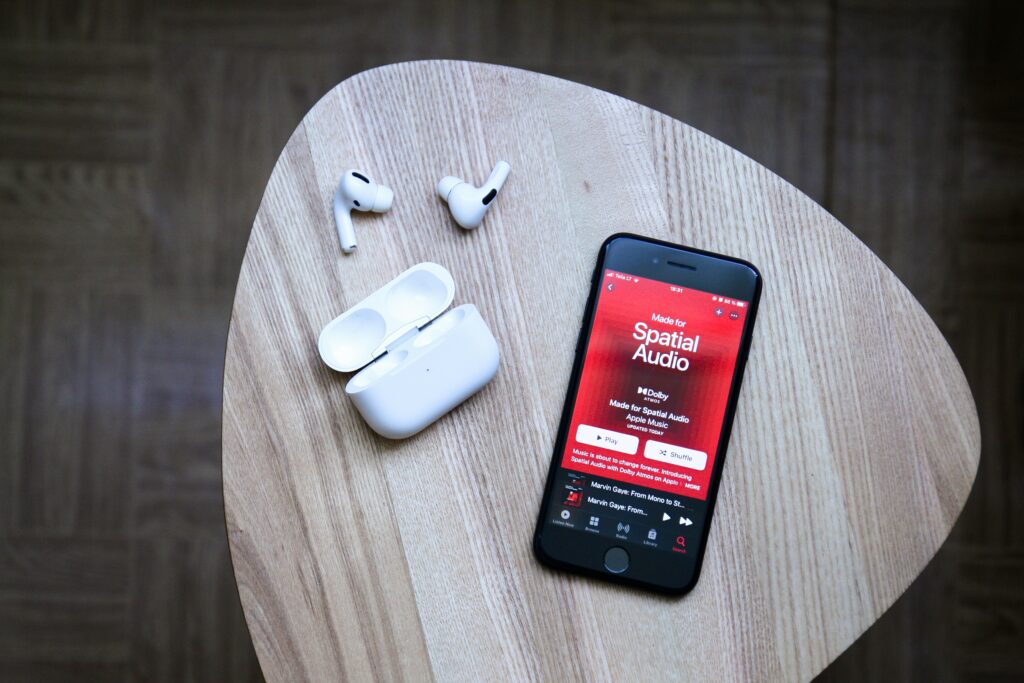
Yes, but with real limitations.
Apple Music’s profile search only works when:
- The person has set up a public profile
- You search by their exact name, nickname, or Apple ID
- They have not restricted their profile visibility entirely
You cannot search by email address or phone number. There is no directory to browse. If the person has never set up a public Apple Music profile, they will not appear in any search, regardless of how precisely you search.
How to Search and Follow Someone on Apple Music
On iPhone or iPad:
- Open the Apple Music app and tap the Search tab at the bottom of the screen
- Type their name, nickname, or Apple ID into the search bar
- Scroll down in the results to find the People section
- Tap their profile to view it and tap Follow to send a follow request
On Mac:
- Open Apple Music and click the Search bar at the top of the sidebar
- Enter their name or Apple ID
- Look for their profile in the People results section
- Click Follow from their profile page
The Allow Finding by Apple Account setting:
Apple Music has a setting under your profile that allows contacts who have your Apple ID saved to find you as a suggested friend. If you and the person you are looking for both have this enabled and each other’s Apple IDs in your contacts, Apple Music may suggest them directly without a search.
Why You Might Not Be Able to Find Someone
If a search returns nothing, one of these is almost always the reason:
- Their profile is private. Apple Music profiles are set to private by default. A private profile requires them to approve your follow request before you can see anything, and they may not appear in search results at all depending on their settings.
- They have never set up a profile. Having an Apple Music subscription does not automatically create a public profile. Users have to actively set one up by adding a name, photo, and making their profile public.
- You are using the wrong name or nickname. Apple Music search requires an exact or near-exact match. If they use a nickname, a shortened name, or a different version of their name than what you know, the search comes up empty.
- They disabled discoverability. Users can turn off the setting that allows others to find them by their Apple ID, which removes them from search results even when their profile technically exists.
What a Public Apple Music Profile Actually Shows
When a profile is publicly visible, here is what you can see:
- Playlists they have made public — curated collections they have chosen to share
- Top artists and songs — their most listened-to music over recent periods, if they have enabled this
- Followers and following — who follows them and who they follow on Apple Music
- Friend activity — listening activity updates if they have enabled the Listen Now social feature
- Profile photo and name — whatever name and image they chose for their Apple Music profile, which may or may not reflect their real identity
What you cannot see on any Apple Music profile: email address, phone number, real name if they used a pseudonym, location, or any information outside of their music activity.
Name Search Examples
To get more accurate results, enter the full name including at least First name, Middle name and Last name.
Email Search Examples
Phone Search Examples
Username Search Examples
Address Search Examples
Start typing the initial part of the address and select from the addresses given dropdown afterward.
We Respect Your Privacy.
What an Apple Music Profile Does Not Tell You
A public Apple Music profile is a music taste snapshot. Shared playlists, top artists, and follower counts tell you what someone listens to. They tell you nothing about who that person actually is.
This matters most in a specific scenario: someone you met online, through a dating app, or through any other digital context shares their Apple Music profile as a way to connect or as proof of their personality. That is a genuinely appealing idea and a real way people bond over music. It is not identity verification.
An Apple Music profile can be created in minutes with any name, any photo, and any playlist. Nothing on the profile confirms the person behind it matches the identity they have presented to you elsewhere.
If a connection you made online has given you their Apple Music profile but you have not been able to confirm who they actually are through a video call, social media cross-referencing, or any other verifiable method, Social Catfish’s reverse search tools fill that gap.
Username or name search:
Enter any name, username, or handle they have used into Social Catfish’s search. The cross-platform search returns every account connected to that identity across hundreds of platforms simultaneously, showing whether their online presence is consistent and verifiable or thin and recently created.
Reverse image search:
If they have shared a photo of themselves, upload it to Social Catfish’s reverse image search. The facial recognition finds where that face appears online and under what names, confirming whether the person behind the Apple Music profile matches a consistent real identity elsewhere.
All searches are completely confidential. The person being searched receives no notification.
For similar guidance on verifying identity through music streaming profiles, see our Spotify Profile Search guide.
FAQ
No. Apple Music requires an active account and login to access the search function and view profiles. There is no public-facing web directory for Apple Music profiles and no way to search without being signed in.
No. Apple Music does not notify users when someone views their profile, browses their playlists, or looks at their follower list. There is no view tracking or profile visit notification on the platform.
The most common reasons are that their profile is set to private, they have disabled the setting that allows others to find them by Apple ID, they have never set up a public profile despite having a subscription, or you are searching for a name that does not match the name or nickname they used when creating their profile.
No. Apple Music profiles are private by default. Making a profile public requires actively changing the visibility settings and setting up a profile with a name and photo. Most Apple Music subscribers have never done this, which is why many searches return no results even for active users.
Yes. An Apple Music profile can be created in minutes with any name, any photo, and any playlist. Nothing on the profile confirms the person behind it matches the identity they have presented elsewhere. If someone you met online shared their Apple Music profile as a way to connect but you have not verified their identity through other means, Social Catfish’s reverse image search and cross-platform username search confirm whether the identity behind the profile is genuine.
Conclusion
Apple Music profile search works when the person has a public profile, and you have their exact name or Apple ID. When those conditions are not met, the search returns nothing regardless of how carefully you look. And even when a profile is found, what it shows is music taste, not identity. For anyone whose online presence you want to verify beyond a shared playlist, Social Catfish’s cross-platform search covers the identity layer that Apple Music is not designed to provide.
Name Search Examples
To get more accurate results, enter the full name including at least First name, Middle name and Last name.
Email Search Examples
Phone Search Examples
Username Search Examples
Address Search Examples
Start typing the initial part of the address and select from the addresses given dropdown afterward.
We Respect Your Privacy.