Multiple Faces Detected


 July 30th, 2026
Trying to track down a specific GoFundMe campaign maybe one a friend mentioned, or one you saw shared once and lost track of? GoFundMe’s search bar can find it if you know the right details, but it will not tell you whether the person behind the campaign is legitimate. Here is how to actually search GoFundMe by name, location, or fundraiser title, and how to verify the organizer’s real identity before you donate a cent.
Name Search Examples
To get more accurate results, enter the full name including at least First name, Middle name and Last name.
Email Search Examples
Phone Search Examples
Username Search Examples
Address Search Examples
Start typing the initial part of the address and select from the addresses given dropdown afterward.
We Respect Your Privacy.
How to Search for a GoFundMe Account or Fundraiser
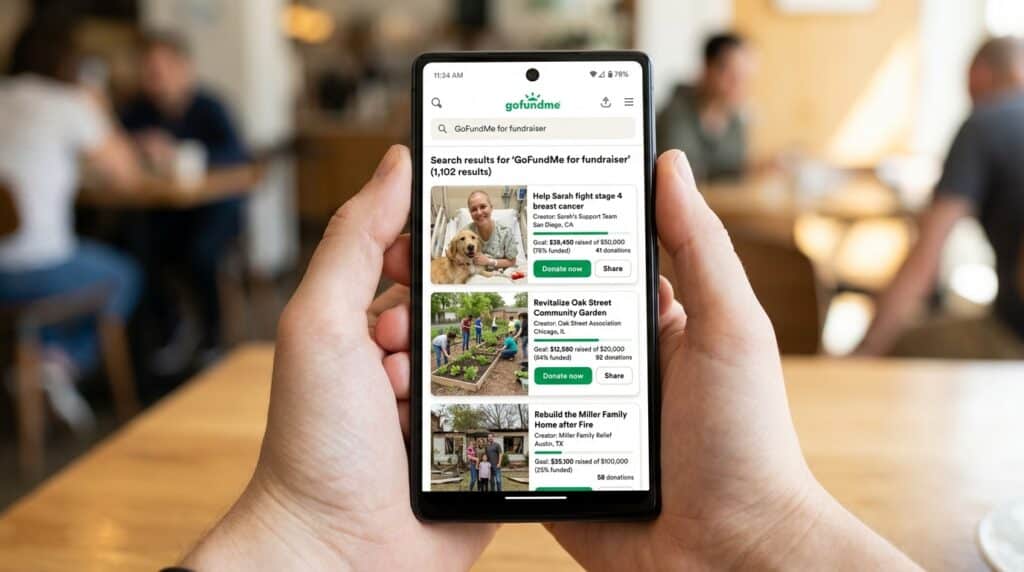
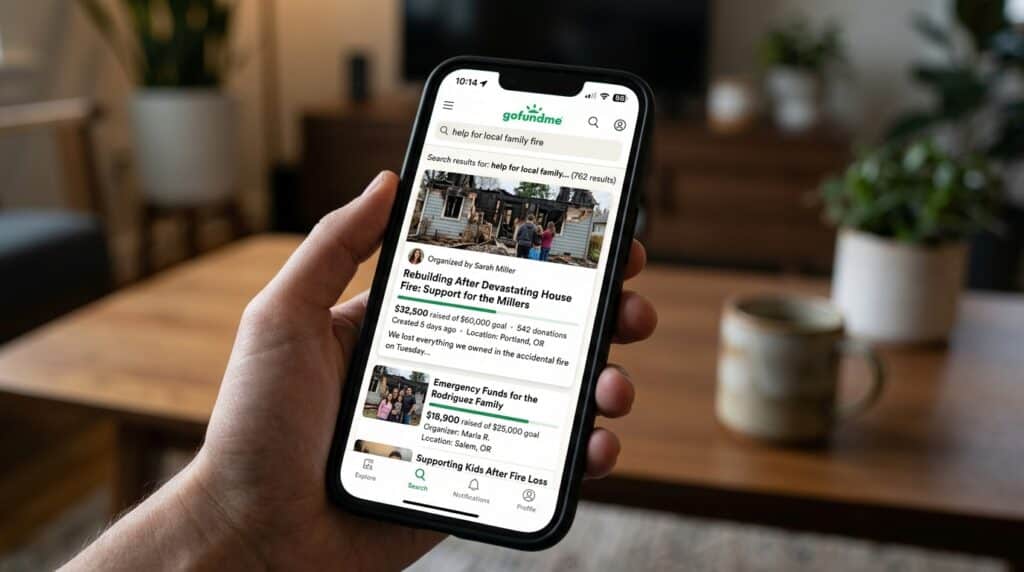
GoFundMe’s native search is available at gofundme.com/s and works without requiring a GoFundMe account. It searches across active campaigns by organizer name, beneficiary name, fundraiser title, and location simultaneously.
Searching by Name
- Go to gofundme.com/s in your browser
- Type the organizer’s name, the beneficiary’s name, or any part of the fundraiser title into the search bar
- Press Enter or click the search icon
- GoFundMe returns matching campaigns ranked by relevance
Name search works best when you have a specific and relatively uncommon name. Common first names or very short search terms return a large number of results that require manual browsing to identify the correct campaign. Adding a last name, a location, or any part of the fundraiser title alongside the name significantly narrows the results.
Searching by Location or Fundraiser Title
If you do not have the organizer’s name but remember where the campaign is based or what it was called, both location and fundraiser title searches work through the same search bar.
For location-based search, type the city or region name alongside any keyword you remember. GoFundMe’s search surfaces campaigns that have listed that location in their details, which is useful for finding community fundraisers you encountered locally.
For fundraiser title search, type any distinctive words you remember from the title. GoFundMe matches on partial title content, so you do not need to remember the exact phrasing a few distinctive words from the title often surface the correct campaign.
Using GoFundMe’s Filters to Narrow Results
After running any search, GoFundMe offers filter options that help narrow a large results set.
- Cause category — filters campaigns by type including medical, memorial, emergency, education, and others
- Proximity — if you allow location access, GoFundMe can filter campaigns geographically close to you
- Goal completion — filters by how close a campaign is to its fundraising target, useful if you remember roughly how successful the campaign was when you saw it
Using a combination of cause category and location is the most effective filter combination for finding a specific community or personal fundraiser when the name search alone returns too many results.
GoFundMe Account Search by Name: What to Do When It Doesn’t Match
Sometimes a name search returns nothing even when you are confident the campaign exists. Before concluding it has been removed or never existed, these are the most common reasons a search comes up empty.
Common Reasons a Name Search Comes Up Empty
The campaign has ended or been removed:
GoFundMe’s search only returns active campaigns. Completed campaigns that have been closed by the organizer, campaigns that were flagged and removed by GoFundMe, and campaigns that have passed their end date may not appear in search results even when they were genuine and active recently.
The name is slightly different from what you remember:
GoFundMe uses the name the organizer entered during campaign creation, which may be a formal legal name, a nickname, a maiden name, or a version of the name that differs from what you were told. Try multiple name variations including shortened forms, alternate spellings, and maiden versus married names.
The campaign is private or has limited sharing:
Some GoFundMe campaigns are set to limited sharing and are only discoverable through a direct link rather than through public search. If someone shared the campaign link with you directly rather than posting it publicly, the campaign may not surface through GoFundMe’s search even when it is active.
Searching by the Beneficiary’s Name Instead of the Organizer’s
GoFundMe campaigns have two distinct names associated with them the organizer who set up the campaign and the beneficiary the funds are raised for. These are often the same person but frequently are not, particularly for campaigns set up on behalf of a sick family member, a deceased person’s estate, or an organization.
If searching the organizer’s name returns nothing, search the beneficiary’s name instead. For memorial campaigns, searching the name of the person who passed away is almost always more effective than searching the name of the family member who created the fundraiser.
Name Search Examples
To get more accurate results, enter the full name including at least First name, Middle name and Last name.
Email Search Examples
Phone Search Examples
Username Search Examples
Address Search Examples
Start typing the initial part of the address and select from the addresses given dropdown afterward.
We Respect Your Privacy.
How to Verify Who’s Really Behind a GoFundMe Campaign
Finding the campaign answers one question. Knowing whether the organizer is genuinely who they claim to be is the question that matters before you donate.
GoFundMe’s campaign pages display whatever information the organizer chose to provide a name, a story, and photos. None of this is independently verified by GoFundMe before a campaign goes live. GoFundMe does have a fraud guarantee that offers refunds on qualifying fraudulent campaigns, but that process begins after you have already donated and discovered the fraud. Verifying before you donate is a significantly better outcome than disputing after.
Red Flags Worth Checking Before You Donate
Before reaching for any verification tool, the campaign page itself contains signals worth examining.
- Vague or inconsistent details: A genuine campaign typically has specific, consistent information named hospitals, dates, locations, and circumstances that hold up to basic scrutiny. Vague descriptions that lack specifics or change details across the campaign updates are worth examining.
- No social media presence linked: Legitimate organizers almost always share their GoFundMe through their personal social media. A campaign with no linked social presence and no way to independently find the organizer online is harder to verify.
- Very recent account with an urgent story: A GoFundMe account created in the last few days running an urgent, high-stakes campaign warrants more scrutiny than an established account with a history of activity.
- Photos that appear elsewhere under different names: Profile photos or campaign images that have been taken from other people’s social media are a consistent pattern in GoFundMe fraud.
For a full breakdown of GoFundMe scam patterns and red flags, see our existing GoFundMe scam guide.
Using a Name, Photo, or Social Search to Confirm the Organizer’s Identity
When the campaign page raises questions that the page itself cannot answer, Social Catfish’s cross-platform search provides the identity confirmation layer that GoFundMe’s own tools skip.
Name search:
Enter the organizer’s name into Social Catfish. The search returns linked social media accounts, public records, and contact details associated with that name. A genuine organizer has a verifiable online presence the same name appears consistently across platforms with a history that supports the story they are telling in the campaign.
Reverse image search:
Save the organizer’s profile photo or any photos from the campaign and upload them to Social Catfish’s reverse image search. The facial recognition searches across social media and other platforms, finding where those photos appear online and under what names. A genuine organizer’s photos appear consistently under their own name. Photos that trace back to another person’s social media or appear under multiple different names are an immediate red flag.
Cross-platform consistency check:
If the organizer has linked a social media account in the campaign description, Social Catfish’s username search cross-references that handle across hundreds of platforms simultaneously. A genuine person has consistent presence across platforms with a history that matches their claimed identity. A fake account built specifically for a fraudulent campaign typically has thin, recently created social media with no genuine history.
When to Use Social Catfish Before Donating
The practical threshold for running a Social Catfish verification before donating is not about the amount, it is about how well you can independently verify the organizer.
If you know the person running the campaign personally and can verify their identity through your existing relationship, no additional verification is needed. If you encountered the campaign through a shared link from a friend who also knows the organizer, your friend’s relationship provides reasonable indirect verification.
The cases where Social Catfish verification is worth running before donating:
- You found the campaign through a social media post with no direct connection to the organizer
- The campaign was shared by someone who also found it through sharing rather than from a personal connection to the organizer
- The campaign involves a large donation amount and the story cannot be independently verified through the campaign page alone
- Something about the campaign raises a question you cannot answer from the information provided
The search takes minutes, is completely confidential, and the organizer receives no notification that a verification was run. A genuine campaign and a genuine organizer pass the check without any issue. A fraudulent campaign reveals inconsistencies that the GoFundMe page alone was designed to conceal.
FAQ
Go to gofundme.com/s and type the organizer’s name, beneficiary’s name, or any part of the fundraiser title into the search bar. Use GoFundMe’s filters for cause category and location to narrow results when a name search returns too many matches.
Try the beneficiary’s name instead of the organizer’s these are often different people. Try alternate name spellings, shortened forms, or maiden versus married names. Search the exact fundraiser title if you remember it. Check whether the campaign may have ended or been set to limited sharing.
GoFundMe does not independently verify organizer identity before a campaign goes live. Social Catfish’s name search, reverse image search, and username cross-referencing confirm whether the organizer has a consistent, verifiable identity across platforms that matches the story they are telling in the campaign.
GoFundMe has a fraud guarantee that offers refunds on qualifying fraudulent campaigns, but that process begins after you have already donated and discovered the fraud. Verifying the organizer’s identity before donating is a significantly better outcome than disputing a donation after a scam campaign has already collected funds and been removed.
Searching finds the campaign. Social Catfish handles the verification step by cross-referencing the organizer’s name, photo, and online presence against independent sources before any money changes hands.
Conclusion
GoFundMe’s search finds campaigns efficiently when you have the right name or title to search with. What it cannot do is tell you whether the organizer is who they claim to be that verification step is left entirely to the donor.
For campaigns from people you know personally, the relationship provides the verification. For campaigns you encountered through sharing, found through search, or are considering donating to without a direct connection to the organizer, Social Catfish’s name search and reverse image search provide the identity confirmation layer that GoFundMe skips. A genuine organizer passes that check without any issue. A fraudulent one reveals the inconsistency before your donation funds a campaign built on a fabricated story.
Name Search Examples
To get more accurate results, enter the full name including at least First name, Middle name and Last name.
Email Search Examples
Phone Search Examples
Username Search Examples
Address Search Examples
Start typing the initial part of the address and select from the addresses given dropdown afterward.
We Respect Your Privacy.